
Every app that lives in your menu bar
1 online ·38,147 visitors ·see stats →
A bar that fills as you work. The creature is theirs, not ours.
Open PokeTokenBar
Click a card to move it along. Theirs is a real board, and it syncs to the phone.
Open MenuToDo
A transport, with no sound behind it. Theirs follows the words of what is actually playing.
Open Lyrimuse
- USB 2.0480 Mb/s, 2.5 W
- USB 3.2 Gen 210 Gb/s, up to 100 W
- Thunderbolt 440 Gb/s, up to 240 W
The standards, not your cable. Theirs asks the cable itself.
Open WhatCable
Sample text, typed out. Theirs captions what is actually playing.
Open NotchLive

Every app that lives in your menu bar
Theirs names the font in a picture. This one just shows three.
Open Fonti: Font Finder AI

Sample figures. Nothing here reads or deletes anything.
Open Mole
- Claude CodeWorking
- CodexIdle
Sample rows. Theirs watches the agents actually running.
Open Agent Island

Theirs themes a real SketchyBar. This one repaints the desktop above.
Open sketchetc
- Screenshot 2026-08-14invoice total 1,240
- Screenshot 2026-08-19error: port already in use
- Screenshot 2026-08-22flight PC1284, gate 7
Sample shots of ours. Theirs reads the text in yours.
Open Caplio
The buttons work. Theirs talks to a Panasonic MirAIe unit.
Open MirAIe AC Bar
Off · Theirs stays on while an agent is working and turns itself off after.
Open VibeMenu
A tick, here. Theirs moves real windows into zones, across stages.
Open BetterStage
Off · A tick, here. Theirs is the real switch, with a fail-safe back to ordinary sleep.
Open Lid Keeper
The screen above dims as you move it. Theirs goes further than macOS allows.
Open Nox

Nothing is recorded. No microphone is asked for, here or by theirs.
Open SpeakUp
Sample figures, not a reading of your accounts.
Open Mimir

A transport, with no sound behind it. Theirs floats above TIDAL, Spotify or Apple Music.
Open NowWave
- AnthropicOperational
- OpenAIDegraded
- GitHubOperational
Sample rows. Theirs tells you the minute a real outage ends.
Open Back
A tick, here. Theirs holds the order through every reconnect and wake.
Open Roadie
0 words · Type in it. It counts as you go and forgets when you close it.
Open Antinote

Sample text. Theirs listens to a real meeting, on the machine.
Open Meemo AI
Off · A tick, here. Theirs turns itself on while Claude Code, Codex, Copilot CLI or Cline are working, and off the moment they finish.
Open Belay

A transport, with no sound behind it. Theirs drives your music.
Open Sonant

A tick, here. Theirs records the screen with microphone, system audio and camera.
Open Moonshot
A tick, here. Theirs hides and orders the real icons, offline.
Open StatusPerch

Read from this browser. Theirs switches arrangements from the keyboard.
Open DeskCommit
One click to start, one to stop. Double-click the time to reset.
Open Mini Stopwatch

Ten minutes, counted here. Theirs fills the screen when a real one is due.
Open Remind

Sample figures. Theirs are measured per app, on the metered network.
Open Hotspot Guard

Theirs moves this on its own, following the sun where you are.
Open Solace
Our own clips, and a real copy. Theirs keeps your history and runs flows over it.
Open NanoClip
Our own clips, and a real copy. Theirs keeps the history and replays it.
Open Nori Clipboard

Twenty minutes, the length an eye break is usually spaced at.
Open Screen Break

Sample figures, not a reading of your account.
Open UseReserve
Sample figures, not a reading of your account.
Open Usage Battery for Claude Code

Nothing is recorded. Theirs runs the model on your own Mac.
Open Unspoken

Sample figures, not a reading of your account.
Open Honey for Mac
- macosmenubar.comProxied
- WorkersHealthy
- R2Checking
Sample rows. Theirs reads your own Cloudflare account.
Open FlareBar

Ticking these off changes nothing. Theirs opens at the notch and keeps tasks in Work, Personal and sections you name.
Open NotchyTask
- tail the build logtail -f .astro/build.log
- reset the databasenpm run db:reset
- the address of the queue/admin/<token>
Sample snippets of ours. Theirs searches the ones you have kept.
Open SnipperApp 3
Theirs changes the Mac's default browser. This one changes a tick.
Open The Surf Hero

Nothing is recorded. Theirs runs on your own OpenAI key and your own vocabulary.
Open Listen Orb

- SignatureValid
- NotarisedYes
- SandboxChecking
Sample rows. Theirs checks the software you are about to open.
Open App Trust Preview

Sample figures, not a reading of your account.
Open QuotaTempo
Nothing is recorded. No microphone is asked for, here or by theirs.
Open Clavio
Our own clips, and a real copy. Theirs turns a capture into text an AI can read rather than pixels it guesses at.
Open Stash

Off · A tick, here. Theirs has eight quiet visual cues and records nothing.
Open Callulu

Off · A tick, here. Theirs puts animations and controls around the real one.
Open DynamicHorizon

The buttons work. Theirs opens that many copies of an app, natively.
Open Parall

The screen above warms as you move it. Theirs puts a small candle in the corner of yours.
Open Petit Fire
Our own clips, and a real copy. Theirs searches what it has captured and can encrypt a clip into its Vault.
Open Clipboard Router
The screen above dims as you move it. Theirs controls the real display and watches OLED panels for burn-in.
Open Candela

- Transmit 5.10archived
- Acorn 7.4archived
- Fetch 5.8archived
Sample rows of ours. Theirs keeps the apps themselves.
Open App Archiver for macOS

A flat colour, here. Theirs is the code actually falling.
Open Matrix Desktop

The desktop above changes, and then stands still. Theirs plays video.
Open Backspace: macOS Live Wallpapers

Sample figures. Nothing here reads or changes a disk.
Open DiskPress

Read from this browser, where it will say. A Mac app sees far more.
Open MacMetra

0 words · Type in it. It counts as you go and forgets when you close it. Theirs writes to your own files.
Open Smolpad
Click an icon to open its menu. 79 of them really work rather than describing what they do. Browse all 201 →
- 201 apps
- 153 developers
- 16 categories
- 102 free
App of the week
2d 3h until the next one left
SpeakUp On-Device Dictation for Mac Menu Bar - Opened this week
- 37
- Clicked out
- 3
A different app every week, in turn. Never for sale.
Most clicked this week
The whole table- 1PokeTokenBar15 went to it
- 2
 Glance Preview5 went to it
- 3Fonti: Font Finder AI5 went to it
- 4MenuToDo4 went to it
- 5
 Posturio4 went to it
Newly listed
Everything new BlameDevelopment
 GenTidyAI
 TocaPadUtilities
 RambleproofProductivity
 ShepitProductivity
Everything
- About PokeTokenBar
PokeTokenBar, opens the developer's site in a new tab Raise Pokémon With Your AI Token Usage
A free, open-source macOS menu bar app that turns your AI coding token usage into a Pokémon-raising game. Reads local Claude Code, Codex, and Gemini CLI logs to show today's usage, 5-hour and weekly limits, all 100% locally.
Free - About MenuToDo
MenuToDo , also on the App Store , opens the developer's site in a new tab Kanban Task Manager for Mac, iPhone, iPad, Apple Watch & Vision Pro
The simple kanban task manager that lives in your Mac menu bar and syncs with iPhone, iPad, Apple Watch and Apple Vision Pro. One click access to your tasks across all Apple devices.
$4.99 - About Lyrimuse
Lyrimuse, opens the developer's site in a new tab
Word-synced desktop and menu-bar lyrics for Apple Music, Spotify, QQ Music, NetEase Cloud Music, Kugou and YouTube Music / Spotify Web in the browser — with translation, romanization and Last.fm scrobbling. Free and open source (GPL-3.0).
Free - About WhatCable
WhatCable, opens the developer's site in a new tab Know What Your USB-C Cable Can Really Do
Reads the e-marker chip inside your USB-C cables and tells you in plain English what each one can actually do, and names the weak link when charging or data speed is limited.
Freemium - About NotchLive
NotchLive, opens the developer's site in a new tab Live Captions at the Top of Your Mac
Keeps live captions at the top of your Mac, capturing system audio or microphone speech from Zoom, Meet, Teams, videos, and podcasts, then transcribing locally with Whisper and CoreML.
Freemium - About Fonti: Font Finder AI
Fonti: Font Finder AI , also on the App Store , opens the developer's site in a new tab AI-Powered Font Identifier for Mac Menu Bar
Font Identifier for Mac menu bar, quickly detect fonts from images or screenshots, explore alternatives, and streamline typography design.
Freemium - About Mole
Mole, opens the developer's site in a new tab Mac Maintenance With a Menu Bar HUD
A native Mac maintenance app, cleanup, app management, disk maps and live status, with an optional menu bar HUD for system metrics, privacy activity, top processes, Keep Screen On and Clean Screen. $19 once for two Macs.
$19 - About NameQuick

NameQuick , also on the App Store , opens the developer's site in a new tab Rename Files From What's Inside Them
Reads PDFs, invoices, scans and images and renames them to your naming convention, from the menu bar on a Finder selection, or automatically as files land in a watched folder. Every proposed name is previewed before anything changes. macOS 15.4+.
$69 - About Agent Island
Agent Island, opens the developer's site in a new tab Status Companion for Claude Code & Codex
A free, open-source macOS menu bar status companion for Claude Code and Codex. Live agent state, quota/cost countdowns, attention alerts, and auto-resume for trusted sessions. Native SwiftUI, local-first, no account or telemetry.
Free - About Kanary
Kanary, opens the developer's site in a new tab On-Device Meeting Notes, Plus Keyboard Powers
A menu bar app with no Dock icon that records, transcribes and summarises meetings on-device, and carries modifier-key taps, per-app hotkeys, input modes and window snap gestures on the same icon. macOS 14+, Apple Silicon.
Freemium - About sketchetc
sketchetc, opens the developer's site in a new tab Themeable SketchyBar Menu Bar for macOS
A themeable, fully interactive macOS menu bar built on SketchyBar. Vice City and four more themes, 20+ toggleable widgets, Option+V clipboard history, aura points, and a tamper-evident journal.
Free - About Caplio
Caplio , also on the App Store , opens the developer's site in a new tab Search the Text Inside Your Screenshots
Turns your screenshot folders into a searchable library. On-device text recognition reads the words inside each image, so you can search for what you saw, browse a timeline, and drag any result straight into another app.
Paid - About MirAIe AC Bar
MirAIe AC Bar, opens the developer's site in a new tab Panasonic MirAIe AC Controller for the Mac Menu Bar
A fast, lightweight menu bar controller for Panasonic MirAIe ACs. Control your AC from your Mac instead of reopening the phone app, with optional Siri Shortcuts.
Free - About VibeMenu
VibeMenu, opens the developer's site in a new tab Keep Your Mac Awake While Coding Agents Work
Prevents Mac sleep while Claude Code, Codex, or ChatGPT Work is active and releases the hold when work finishes, showing session state, usage limits, approval alerts, and thermal pressure.
Free - About Sundown
Sundown, opens the developer's site in a new tab Warmer Than Night Shift Can Go
Takes the display down to 500K, far warmer than Night Shift's 2700K floor, on a schedule tied to sunset and sunrise, with six presets and gamma-curve dimming. Native Swift, about 6 MB, macOS 14+.
Paid - About BetterStage
BetterStage, opens the developer's site in a new tab BetterStage: macOS workspace manager with stages, Window Modes, snap zones, and AI Staging
Group Mac apps, windows, and layouts by project, then switch the whole workspace across displays from the menu bar or shortcuts.
$19.99 - About Lid Keeper
Lid Keeper, opens the developer's site in a new tab Keep a MacBook awake with the lid closed—one menu-bar switch, session telemetry, and a fail-safe return to normal sleep.
Keeps long downloads, builds and local jobs running after a MacBook lid closes, with battery, thermal and watchdog fail-safes that restore normal sleep.
Free - About Nox
Nox, opens the developer's site in a new tab Display Filter for Light-Sensitive Mac Users
A native macOS menu bar display filter for light-sensitive users: 12 presets plus tint, software dimming, black point, contrast, grayscale, temperature, and individual color channels.
$9.99 14-day trial - About SpeakUp
SpeakUp, opens the developer's site in a new tab On-Device Dictation for Mac Menu Bar
A macOS menu bar dictation app powered by on-device whisper.cpp with Metal GPU acceleration. Press a hotkey, speak, press again, your words are typed into any app. 100% private, no cloud, no subscription.
€29 14-day trial - About Mimir
Mimir, opens the developer's site in a new tab Every AI Coding Quota in Your Menu Bar
Tracks AI coding quotas for Claude, Codex, Gemini, and Antigravity in one popover, with live limits, reset countdowns, and colour-coded status dots, read entirely on your own machine. Open source under the MIT licence, macOS 14+.
Free - About Horizon
Horizon , also on the App Store , opens the developer's site in a new tab Adaptive Wallpapers for Mac Menu Bar
A native macOS menu bar wallpaper app that changes your desktop by time, weather, Focus Mode, and mood. Free to download with a one-time $7.99 Premium unlock.
Freemium - About NowWave
NowWave, opens the developer's site in a new tab A floating now-playing widget for TIDAL, Spotify and Apple Music, with favorites, sharing and themes.
The track playing on TIDAL, Spotify or Apple Music in your menu bar, with a player one click away.
Free - About Perch

Perch , also on the App Store , opens the developer's site in a new tab Apple Reminders, One Hotkey Away
A menu bar panel for Apple Reminders that drops in on a hotkey and reads the date, time, priority and list straight out of a plain sentence. Not a second list, it writes to the reminders you already keep, with no account and no network access.
€2.99 - About Ese
Ese, opens the developer's site in a new tab A Battery Menu Bar That Predicts, Not Just Reports
A menu bar battery manager with predicted empty time, a 60-95% charge limit, a forecast for Apple's 80% health mark, 7/30/90-day insights, configurable alerts, and AirPods and iPhone levels, all from this Mac's own data.
Paid - About Pointer Cue
Pointer Cue , also on the App Store , opens the developer's site in a new tab Visual Pointer Cue for Presentations and Demos
Pointer Cue is a lightweight macOS menu bar utility that helps audiences follow on-screen actions during presentations, software demos, training sessions, tutorials, and screen sharing.
$3.99 - About Wallset
Wallset , also on the App Store , opens the developer's site in a new tab Keyboard-First Wallpaper Switcher for Mac
Wallset is a native, keyboard-first wallpaper switcher for macOS inspired by Rofi-style workflows. It lives entirely in the menu bar: press a global hotkey, browse your wallpaper collections in a visual grid or list, and apply a new wallpaper instantly with smooth transitions.
Freemium - About TokenTracker

TokenTracker , also on the App Store , opens the developer's site in a new tab Keep AI work in view.
A native Mac menu bar app for Claude Code, Codex and other AI coding tools. View agent activity, receive alerts from supported hooks, and filter local token usage by tool, model and project with CSV export. macOS 14+. Seven-day trial, then a CNY 9.9 one-time license for up to 3 Macs.
Paid 7-day trial - About Back
Back, opens the developer's site in a new tab Know the Moment an AI Outage Ends
Watches the AI services you depend on from the menu bar and tells you the moment an outage is over, so you can stop refreshing a status page and get on with something else.
Paid - About Roadie
Roadie, opens the developer's site in a new tab
Stop macOS from choosing the wrong microphone or speakers. Set your priorities once and Roadie handles every reconnect, wake-up, and device change.
$9.99 7-day trial - About MenuCopy
MenuCopy , also on the App Store , opens the developer's site in a new tab Powerful Clipboard Manager for macOS
A powerful and intuitive clipboard manager that seamlessly integrates with your workflow on macOS.
$4.99 - About Antinote
Antinote , also on the App Store , opens the developer's site in a new tab A Beautiful Productivity Scratchpad for macOS
A beautiful, fast, and lightweight note-taking macOS app that lets you quickly jot down temporary notes and perform calculations seamlessly.
$5 - About Sidebar Calendar

Sidebar Calendar , also on the App Store , opens the developer's site in a new tab Always-Visible Calendar for macOS Menu Bar
View your calendar from the menu bar! Sidebar Calendar brings your schedule to your screen's edge and menu bar, so you always know what's next.
$2.99 - About Meemo AI
Meemo AI, opens the developer's site in a new tab On-Device Meeting Assistant for Your Mac Menu Bar
A macOS menu bar meeting assistant that captures microphone and Mac audio, creates live searchable transcripts, and can keep transcription and AI processing fully on-device.
Freemium - About Belay
Belay, opens the developer's site in a new tab
Keeps your Mac awake while AI coding agents work, then lets it sleep the moment they finish. Auto-detects Claude Code, Codex, Copilot CLI and Cline; free, no telemetry, 7 languages.
Free - About Sonant
Sonant, opens the developer's site in a new tab Glass-Style Music Controller for Mac Menu Bar
A glass-style music controller for your Mac menu bar. Album art, playback controls, and a live visualizer for Apple Music and Spotify, always one glance away.
$4.99 7-day trial - About TacticBar

TacticBar , also on the App Store , opens the developer's site in a new tab TacticBar puts chess puzzles one click away in your Mac menu bar.
Open a chess puzzle from your Mac menu bar, solve it, and carry on.
£4.99 - About Posturio
Posturio , also on the App Store , opens the developer's site in a new tab Smart Desk Wellness for macOS Menu Bar
A native macOS menu bar app that helps desk workers build healthier work habits with active-time reminders for posture, eye breaks, eye exercises, movement, hydration, and guided stretching.
Freemium - About Dropshare

Dropshare , also on the App Store , opens the developer's site in a new tab Upload to Your Own Storage, Share a Link
Uploads screenshots, files and folders to your own server or one of 36+ supported providers and hands you a link to share, so the file lands somewhere you chose.
Free - About Moonshot
Moonshot, opens the developer's site in a new tab Capture screenshots and screen recordings on Mac with audio and webcam controls. Paid AI turns transcripts into drafts you can review.
Moonshot is a native macOS screenshot and screen recording app for Apple silicon. Capture your screen with microphone, system audio, and camera, then share recordings and turn them into summaries or bug reports for your team.
Freemium - About StatusPerch
StatusPerch, opens the developer's site in a new tab Hide and organize macOS menu bar icons. Lightweight, offline, and permission-free.
StatusPerch adds a movable boundary and chevron to the Mac menu bar. Hold Command to place compatible, low-frequency icons to its left, then hide or reveal the group in one click. It runs locally, needs no account, and its core workflow requires neither Screen Recording nor Accessibility access. Free for macOS 13 or later, on Apple silicon and Intel.
Free - About DeskCommit
DeskCommit, opens the developer's site in a new tab Keyboard-First Display Manager for the Mac Menu Bar
DeskCommit is a keyboard-first macOS menu bar app for arranging displays, changing resolution and refresh rate, choosing the main display, and manually restoring saved setups.
$4.99 - About Mini Stopwatch
Mini Stopwatch , also on the App Store , opens the developer's site in a new tab Ultra-Minimalist macOS Menu Bar Stopwatch
The most minimalist Stopwatch. One click to start, one click to stop, double click to reset. That's it!
Free - About Shoji
Shoji, opens the developer's site in a new tab Shoji splits each monitor into zones you draw. Drag a window over one and it snaps into place. A native Mac app, $4.99 once.
Draw window zones on each monitor, then drag a window while holding a key (fn by default, or one you choose) and let go over a zone: the window takes the zone's size. Each monitor keeps its own layouts, and they come back when you plug that monitor in again. macOS 15 or later, $4.99 once.
$4.99 - About Remind
Remind , also on the App Store , opens the developer's site in a new tab Remind provides full-screen meeting reminders with AI briefing and quick virtual meeting join links.
Stay focused until your next meeting starts. Remind provides full-screen reminders, AI briefings, and one-click joining from your Mac menu bar. Connect Google or Microsoft calendars, with optional email, Slack, and Notion context. $19.99/year with a 7-day free trial.
Paid 7-day trial - About Hotspot Guard
Hotspot Guard, opens the developer's site in a new tab Per-App Data Limits for Metered Connections
Tracks how much data each app uses on a metered connection like an iPhone hotspot, with per-app limits over 1-minute and 1-hour windows, a budget with overspend forecast, and a four-step escalation.
Free - About Solace
Solace, opens the developer's site in a new tab Appearance, Wallpaper and Warmth That Follow the Day
Adapts your Mac's appearance to the world outside, light and dark mode, wallpapers, and screen warmth driven by time of day, solar position, and live weather conditions.
$4.99 - About NanoClip
NanoClip , also on the App Store , opens the developer's site in a new tab Mac Clipboard Manager with AI Flows
A native Mac clipboard manager, snippet library, and automation tool built around Flows. Save everything you copy, organize reusable snippets, and run AI-powered workflows from your menu bar.
Freemium - About Nori Clipboard
Nori Clipboard , also on the App Store , opens the developer's site in a new tab Clipboard History and Replayable Flows for Mac
A native Mac clipboard manager with recent clips, capture controls, and Quick Paste in the menu bar, plus Flow Replay for saving an ordered set of clips as a workflow you can run again. Local-first, 14-day trial, one-time purchase.
$9.99 14-day trial - About Holeberry
Holeberry, opens the developer's site in a new tab Your Pi-hole, From the Menu Bar
Controls up to two Pi-hole instances from the menu bar: status and query stats, timed or indefinite disabling, one-click unblocking of the domain in your current browser tab, and allowlisting recent blocks. Open source under MIT, macOS 14+.
Free - About Screen Break
Screen Break, opens the developer's site in a new tab Guided Break Reminders for Your Mac
A gentle but firm macOS menu bar break reminder with guided full-screen rests, smart idle reset, busy auto-defer, a multilingual UI, and friendly limits on skipping.
Free - About UseReserve
UseReserve, opens the developer's site in a new tab Claude & Codex Usage in Your Menu Bar
UseReserve is a free, simple, lightweight macOS menu bar app that shows your remaining Claude and Codex usage at a glance. Built for developers who are tired of constantly checking their AI usage limits.
Free - About Usage Battery for Claude Code
Usage Battery for Claude Code , also on the App Store , opens the developer's site in a new tab Live Claude Code Usage Tracker for Mac Menu Bar
A lightweight macOS menu bar app that tracks Claude Code usage limits in real time with live battery-style indicators for sessions, usage, and model limits.
$0.99 - About Unspoken
Unspoken, opens the developer's site in a new tab Private Dictation for Mac Menu Bar
A private macOS menu bar and shortcut-driven dictation app. Press a shortcut, speak naturally, and cleaned-up text appears at your cursor. Audio stays local and offline, with 100+ languages, custom words, snippets, and a Lifetime Pro option.
Freemium - About DuoBar

DuoBar , also on the App Store , opens the developer's site in a new tab DuoBar is a clean menu bar companion for macOS. Battery, Wi-Fi, network activity, CPU, memory and disk — all in one compact dropdown.
DuoBar is an iPhone Duo like clean menu bar companion for macOS. Battery, Wi-Fi, memory and more — all in one compact dropdown.
$2.99 - About Honey for Mac
Honey for Mac, opens the developer's site in a new tab Honey for Mac: reduce token waste across AI coding agents from the menu bar
Install Honey across supported AI coding agents and track estimated token, cost, and CO2 savings locally from the Mac menu bar.
Free - About FlareBar
FlareBar , also on the App Store , opens the developer's site in a new tab Cloudflare Dashboard in Your Mac Menu Bar
Access your Cloudflare dashboard from the menu bar. Jump to any page instantly.
Freemium - About Slap Alert

Slap Alert , also on the App Store , opens the developer's site in a new tab A tiny Mac app for founders. Connect Stripe, Paddle, Shopify or RevenueCat. One-time purchase, no subscription.
A Mac menu-bar monkey that slaps a sticky note on your screen for every Stripe, Paddle, RevenueCat or Shopify sale. US$19 once, 7-day free trial.
$19 7-day trial - About WattMate

WattMate , also on the App Store , opens the developer's site in a new tab Watts per app, not a nameless score. Then a receipt: promised 24 min, got 28 min.
Power by app in real watts, the minutes you would get back by quitting one, and a measured receipt two minutes later. Apple silicon, macOS 14 or later.
$29 - About NotchyTask
NotchyTask, opens the developer's site in a new tab
NotchyTask is a macOS task manager that opens when you hover over the notch. Capture tasks in Work, Personal, or custom sections, reorder them manually, and use on-device AI to prioritize tasks with explanations. Each section can have its own sorting instructions. A lifetime license costs $14.99 once, including updates. Requires macOS 26 or later; AI sorting needs an Apple Intelligence-capable Mac with Apple Intelligence enabled and ready. License activation is required to use the main app; there is no free trial.
$14.99 - About SnipperApp 3
SnipperApp 3 , also on the App Store , opens the developer's site in a new tab Stop digging through old projects, scattered Gists, and random text files.
The AI-ready code snippet manager for macOS. Built with Swift 6 and SwiftUI, featuring MCP integration for Claude and Cursor, plus a Raycast extension.
$29.99 7-day trial - About The Surf Hero
The Surf Hero , also on the App Store , opens the developer's site in a new tab Change Your Default Browser from the Mac Menu Bar
A small macOS status bar application that allows you to change your default browser in a few clicks.
$2.99 - About DockLock

DockLock , also on the App Store , opens the developer's site in a new tab DockLock Lite is designed specifically to prevent unwanted Dock movement across multiple screens.
DockLock is a macOS utility for controlling where the Dock appears across multiple displays. Choose DockLock Lite, DockLock Plus, or DockLock Pro for the features your setup needs.
Paid - About Listen Orb
Listen Orb, opens the developer's site in a new tab AI voice dictation for Mac: speak prompts, use custom vocabulary, and refine selected text with Orb Commands using your own OpenAI API key.
Listen Orb is push-to-talk dictation and voice editing for Apple silicon Macs running macOS 13+. Hold Fn to dictate into supported text fields, or use Listen from the menu bar. Select editable text and use an Orb Command to revise it by voice. Custom Vocabulary lets you define preferred spellings. Your own OpenAI API key is required. Usage is billed separately by OpenAI. Speech processing uses OpenAI’s cloud; your key is stored in macOS Keychain. A one-time license covers up to three Macs. A public trial is available; see the website for current pricing and trial terms.
Paid - About App Trust Preview
App Trust Preview , also on the App Store , opens the developer's site in a new tab App Trust Preview helps you understand Mac software before opening or installing it.
Understand Mac software before you open it. App Trust Preview inspects .app bundles, .pkg installers, .dmg disk images, binary executables, and executable scripts locally, then turns macOS security metadata, potential network connections found through static analysis, executable hashes, and VirusTotal report links into a readable trust report.
$2.99 - About QuotaTempo
QuotaTempo, opens the developer's site in a new tab Local-first macOS menu bar app to track and pace Codex and Claude weekly AI usage.
QuotaTempo is a free, MIT-licensed macOS menu-bar app that compares weekly Codex and Claude capacity with the even-use target for the current moment.
Free - About TodoNxt

TodoNxt, opens the developer's site in a new tab Minimalist Menu Bar To-Do App for Mac
A minimalist task manager that lives entirely in your Mac menu bar. Three priority lanes: Now, Nxt, and Ltr. Drag & drop, multiple tabs, global shortcut. 100% private.
€2.99 - About Clavio
Clavio , also on the App Store , opens the developer's site in a new tab Turn speech into text that's ready to send.
AI dictation for Mac. Hold a key or say ‘Hey Clavio’ — speak in any app and polished text drops in. Per-app styles, 28 languages, free to start.
£12 - About Seiton

Seiton, opens the developer's site in a new tab
Seiton is a menu bar manager for Mac: it tucks rarely used menu bar icons behind a divider and brings them back with a click. Three sections, the Bar panel, menu bar search and adjustable icon spacing. Works offline, on macOS 26 and 27.
$9.99 14-day trial - About Scroll the Mic
Scroll the Mic , also on the App Store , opens the developer's site in a new tab Effortless Microphone Volume Control
Adjust your microphone volume effortlessly with a smooth scroll gesture. Perfect for meetings, podcasts, and streaming. Beautifully designed for intuitive control, it helps maintain professional audio levels without distractions, enhancing your workflow instantly.
$3.99 - About Stash
Stash, opens the developer's site in a new tab Mac screenshot & screen recording for AI. Every capture exports as structured context your AI can read, not pixels it guesses at.
Stash is a Mac menu bar app for screenshots, screen recordings, and clipboard history. Capture app, window, and accessibility context for AI coding agents, annotate screenshots with automatic copying after edits, and share video demos by link. Free during public beta. Requires macOS 14 or later.
Free - About Callulu
Callulu, opens the developer's site in a new tab A Mac menu bar app with eight quiet visual cues. Nothing is recorded.
Callulu puts eight quiet visual cues in the Mac menu bar: a flash to start, a dimming of everything but the centre of the screen, a light that passes along the edge, a breathing guide, a softening of the whole screen to end the day. Nothing is measured, nothing is scored, and there is no streak to keep. It makes no network connections at all, so there is no account, no sign-in, and no telemetry in the binary. macOS 13 or later, Apple silicon and Intel.
$14.99 - About Mappa Mini
Mappa Mini , also on the App Store , opens the developer's site in a new tab Quick Location Search from macOS Menu Bar
Quickly search for locations directly from your Mac's menu bar and open them in your preferred map service.
Free - About DynamicHorizon
DynamicHorizon, opens the developer's site in a new tab Reimagine your macOS notch with Dynamic Horizon. Responsive animations meet powerful features for the ultimate Mac experience.
DynamicHorizon turns the Mac notch into an interactive Dynamic Island for media controls, downloads, notifications, timers, weather, clipboard history and system activity.
$11.99 - About Parall
Parall , also on the App Store , opens the developer's site in a new tab Parall - Multi-Instance App Launcher for macOS Run multiple instances of Mac apps natively and cleanly.
Parall lets you run multiple instances of supported macOS apps and turn websites into Web App Shortcuts with unique Dock icons, custom data paths, HOME overrides, environment variables, Dock effects, file/folder shortcuts, and command-line launchers.
$9.99 - About Petit Fire
Petit Fire , also on the App Store , opens the developer's site in a new tab Petit Fire puts a small candle light in the corner of your screen while you work.
Petit Fire puts a small candle light in the corner of your Mac screen while you work. Click the menu bar icon to light it and click again to put it out; it stays lit until you do. The menu holds five settings: brightness, size, place, volume and sound. Free on the Mac App Store. macOS 14 or later, Apple silicon and Intel.
Free - About Clipboard Router
Clipboard Router, opens the developer's site in a new tab Search captured clips, run reviewed clipboard workflows, and encrypt selected clips in Vault on your Mac.
Search and organize clipboard history, transform copied text, paste multiple clips in order, run reviewed actions, and protect sensitive clips in an encrypted Vault.
Free - About Candela
Candela, opens the developer's site in a new tab Protect OLED displays from burn-in, check panels for defects and wear, and give every Mac display better controls.
A macOS menu bar app that protects your displays from OLED burn-in and wear: panel health history, a checkup for defects, and the everyday brightness, volume, and scaling controls macOS leaves out. For anyone with an external monitor on a Mac, and especially OLED owners.
Free - About BoxBox

BoxBox, opens the developer's site in a new tab BoxBox 是一个陪你与多个 AI 一起工作的 Mac 桌面伙伴。它留意任务状态,在完成或需要你时提醒你,并把工作记录留在时间线里。
BoxBox follows your work across AI tools such as Claude, Codex and Cursor, alerts you when supported tasks finish or need attention, and keeps the work in one timeline. A desktop companion for macOS 14+ on Apple silicon and Intel. Capabilities vary by tool. Includes a 15-day Pro trial without an account or credit card, then a limited Free edition; AI model subscriptions are separate.
Freemium - About App Archiver for macOS
App Archiver for macOS , also on the App Store , opens the developer's site in a new tab I like keeping useful apps around.
Save lasting disk space with lossless compression that keeps app code, resources, signatures, and integrity intact.
$9.99 - About Matrix Desktop
Matrix Desktop, opens the developer's site in a new tab matrix (web-based green code rain, made with love)
Live Matrix digital rain wallpaper and screensaver for Apple Silicon Macs. Customize presets from the menu bar, run it across multiple displays, and let power and thermal backoff keep it sensible on laptops. Free, with no account or subscription. Requires macOS 14 or later.
Free - About Pelmet

Pelmet, opens the developer's site in a new tab A calm menu bar, done the native way. Hides the icons you don't need until you do.
A small menu bar manager for macOS 27. Hides the icons you don't need until you do. Hover, click or a shortcut brings them back. Three sections, a layout editor, ⌘-drag in the bar. macOS does the hiding, icons stay put. Free, open source, no server.
Free - About Peekabop
Peekabop , also on the App Store , opens the developer's site in a new tab Every song. Every word. Right under your camera. Karaoke lyrics for your Mac.
Karaoke lyrics for your Mac: whatever you play in Spotify, Apple Music or the browser lights up word by word in the notch, a floating pill, subtitles or full screen. No account, no analytics, microphone never used.
€9.99 7-day trial - About Aloud
Aloud, opens the developer's site in a new tab Select text, a PDF or a screenshot and hear it read out loud. All on your Mac. $19 once.
Aloud is a native macOS app that reads selected text, PDFs, screenshots and web articles aloud with natural on-device voices (Apple and Kokoro), from a notch player, menu bar, Services menu or a hotkey. Optional ElevenLabs/Cartesia with your own key. No account, no subscription: $19 one-time with a 3-day free trial.
$19 3-day trial - About Macsmith

Macsmith, opens the developer's site in a new tab Your developer tools. One Mac app.
Install packages, manage local services, and find what is using a port. Twenty familiar tools in one native Mac app.
Free - About Backspace: macOS Live Wallpapers
Backspace: macOS Live Wallpapers, opens the developer's site in a new tab Transform your Mac with cinematic live wallpapers, seamless playback, and controls designed for macOS.
Explore more than 1,000 live wallpapers in 4K, built to transform your Mac desktop and Lock Screen. Start with a 7-day free trial.
Paid - About DiskPress
DiskPress , also on the App Store , opens the developer's site in a new tab DiskPress brings the power of two storage techniques together on your Mac.
Save space without deleting files. DiskPress combines native file compression and APFS file deduplication on your Mac, with background monitoring and a CLI.
$9.99 - About Cowork Island
Cowork Island, opens the developer's site in a new tab Monitor Claude Cowork, Codex and other supported AI sessions on your Mac. See progress, spot requests and return to the right task.
Cowork Island is a panel at the top of your Mac for anyone who runs several AI tasks at once. It shows your AI sessions from Claude Cowork and recent Claude desktop chats, plus Claude Code, Codex, Gemini CLI, Cursor and other supported tools. Without switching apps, you can see which ones are working and which need you.
Freemium - About MacMetra
MacMetra , also on the App Store , opens the developer's site in a new tab MacMetra is a system monitor that lives in the menu bar of your Mac.
A system monitor that lives entirely in the macOS menu bar — no Dock icon, no main window. One compact item shows CPU load, thermal state and memory; you choose which appear and in what order. Clicking it opens a panel with cards for CPU, memory, storage, thermal state and power. It stays inside the App Sandbox, so it shows the four-step thermal state macOS publishes rather than named sensors in degrees, and no fan speeds. No helper tool, no network access, no accounts, no analytics, no history kept. Swift and SwiftUI, universal, macOS 14 or later.
$2.99 - About SnapState
SnapState, opens the developer's site in a new tab
SnapState saves window layouts, the apps that were open, the display arrangement, and the active browser tab, then restores them after sleep or when a monitor reconnects. It runs on macOS 15.7 or later on Apple Silicon and Intel as a menu bar app, and is not on the Mac App Store. It does not do window tiling or Spaces, does not restore closed tabs, Firefox is not supported, and only the active browser tab is restored.
$9.99 - About Smolpad
Smolpad , also on the App Store , opens the developer's site in a new tab Smolpad is a smol Markdown editor with respect for your files.
A tiny Markdown editor for Mac, iPhone, and iPad. Every note is a plain .md file, synced through iCloud.
$14.99 - About UsageBeacon
UsageBeacon, opens the developer's site in a new tab Native macOS menu bar budget runway for Cursor, Claude, and extensible AI usage providers
Track Cursor, Claude, and Codex usage, budgets, and resets in your Mac menu bar, widgets, or floating HUD.
Free - About ClapSnap
ClapSnap, opens the developer's site in a new tab
A macOS menu bar app that opens your whole workspace on a double clap or snap — and moves, clicks, and scrolls your cursor from hand gestures. One-time purchase.
Paid - About Dynamic Menu Bar
Dynamic Menu Bar, opens the developer's site in a new tab
Paints the macOS menu bar to match whatever is on your screen, live, or with a solid color, gradient or music visualizer, plus rounded screen corners and a different look per app. For people who care how their desktop looks.
$6.99 7-day trial - About PaneSnap

PaneSnap, opens the developer's site in a new tab PaneSnap is a native macOS window manager with custom layouts, drag-to-snap previews, and local window groups.
PaneSnap is a native Mac window manager that lives in the menu bar. Drag a window by its title bar to reveal your layouts, preview a region, and release to snap. Create custom layout zones, organize them into compact stacks, save Window Groups, and arrange windows across multiple displays. Layouts and settings stay on your Mac and can be imported or exported. Requires macOS 14 or later on Apple silicon and Accessibility permission. Includes a full 7-day trial, followed by a $9.99 one-time license for up to 3 Macs.
$9.99 7-day trial - About NotchNook

NotchNook, opens the developer's site in a new tab Your Mac’s notch, actually useful.
NotchNook puts music controls, calendar, notes, to-dos, timers and a file Tray at the top of your Mac. Drag files between apps or send them with AirDrop. macOS 14.6 or later; Apple silicon and Intel; works with or without a notch. A full 48-hour trial requires no card.
Paid - About Offset
Offset, opens the developer's site in a new tab Offset automatically arranges your Mac windows, so your workspace stays organized while you stay focused.
Offset automatically arranges your Mac windows, so your workspace stays organized while you stay focused. Working across several apps often means spending time moving windows around before you can get on with your work. Offset is a window management app for macOS designed to make that part of your workflow easier. Use Offset to arrange your open windows and bring order to your desktop. Whether you are writing alongside reference material, comparing information, or switching between everyday work apps, the aim is simple: keep the windows you need organized so you can focus on what you are doing. Offset is for Mac users who want a more manageable desktop throughout the working day.
$15 7-day trial - About Sayburst
Sayburst, opens the developer's site in a new tab
Sayburst is a native Mac menu bar dictation app for Apple silicon. Hold fn to speak into the app you use. Speech recognition runs locally with Whisper or Parakeet; custom vocabulary, per-app writing modes and local history/recovery help keep your words usable. Optional cloud writing sends text and enabled context to your selected provider. macOS 14+. Seven-day free trial; $29 once for one Mac or $49 for three, including 1.x updates.
$29 7-day trial - About OpenNavo
OpenNavo, opens the developer's site in a new tab
OpenNavo is a free open-source Homebrew GUI for Mac with a menu-bar system monitor (CPU, memory, temps, fans), ClamAV malware scanning before installs, leftover-aware uninstall, and disk cleanup. Install and update Homebrew apps in one click; no account required.
Free - About Klakk

Klakk, opens the developer's site in a new tab Play mechanical keyboard sounds as you type on Mac or Windows. Choose from 14 sound packs, adjust the volume, and try Klakk free for 3 days.
Choose the keyboard sound you want to keep hearing in your Mac apps. Klakk includes 14 sound packs: audition them at https://tryklakk.com/en/keyboard-sounds/ before installing, then try them in your everyday apps for three days from first launch. I'm Levin, Klakk's developer. This first-party description was prepared with AI assistance. The website Mac edition, version 1.4.1/build 23, runs on macOS 14 or later on Apple silicon and Intel. Klakk lives in the menu bar; its settings let you choose an included pack, adjust volume and select an output device. It changes software playback, not the feel or physical noise of your keyboard. Continued use after the trial costs US$4.49 once for the website Mac edition, plus applicable tax. All fourteen included packs are covered. Windows and Mac App Store licenses are separate purchases. Mac playback requires Input Monitoring. Klakk uses key codes locally and does not upload typed text or raw key events. It has usage, settings and license communication; read https://tryklakk.com/en/privacy/ before deciding to install.
Paid 3-day trial - About RadioStation
RadioStation , also on the App Store , opens the developer's site in a new tab Listen to live radio stations from your own country and around the world, and pause or rewind up to 30 minutes.
Live radio from every country, played from a full player in your menu bar or a small player you park in a corner. Pause a station and go back up to 30 minutes. Version 2.2 adds 50 genres, and your own country now comes first. Free, with no account.
Free - About NotchMuse

NotchMuse, opens the developer's site in a new tab Show synced lyrics on your Mac desktop or in the menu bar. Works with Spotify, Apple Music and more. Free to download. No account required.
Free, open-source Mac app that shows synced lyrics from Spotify, Apple Music, NetEase, QQ Music & Soda Music in the menu bar, beside the notch or above the Dock.
Free - About MicMix
MicMix, opens the developer's site in a new tab Un microfono virtuale per macOS che unisce il microfono e l
Mix audio sources with a single click
Free - About MightyMouse

MightyMouse, opens the developer's site in a new tab Move the pointer, type and talk to your Mac from your phone - from the couch, the bed or across the room.
Your phone turns into your computer. See your screen, move the cursor, talk to it from anywhere. Transcription is free and stays on your Mac. At your desk, hold one key and speak. The words land in whatever app you are in. Use the AI you already pay for, or a local model. Runs from the macOS menu bar and a hold-to-talk hotkey.
Freemium - About SnapApp for Mac

SnapApp for Mac, opens the developer's site in a new tab
Native Mac screenshot app with menu-bar capture and a custom shortcut. Add arrows, text, shapes, solid redaction and on-device OCR. The canvas expands beyond the captured area. Copy or save PNG locally. Also uses Dock and editor windows. Current 0.3.8 is free, proprietary, macOS 14+, Apple silicon and Intel. No account required.
Free - About Press record on anything your Mac plays.
Press record on anything your Mac plays., opens the developer's site in a new tab plain — a Git-native CMS: the repo is the database, static files are the API, AI is the admin. Vanilla, one dependency, under 2,500 lines.
Tapelark records music apps, browser tabs, internet radio and podcasts into a library of your own, split into tracks, named and tagged.
$29 14-day trial - About CmdPalm
CmdPalm, opens the developer's site in a new tab
Turn your iPhone, iPad or Android phone into a trackpad, keyboard and customizable shortcut deck for your Mac. Runs in the phone’s browser over your local network. Free and open source, with no phone app or account required. Requires macOS 15+ on Apple silicon.
Free - About DinoNotch

DinoNotch, opens the developer's site in a new tab
DinoNotch is a tiny offline pixel dinosaur runner at the top of your Mac. Jump, duck, and chase your high score. It supports Macs with or without a notch, macOS 14 or later, Apple silicon and Intel. Try the free browser demo before downloading. The Mac app costs $2.99 USD once, plus applicable tax, including future updates.
$2.99 - About Murmure

Murmure , also on the App Store , opens the developer's site in a new tab
Murmure — voice dictation for macOS that never leaves your Mac. Hold a shortcut, talk, text lands in the active app. whisper.cpp, free, MIT.
Free - About Kiiwi
Kiiwi, opens the developer's site in a new tab 38 real switch recordings. Lives in your menu bar, works in every app.
38 real switch recordings. Lives in your menu bar, works in every app.
$4.99 - About Klipto
Klipto, opens the developer's site in a new tab A fast, native clipboard manager for macOS. Hold-to-paste, Stack, transforms, OCR. Local, one-time, no subscription.
A fast, private Mac clipboard manager with ordered multi-paste, local OCR and translation, notes, and custom on-device AI text transformations
$19.99 - About Nearby Drop
Nearby Drop, opens the developer's site in a new tab Android file transfer for Mac: free menu bar app with two-way Quick Share, USB MTP, QR sharing, Finder, and compatible Windows clients.
Free native Mac menu bar app for sending and receiving files with Android Quick Share and compatible Windows clients, plus QR transfers, USB MTP browsing, and Finder sharing.
Free - About Crowny

Crowny, opens the developer's site in a new tab
Crowny, the notch app for your MacBook: your whole day one glance up, and your AI agents the moment they need you. One-time licence, no subscription.
$5 - About Typeblast

Typeblast, opens the developer's site in a new tab Expand the text you type every day with a shortcut. Try Pro free for 14 days, no credit card required.
Type short abbreviations to expand saved replies, signatures and other text on your Mac. Keep 20 snippets active for free, with no account or card. Pro is $2.50/month or $25/year for unlimited active snippets, scripts, nested snippets and app exclusions.
Freemium - About Cybokron Dock Groups

Cybokron Dock Groups, opens the developer's site in a new tab
Free, MIT-licensed open-source menu bar app for macOS 14+. Group Mac apps and websites, then open, hide or close a whole group at once. Each group can have its own Dock icon. Native Swift app for Apple Silicon and Intel, with no account or analytics.
Free - About MagPaste
MagPaste, opens the developer's site in a new tab The clipboard your Mac should have shipped with. Everything you copy, one shortcut away.
Clipboard manager for Mac: searchable history of everything you copy, encrypted on your Mac.
$4.99 - About Oh My Android
Oh My Android, opens the developer's site in a new tab
Free, open-source (MIT) native macOS control panel for the Android Emulator and adb devices: one-click dark mode, font scale, RTL, TalkBack, network and GPS, plus a Layout Inspector in dp and an MCP server for AI coding agents. Lives in the menu bar and a floating panel.
Free - About Aion
Aion, opens the developer's site in a new tab Aion checks what a Mac app is doing before auto-quitting it, so downloads, playback, calls, and local automation can keep running.
A native macOS menu bar app that auto-quits truly idle apps without interrupting downloads, media playback, calls, or local automation.
Freemium - About Oh My Notes
Oh My Notes, opens the developer's site in a new tab
Floating sticky notes for Mac that stay above fullscreen. Notes, to-dos, reminders; local Markdown; no account. Free + one-time Pro.
$9.99 - About FingerBridge
FingerBridge, opens the developer's site in a new tab
FingerBridge helps Apple Silicon Mac users keep their preferred keyboard and use an external fingerprint sensor for supported password prompts. After an enrolled finger matches, the app fills the saved Mac password in supported lock-screen and administrator password fields, with optional automatic Enter. Its menu bar controls include opening the app, checking a fingerprint, reconnecting the sensor and pausing autofill. Requires macOS 13 or later and the separately purchased Waveshare UART Fingerprint Sensor (F), SKU 31887. Other readers are not supported in this release. Software costs $9 once, one Mac per activation. Passwords are stored in Mac Keychain and fingerprint templates stay on the sensor. Activation requires internet; activated licenses work offline. This is password autofill, not Apple Touch ID. It does not replace FileVault startup login, Apple Pay, passkeys or website password managers. Some password dialogs are unsupported. Submitted by the developer, Yeonghwan Kang.
$9 - About MumbleFlow

MumbleFlow, opens the developer's site in a new tab Local speech to text, polished dictation, Oat meeting notes, and cited search. MumbleFlow for Apple Silicon Macs, macOS 26+. $5 once.
MumbleFlow lives in the menu bar and turns English speech into text at your cursor, with optional on-device writing cleanup. It also includes Oat meeting notes and cited local search. Core processing runs on your Mac after model setup. Requires Apple Silicon and macOS 26 or later. $5 one-time purchase.
$5 - About Meetingpad

Meetingpad, opens the developer's site in a new tab Most people don
Most people doMeetingpad brings multiple Google Calendar accounts together in a native macOS menu bar app. Share separate booking links for work and clients, show your combined availability, and block busy times across accounts without sharing meeting titles. Group polls help you find a time that works for everyone. Requires macOS 14 or newer.n
$5 - About Shiny
Shiny, opens the developer's site in a new tab Shiny is the one-tap memory cleanup app for Mac.
Shiny is a menu-bar app for Mac that frees inactive memory and quiets the background apps eating your RAM, so your Mac feels like the day you bought it.
$4.99 - About Platter: Desktop CD Player
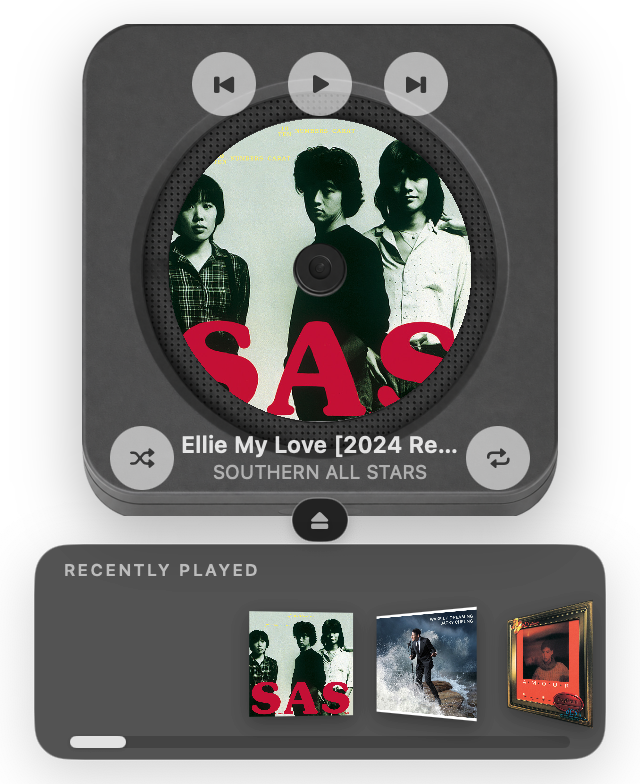
Platter: Desktop CD Player , also on the App Store , opens the developer's site in a new tab Platter is a little CD player for your Mac.
Mac desktop CD player for Apple Music and Spotify, with a menu-bar mini player. Drag covers, spin the disc. Not physical CDs.
$3.99 - About Split
Split, opens the developer's site in a new tab Split is a fast, private macOS window manager with flexible ratios, drag-to-snap, linked resizing, shortcuts, and local smart suggestions.
Lightweight macOS window manager for fast, flexible split layouts. Menu bar app.
$4.99 - About MacClean
MacClean, opens the developer's site in a new tab Mac 磁盘空间不足?用 MacClean 分析空间占用,清理微信媒体、应用缓存与 Xcode 开发缓存,查找重复文件、卸载应用并检查残留。扫描免费,全部功能可试用 7 天,支持 macOS 14+。
Local Mac cleaner with menu bar disk/memory/battery/network view; scan first then select WeChat media, system data map, Xcode and local AI caches; normal cleanup goes to Trash so it can be restored; scanning is free, 7-day trial.
Freemium - About Tuck
Tuck, opens the developer's site in a new tab
Hide and organize Mac menu bar icons, reveal them when needed, and use Shelf Mode to keep hidden items accessible on notched MacBooks. Zero telemetry.
Freemium - About Chitroll: Paper To-Do List
Chitroll: Paper To-Do List , also on the App Store , opens the developer's site in a new tab A little paper machine for your Mac, made for the pleasure of writing, cutting, and tearing.
Mac desktop paper-roll to-do with a menu bar entry. Type a task, slide the cutter, tear it off with sound, and archive it. Local-only, no account or cloud. Paid $1.99.
$1.99 - About Final Call – Meeting Alarm
Final Call – Meeting Alarm , also on the App Store , opens the developer's site in a new tab Final Call is a macOS app that lives as an icon in the menu bar and makes sure you never miss a meeting again.
Final Call lives in your menu bar and shows a full-screen countdown before every meeting, with a Join button for Zoom, Google Meet, Teams and more. Your calendar data stays on your Mac. 14-day free trial.
$9.99 - About Deskthaw

Deskthaw, opens the developer's site in a new tab Deskthaw waits out your calls, then shows one short seated move for the part that is stiff. A free menu bar app for the Mac, in public beta.
A Mac menu bar app that waits until your call ends, then offers one short seated move for your neck or back. Free while in public beta, needs macOS 13 or later, asks for no permissions.
Free - About Sixty
Sixty, opens the developer's site in a new tab
Sixty makes you stand up once an hour. After 60 minutes of active work it locks every screen for 60 seconds and shows two standing exercises, first for the spine and lower back. No Skip button, and it never locks during a call. For anyone who sits at a Mac all day.
Free - About Record & Transcribe Calls on Mac
Record & Transcribe Calls on Mac, opens the developer's site in a new tab
Record Zoom, Teams, and Google Meet calls on your Mac. Get on-device transcription and AI summaries. Free, with no meeting bot or cloud processing.
Free - About KleenMic
KleenMic, opens the developer's site in a new tab Microphone noise cancellation for clearer calls on Mac and Windows. Try KleenMic free for 72 hours, no card or account. $20 once.
Microphone noise cancellation for clearer calls on Mac and Windows. Try KleenMic free for 72 hours, no card or account. $20 once.
Paid - About PulseTiles
PulseTiles, opens the developer's site in a new tab
PulseTiles snaps any window into place from the menu bar. Hold ⌘ and drag a window onto a grid of 11 zones with a live preview, press a ⌃⌥ shortcut for halves, quarters, thirds, maximize or center, or press right ⌘ + / and type a spot in the launcher. Save arrangements of several windows and apply them in one click, record your own shortcuts with clash detection, set gaps, and keep chosen apps from snapping. Works on every display. Tile this display is an opt-in beta. No account, no tracking. For anyone who wants tidy windows without fiddling.
$4.99 7-day trial - About DraftKey

DraftKey, opens the developer's site in a new tab Official signed macOS installers and update feed for DraftKey. Support: contact@aura-technologies.co
DraftKey adds AI autocomplete and rewriting to the Mac apps you already write in. Press Tab to accept a suggestion, or Command+Option to rewrite a paragraph. The model runs on your Mac and works offline after setup, so your text isn't sent to a cloud AI. Includes clipboard history and optional keyboard sounds. macOS 14+, Apple Silicon, 8 GB RAM. $4.99 once for up to 3 Macs.
$4.99 - About Command Reopen

Command Reopen , also on the App Store , opens the developer's site in a new tab Bring minimized windows back automatically when you press Cmd+Tab.
Command Reopen makes Cmd+Tab restore minimized Mac windows. Zero permissions. Mac App Store.
$9.99 14-day trial - About SoundBuddy
SoundBuddy, opens the developer's site in a new tab Keep your preferred microphone selected with SoundBuddy for Mac.
SoundBuddy puts microphone choice, mechanical keyboard sounds and paired Bluetooth device controls in your Mac menu bar. Optional Input Lock keeps your preferred macOS default microphone selected while SoundBuddy is open; call apps can use their own input settings. Choose a keyboard sound pack and volume, and view supported device battery information. Apple silicon and macOS 14 or later required. One-time paid download for one Mac with online licence checks. The direct installer is Developer ID signed and notarised. Device controls and battery readings depend on hardware. The website demo is simulated. Installation guide: https://www.soundbuddy.tech/install.html
Paid - About Roy

Roy, opens the developer's site in a new tab
Tiny and delightful color picker for designers that lives in your Mac menu bar.
Paid - About Yap

Yap, opens the developer's site in a new tab
Voice dictation from the menu bar: hold Fn, speak, and Yap types into any app, with speech recognition on your Mac.
Free - About Brief
Brief, opens the developer's site in a new tab Someone pasted 1,200 words from ChatGPT. Press ⌃X on any window. Get just the point.
Brief is a free macOS menu-bar app for reading long AI-generated text. Press Control-X on any window and Brief returns only the lines that change what you do next. It works in browsers, chat apps and terminals, uses the transcript on YouTube, and shapes the output to the source: an answer for chats, ordered points for videos, and what changed plus what to check for pull requests. It runs on your existing Claude or ChatGPT plan, or on-device with Apple Intelligence. No account needed.
Free - About Nudge

Nudge, opens the developer's site in a new tab A free, open-source macOS window manager. Magnet-compatible keyboard shortcuts + drag-snap.
Nudge is a free, open-source macOS window manager. Arrange windows with customizable shortcuts or drag-to-edge snapping, using halves, quarters, thirds and two-thirds across multiple displays.
Free - About Haptiker for Mac
Haptiker for Mac, opens the developer's site in a new tab
Haptiker turns the edges of your Mac trackpad into sliders for volume, display brightness and keyboard backlight. One-time purchase, 7-day free trial.
$4.99 7-day trial - About PulseShot

PulseShot, opens the developer's site in a new tab Capture, mark up and record on your Mac. Hold fn, circle anything, say what it needs. PulseShot draws it, on-device.
PulseShot captures, marks up and records your Mac screen. Hold fn, circle anything and say what it needs, and PulseShot places editable arrows, boxes and labels, planned on your Mac. It includes 15 markup tools, Scan & Redact, a screen recorder with a timeline editor, and a searchable library. No account and no analytics in the app.
$19 - About Timerfly
Timerfly, opens the developer's site in a new tab Download the Timerfly desktop app for Windows and Mac. Sign in with your Timerfly account and press Start work.
Timerfly is employee monitoring and attendance tracking for teams at computers, built for Indian companies. It is a visible app that employees install and know about, never hidden monitoring. On the Mac it runs from the menu bar. - Work day starts by itself on Windows and Mac - Late, left-early and absent marked against each shift, night shifts included - Live view: working, idle, on a break or off - App and website time, sorted into productive, neutral and unproductive - Alerts in Slack, Teams, Google Chat or Telegram No camera or microphone recording, no GPS and no stealth mode. Screenshots are off unless turned on, and can be blurred. Every employee sees their own day. From ₹159 per person a month, billed yearly, plus GST. 14-day free trial, no card. Requires macOS 11 Big Sur or later. Apple Silicon and Intel. Version 0.2.32.
$2.49 14-day trial - About Notch Now

Notch Now , also on the App Store , opens the developer's site in a new tab Notch Now is a Mac notch app for saving files, links, images and text for later.
Notch Now is a Mac notch app for saving files, links, images and text for later. Drop something into your inbox, add a note or reminder when you need one, and carry on. Requires macOS 14 or later.
Paid - About Murmurtale

Murmurtale, opens the developer's site in a new tab The dictation app for fiction writers. Requires macOS 14 or later on Apple Silicon.
A Mac dictation app for fiction writers. Hold a key, speak a scene, and it lands at your cursor with dialogue quoted and paragraphs broken. Free trial, no card.
$14.99 - About Caddie
Caddie, opens the developer's site in a new tab The life management app for you and your agents. Tasks, notes, calendar, meetings and habits in one place, with a coach in your notch.
Caddie puts tasks, notes, calendar and meeting notes in one Mac app, with dictation, a coach in the notch, booking links and AI agents on Claude Code or Codex. Connect agents through https://usecaddie.app/mcp. Free while in beta.
Free - About TokenBar

TokenBar, opens the developer's site in a new tab Show usage stats for OpenAI Codex and Claude Code, without having to login.
TokenBar is a Mac menu bar app that shows your Claude, Codex, Cursor, Gemini and Copilot usage limits, reset times and spend in one place. The Pro dashboard adds spending history and provider mix, and Pixel Agents shows which coding agents are working or waiting on you. Built on the open-source, MIT-licensed CodexBar. macOS 14+. Pro $15 lifetime or Basic $5/month, chosen in the app.
$5 - About Teebots
Teebots, opens the developer's site in a new tab
Teebots is your little team of AI bots that runs on your own Mac: no server, no account, your own model key, and it asks before anything big. Keeps running from the menu bar.
Free - About MacUno

MacUno, opens the developer's site in a new tab
Your desktop blurs, narrows in perspective, and dims as the lid closes — and restores as it opens. A menu bar app for Apple Silicon MacBooks.
Paid - About Strata
Strata, opens the developer's site in a new tab Maps your whole drive in seconds. Removes things you can put back. One-time purchase, no subscription.
Mac disk cleaner: see what fills your disk, clear junk, backups and System Data to the Trash. macOS 13+, universal. 14-day free trial, $9.99 once.
$9.99 - About AirCalendar

AirCalendar , also on the App Store , opens the developer's site in a new tab Check the date, see what’s coming up and keep your tasks close at hand.
Mac menu bar calendar: see dates, to-dos, lunar dates, solar terms, Chinese holidays and adjusted working days.
Freemium - About Willow Voice

Willow Voice , also on the App Store , opens the developer's site in a new tab Willow is an AI dictation keyboard built for people who live in email, chat and documents all day.
Willow is an AI voice dictation tool that turns natural speech into polished text in any app. It helps your team move faster through emails, messages, documents, and AI prompts without spending all day typing. Works on Mac, Windows, and iPhone.
Freemium - About Take Dictation

Take Dictation, opens the developer's site in a new tab Private, on-device Mac dictation that turns speech into clean writing.
You’ve finished saying the reply. You want to keep going. Take Dictation turns what you say into text where you’re already writing, in apps like Mail, Notes and Messages. Speech recognition and cleanup happen on your Mac. No upload. No cloud round trip. Your voice and transcript stay on your Mac. Fixed rules remove fillers and add punctuation, without a chatbot rewriting your sentences. No app account. No subscription. Try every feature for 14 days, then pay $39 once for your household. For Apple silicon Macs running macOS 26 or later. English dictation.
$39 14-day trial - About Super Notch
Super Notch, opens the developer's site in a new tab
Super Notch is a Mac app that lives in the MacBook notch and keeps track of your AI coding agent sessions. It finds Claude Code, Codex and Cursor sessions, groups them by project, and shows each one as a card with the project, recent activity and a way to jump back in. Spheres in the notch show which sessions are working, and one pops when a session stops.
$20 - About Reel

Reel, opens the developer's site in a new tab
Reel keeps the text, links, colors, images, code and files you copy on your Mac. Shift-Command-V opens a panel at the bottom of the screen without taking focus from the app you're in; arrow keys pick an item, Return pastes it and Shift-Return pastes plain text. Type to search (AND, OR, NOT, wildcards, filters like /@img), press Space to preview, and keep reusable snippets on pinboards. History stays on your Mac and there's no sign-up. macOS 11 or later, Universal.
$14.99 14-day trial - About Conjuly
Conjuly , also on the App Store , opens the developer's site in a new tab
Conjuly lets you draw a capture region anywhere on any monitor and mirrors it into a clean window you can share in Zoom, Teams or Meet. Combine several regions into one grid, record just that area, blur sensitive content live, and send it all into a call as a virtual camera. Built for ultrawide and multi-monitor setups.
Free - About Arras
Arras , also on the App Store , opens the developer's site in a new tab Free native macOS photo widgets and editable desktop collages, with slideshows, layers and saved setups.
Arrange photos, slideshows and editable collages on your Mac desktop. Keep natural proportions, choose layers, add captions and save setups. Free and open source.
Free - About Carbon
Carbon, opens the developer's site in a new tab
Carbon is a free, open-source menu bar app that transcribes your meetings entirely on-device. It starts automatically when a call begins, recognizes speakers by voice, and saves every transcript as a plain Markdown file you own, ready to drop into ChatGPT, Claude, Cursor or any AI agent. No account, no cloud, no subscription.
Free - About AgentDuck

AgentDuck, opens the developer's site in a new tab A macOS menu bar app for Claude Code, Codex, Grok and Cursor: plan limits, tokens and estimated cost, and your Mac
AgentDuck puts every coding agent and your Mac in one menu bar panel. See plan limits, tokens and estimated cost for Claude Code, Codex, Grok and Cursor — today, 7 days and 28 days — plus exactly when each limit resets. Right next to them: your Mac's CPU, memory, battery, and every dev server holding a localhost port, which you can stop from the panel. The duck bobs faster as your Mac gets busier and the water flows while an agent is mid-turn. No account; your logs stay on your Mac.
$14.99 3-day trial - About NotchNook Pro
NotchNook Pro, opens the developer's site in a new tab
NotchNook Pro takes the original notch app for Mac to the next level with 37+ features in the space beneath your camera. Follow Claude Code and Codex sessions, approve commands and respond to requests from the notch. Find what you copied with searchable clipboard history, keep files close with Tray and Pocket, open an integrated terminal, and read scripts with a teleprompter that follows your voice. Music with lyrics, calendar, notes, tasks and timers come together in customizable workspaces. Rearrange widgets with drag and drop and choose the Glass or black appearance. Try Pro free for 48 hours, with no card required. Version 2.0.6 requires Apple silicon and macOS 14.6 or later. US$19 lifetime for two Macs, or US$3/month.
$19 2-day trial - About SaneClip

SaneClip , also on the App Store , opens the developer's site in a new tab SaneClip on iPhone and iPad is the free companion to the Mac app.
Clipboard history in your Mac menu bar that you can lock with Touch ID, with encryption at rest and password-manager copies skipped automatically.
$14.99 14-day trial - About Claude Sessions Pro
Claude Sessions Pro, opens the developer's site in a new tab Each Claude account with its own login, chats, Claude Code sessions and pins, side by side on Mac or Windows. $15 one-time.
Menu bar switcher that runs multiple Claude accounts side by side, each as its own app with its own login and Dock icon.
$15 - About Saypad
Saypad, opens the developer's site in a new tab Free voice dictation for Mac that runs on your device. Every recording is saved with its audio, so nothing you say gets lost.
Free voice dictation for Mac: hold fn, talk, and Whisper types it into any app. Runs offline on your Mac, no account, no word limit.
Free - About QuickShot

QuickShot, opens the developer's site in a new tab
Screenshot and screen recording from the menu bar, with annotation, OCR, pins and scrolling capture. QuickShot handles area, window and full-screen capture from a shortcut, then lets you add arrows, text, blur and highlights, pin the shot on screen, or copy text out with OCR. It also records to video or GIF. One-time purchase ($16.99 for 1 Mac / $24.99 for 2 Macs, launch pricing), no subscription. Requires macOS 14+, Apple silicon.
Paid - About popCalendar

popCalendar , also on the App Store , opens the developer's site in a new tab Your full year, daily events and a live clock, from the Mac menu bar to a whole display.
A full-year calendar in your Mac's menu bar, with a live clock behind the dates. Drag to count days and workdays across years, keep events in a month sidebar, or fill a whole display. Includes 27 clock presets, personal backgrounds, countdowns, and fullscreen meeting reminders. Core features work offline.
$9.99 - About Nightcap
Nightcap, opens the developer's site in a new tab A sleep timer for your computer: dims the screen, lowers the volume, then puts it to sleep. Rust + egui.
Nightcap is a sleep timer for your computer, like the one on your TV. Start a 15, 30, 45, 60 or 90 minute timer (or a custom length) straight from the menu bar. As time runs out it slowly dims the screen and lowers the volume, so the show you fell asleep to trails off instead of cutting out, then puts your Mac to sleep, hibernates or shuts it down. Pause, add 15 minutes or cancel from the same menu. Cancel or wake the computer and brightness and volume go back where they were. Free and open source (MIT or Apache 2.0), works offline, no account needed. Also on Windows and Linux.
Free - About CryptoIsland

CryptoIsland, opens the developer's site in a new tab Free crypto prices in your Mac’s notch. Follow Binance, OKX and Hyperliquid, with optional Pro read-only positions and price alerts.
CryptoIsland puts live crypto markets, read-only positions, and price/P&L alerts into your Mac’s notch (Dynamic Island). Built for Apple silicon on macOS 14+. Keys stay on your Mac—no trading, no transfers.
Freemium - About Musou
Musou, opens the developer's site in a new tab Everything you
Musou is a 2.9 MB native Swift and Metal menu bar app for Apple silicon Macs (macOS 14.2+) that turns everything you're not using pure black, so only the window or video you're on stays lit at 100% brightness. • Work Focus (⌃⌥⌘F): Keeps your active window (plus any reference windows you pin with ⌃⌥⌘P) at full contrast while the desktop, Dock, menu bar, and background clutter go pure black. • Only the Video (⌃⌥⌘O): Finds the video inside Safari, Chrome, Brave, Arc, IINA, or QuickTime without browser extensions and trims away the white page, tabs, comments, sidebars, and letterbox grey bars, with 0.7s video centering and 6 visual looks. • All-Day Modes & 120 Hz Metal Craft: Includes Away mode, Follow the mouse, Custom (Keep or Vanish), 120 Hz ProMotion tracking, 9 Metal going-dark transitions, Esc × 3 instant restore, and a Free-forever ($0) tier after a 14-day full trial.
$4.99 - About Keep Mac Awake
Keep Mac Awake, opens the developer's site in a new tab Close the lid, not the work. Your MacBook keeps working with the lid closed, and you steer your agents from your phone.
Keep Mac Awake keeps a MacBook with Apple silicon awake with the lid closed, with no external display, for a session you start from the menu bar: no limit, 1 hour, 8 hours or a custom length. For long builds, downloads and AI coding agents that should keep working while the MacBook is closed. AC power by default, battery optional down to a floor you pick; a watchdog restores normal sleep if a service stops. Includes a JSON command for scripts and agents. macOS 26 or later.
$9 3-day trial - About AfterLid
AfterLid , also on the App Store , opens the developer's site in a new tab AfterLid is the iPhone companion for long-running work on your Mac.
Keep your Mac awake for long builds, downloads and local AI tasks, then check its mode, battery and connection from your iPhone or Android phone. The Mac app works without an account. Free includes phone status; Pro adds remote mode changes and more character customisation. macOS 14 or later.
Freemium - About Perch (perchapp.dev)
Perch (perchapp.dev), opens the developer's site in a new tab See when Claude Code, Codex, OpenCode or pi need you, and answer from the Mac notch. Free, open source, local-only.
Lives in your Mac's notch and shows what your Claude Code, Codex, OpenCode and pi sessions did while you were away, and what needs you now. Answer from the notch, then jump back to the exact session.
Free - About Rayclip

Rayclip, opens the developer's site in a new tab
QR-pair Mac + Android—no account. Clipboard text and Android screenshots sync; share files over Wi‑Fi when you send them (not auto sync). E2E encrypted. $5 once on Google Play.
$5 - About Switchy
Switchy, opens the developer's site in a new tab A menu bar app for Mac with a 7-day free trial, then $4.99 once. Switches, deploys, 2FA codes and AI limits, one click from the clock.
Switchy is a native menu bar app for Apple silicon Macs on macOS 14 or later. Get quick access to Dark Mode, Keep Awake, mic mute, Do Not Disturb, DNS and other everyday controls, with customizable keyboard shortcuts. Monitor deployments from Vercel, Netlify, Cloudflare, Railway and more, and see local development servers by port. Copy 2FA codes from a Touch ID-protected panel, sync codes through iCloud Keychain, and check Claude and Codex usage limits and reset times. Try every feature free for 7 days with no account or card. Then pay $4.99 once for a license covering up to 3 of your Macs, including future updates.
$4.99 7-day trial - About HyperMonitor

HyperMonitor, opens the developer's site in a new tab
Shows every process and open port on your Mac, flags what looks out of place and explains it. The menu bar item shows live CPU and turns red with a count when a critical finding appears.
£29 14-day trial - About Multimeter
Multimeter, opens the developer's site in a new tab
A Mac menu bar app with live meters for battery, CPU, watts, network, timers and your own numbers. Pick a face or build your own. $19.99 once, no subscription.
$19.99 - About Lidtone
Lidtone, opens the developer's site in a new tab
Your MacBook's lid makes a sound as you open and close it — wooden door, slide whistle, rubber duck, cat, cartoon or seagull. Sounds driven by lid angle. Free, pay-what-you-want. macOS 14+, needs a MacBook with lid angle sensor.
Free - About Glance Preview
Glance Preview, opens the developer's site in a new tab
A macOS image and video viewer for quick previews, side-by-side comparison, and optional cloud AI Widgets using credits.
Freemium - About Dormouse
Dormouse, opens the developer's site in a new tab A dormouse asleep in a teapot tells you why your MacBook woke up last night and where the battery went.
Menu-bar Mac app that shows what's waking and draining the battery so you can fix surprise overnight drain. Local only, no account. $4.99 one-time, 14-day trial. macOS menu-bar utility.
Paid - About AUTOMATER.ai

AUTOMATER.ai, opens the developer's site in a new tab
AUTOMATER.ai is a small tray (menu bar) app for macOS (Apple silicon), Windows and Linux that keeps track of every AI coding agent you run. It reads the session files your AI tools already write (41 tools in 45 formats, including Claude Code, Codex and Cursor) and puts them into one local, searchable library. A live activity view flags the agents waiting on your input, and usage across 9 providers sits in one panel. It also includes free on-device dictation. The free version needs no account; optional PRO starts at $15/year.
Freemium - About Slothify
Slothify, opens the developer's site in a new tab Slothify counts down to your next meeting in the menu bar. When it is time to go, frost covers your screen until you get up.
Slothify reads the calendars already on your Mac and counts down in the menu bar to your next meeting. When it's time, frost covers the screen with one choice: on your way, or a few more minutes, with limited snoozes. It breaks through Focus, joins the call in one click, and never sends your calendar anywhere.
$3.99 - About PalmGuardian

PalmGuardian, opens the developer's site in a new tab A small Mac utility that prevents accidental trackpad input while you type.
PalmGuardian is a macOS menu bar utility that pauses pointer input while you type, so accidental trackpad clicks stop interrupting you.
$1.99 - About Rabbit Link
Rabbit Link, opens the developer's site in a new tab
Rabbit brings your Android phone to your Mac, so it can stay in your pocket. Reply to notifications, browse photos and send files, over Bluetooth or Wi-Fi.
$49 5-day trial - About Tucket
Tucket, opens the developer's site in a new tab
A macOS clipboard manager in the notch. Search your clipboard history, including text inside screenshots. One-time purchase, no subscription.
Paid - About Deadline Bar
Deadline Bar , also on the App Store , opens the developer's site in a new tab Deadline Bar keeps every deadline, bill and renewal in your menu bar, and helps you finish them, not just see them coming.
Your next deadline counts down in the menu bar, green to yellow to red. A click shows the rest by urgency, with Quick Add, reminders and Focus.
Freemium - About Textly – Capture Text & Tables
Textly – Capture Text & Tables, opens the developer's site in a new tab Focused utility apps for Mac, including text capture, quick controls, Safari streaming enhancements, per-app brightness and per-app volume.
Capture text and tables from anywhere on your Mac screen, including images, videos, PDFs, and apps. Copy text instantly, turn tables into CSV or Markdown, and translate text without retyping anything.
$14.99 7-day trial - About Notch Revenue

Notch Revenue, opens the developer's site in a new tab
Native macOS menu-bar app that shows your Stripe today and month revenue in the MacBook notch, with a quiet confetti pop on new payments. Read-only Stripe keys stay in Keychain. Apple Silicon, macOS 14+. US$19.99 one-time.
Paid - About DockLatch
DockLatch, opens the developer's site in a new tab
DockLatch keeps the original macOS Dock on the display you choose and remembers its display, edge, size and auto-hide settings for each display setup. It runs from the menu bar on macOS 15 or later, on Apple silicon and Intel Macs. The midpoint of the chosen edge must be on a free outer boundary; it does not create a separate Dock on every screen. Test your actual arrangement with the 14-day trial before buying. Continued use costs US$9.90 once for up to three Macs, including future updates. The trial does not charge automatically.
$9.9 14-day trial - About Kenko
Kenko, opens the developer's site in a new tab She watches your Claude Code and Codex sessions and stays quiet until one needs you. $0.99 once, for macOS.
She lives in your MacBook notch and speaks up only when Claude Code or Codex needs you. $0.99 once.
Freemium - About Amply
Amply, opens the developer's site in a new tab
Holds your MacBook at 80% using the charge limit built into macOS, with no helper or admin password, and says in plain words why it is or isn't charging.
$9.5 14-day trial - About PulseBar System Monitor for Mac
PulseBar System Monitor for Mac, opens the developer's site in a new tab
PulseBar puts live CPU, memory, network, disk, temperatures, and fan speed in your Mac’s menu bar, with history graphs. Native, signed and notarized. One-time $9, no subscription, no account, no telemetry.
Paid - About Hermes
Hermes, opens the developer's site in a new tab Hermes is a tiny menu bar app that lets you switch your Bluetooth headphones between Macs with a single click.
Hermes is a tiny menu bar app that lets you switch your Bluetooth headphones between Macs with a single click.
$3.99 - About Drum Pad
Drum Pad, opens the developer's site in a new tab A drum pad in your Mac menu bar. Play it on your keyboard or pad controller, drop in any sound, record, save audio, MIDI or video. $19 once.
Drum Pad is a 3×3 drum pad that drops down from the Mac menu bar. Play it with Q W E, A S D and Z X C or any MIDI pad controller, drop in your own sounds, record a take and save it as audio, MIDI or a vertical video. For macOS 14.4 or later.
$19 - About Cost Doctor
Cost Doctor, opens the developer's site in a new tab See where your Claude Code and Codex tokens go, and when you will hit your plan limit. Free macOS command; nothing is uploaded.
A Mac menu bar app that shows which Claude Code or Codex session is using your tokens, and why.
$19 14-day trial - About PasteNotch
PasteNotch, opens the developer's site in a new tab Copy. Find. Carry on. Free for 14 days, right in your Mac’s notch.
PasteNotch keeps copied text, links, images and files in a searchable history that opens from your Mac’s notch, menu bar or ⇧⌘V. Pin favorites, organize projects with Pages, and paste back into the app you were using. Works with or without a hardware notch on macOS 14+. The clipboard library stays local by default and works offline; signing in does not upload it. Try it for 14 days with a free Google/email sign-in, then pay $4.99 once for unlimited history, search, pins and Pages. Optional PasteNotch Cloud costs $4.99/month, includes the app and 25 GB, and adds screenshots, area OCR, screen recording, Screenshot Studio, sharing, bookmarks and a web library. Sync of eligible clips and Pages is opt-in.
$4.99 14-day trial - About RAMKeeper
RAMKeeper , also on the App Store , opens the developer's site in a new tab
RAMKeeper is a Mac memory monitor that lives in the menu bar. The free App Store build shows system memory pressure (green / yellow / red) with swap and compressed-memory readings; the free direct download breaks memory down per app and per renderer process and flags hogs such as Chrome helpers, Slack and ChatGPT, with current vs. peak. Pro (one-time purchase) adds threshold rules, Focus Mode to suspend a batch of background apps, and gentle restarts that log the memory macOS actually handed back. No subscription, no ads, no tracking. macOS 12 or later.
$19 - About TocaPad
TocaPad, opens the developer's site in a new tab
Change Mac volume and brightness by sliding a finger along the trackpad edge. Double-tap a corner to play or pause, lock, open Mission Control or press any shortcut. Free, open source, no account.
Free - About Shepit
Shepit, opens the developer's site in a new tab
Hold the hotkey, speak, release: your words land as text in the app you’re typing in. Shepit understands around 100 languages and is free to start.
$4.99 - About Rambleproof
Rambleproof, opens the developer's site in a new tab Signed and notarized Rambleproof release artifacts. Source code is private.
Rambleproof is dictation for Mac. Press Right Option, talk the way you think, and press it again. The text you meant appears at your cursor in any app: email, Slack, notes, documents, ChatGPT, Claude and your code editor. It writes what you meant, not every word you said. Ums and false starts drop out, and when you correct yourself mid-sentence ("Tuesday, sorry, Thursday") it writes Thursday. Lists come out as lists, and it learns the names and terms you use. It runs on your Mac. Your voice becomes text on your own computer, so it stays private and works offline after a one-time setup. Cloud processing is off unless you add your own key. Free for good: unlimited dictation, no card, no time limit. Pro adds the most polished writing, styles per app and your word list on every Mac, monthly, yearly or pay once. Made for people who think faster than they type: long prompts for AI tools, email replies, meeting notes and quick Slack answers. Press the key, say it the way you would say it to a person, and keep going. Your clipboard is put back right after the text lands, and your last dictation is one shortcut away if you need it again. Your history stays on your Mac, so you can see what you said beside what landed and copy it again. Names, products and jargon are spelled your way once you have fixed them once. Requires an Apple silicon Mac with macOS 15 or later. English is recommended.
Freemium - About Mac Ninja
Mac Ninja, opens the developer's site in a new tab
Mac Ninja is a menu bar utility that unloads idle browser tabs and lowers the CPU and disk priority of busy background apps. Sleeping tabs stay in the tab bar and reload when selected. The dashboard shows which tabs are asleep and what memory was returned. Seven days free without a card, then $9.99/year or $24.99 lifetime for up to three Macs.
$24.99 7-day trial - About GenTidy
GenTidy, opens the developer's site in a new tab
GenTidy is a macOS menu bar app for AI image creation. Select text or an image, press ⌘P (remappable), and create images without switching apps. Every prompt is saved with the image so a good result is never lost. Runs on Apple Silicon Macs with macOS 13 or later; download from gentidy.com.
Free - About Blame
Blame, opens the developer's site in a new tab
Blame is a menu-bar app that names what is slowing your Mac and ends only what is safe. It groups memory by coding session and project, shows programs left running after their window closed, and marks each one safe, protected or macOS. End a session and every child process goes with it. It gives back what browser tabs hold in Chrome, Arc, Brave and Edge, never the tab in front, a pinned tab or one playing sound. On one 16 GB Mac, VS Code held 15.1 GB. Activity Monitor showed 621 rows with one name. Blame named the extension that started them. Free to use, no account. Blame Pro adds Autopilot, which fixes what can be undone and gives you ten minutes to undo each act. Autopilot is free for 7 days, then $29 once. macOS 14 or later, Apple silicon and Intel, notarized by Apple.
$29
Made a menu bar app?
Free to list. You get a page of your own and the numbers it earns.