
New
New menu bar apps
The thirty most recently listed, newest first, with no paid placement among them. 30 listed: 3 free, 14 free with a paid upgrade and 13 paid. Of those, 10 with a free trial.
30 apps
- About Musou
Musou, opens the developer's site in a new tab Everything you
Musou is a 2.9 MB native Swift and Metal menu bar app for Apple silicon Macs (macOS 14.2+) that turns everything you're not using pure black, so only the window or video you're on stays lit at 100% brightness. • Work Focus (⌃⌥⌘F): Keeps your active window (plus any reference windows you pin with ⌃⌥⌘P) at full contrast while the desktop, Dock, menu bar, and background clutter go pure black. • Only the Video (⌃⌥⌘O): Finds the video inside Safari, Chrome, Brave, Arc, IINA, or QuickTime without browser extensions and trims away the white page, tabs, comments, sidebars, and letterbox grey bars, with 0.7s video centering and 6 visual looks. • All-Day Modes & 120 Hz Metal Craft: Includes Away mode, Follow the mouse, Custom (Keep or Vanish), 120 Hz ProMotion tracking, 9 Metal going-dark transitions, Esc × 3 instant restore, and a Free-forever ($0) tier after a 14-day full trial.
$4.99 - About Glance Preview
Glance Preview, opens the developer's site in a new tab View images and videos on your Mac, compare changes side by side, and run AI tools where you work. Download Glance for Apple silicon.
A macOS image and video viewer for quick previews, side-by-side comparison, and optional cloud AI Widgets using credits.
Freemium - About Deadline Bar
Deadline Bar , also on the App Store , opens the developer's site in a new tab Deadline Bar keeps every deadline, bill and renewal in your menu bar, and helps you finish them, not just see them coming.
Your next deadline counts down in the menu bar, green to yellow to red. A click shows the rest by urgency, with Quick Add, reminders and Focus.
Freemium - About Textly – Capture Text & Tables

Textly – Capture Text & Tables, opens the developer's site in a new tab Focused utility apps for Mac, including text capture, quick controls, Safari streaming enhancements, per-app brightness and per-app volume.
Capture text and tables from anywhere on your Mac screen, including images, videos, PDFs, and apps. Copy text instantly, turn tables into CSV or Markdown, and translate text without retyping anything.
$14.99 7-day trial - About Drum Pad
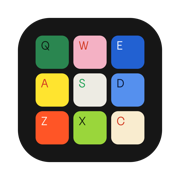
Drum Pad, opens the developer's site in a new tab A drum pad in your Mac menu bar. Play it on your keyboard or pad controller, drop in any sound, record, save audio, MIDI or video. $19 once.
Drum Pad is a 3×3 drum pad that drops down from the Mac menu bar. Play it with Q W E, A S D and Z X C or any MIDI pad controller, drop in your own sounds, record a take and save it as audio, MIDI or a vertical video. For macOS 14.4 or later.
$19 - About Hermes
Hermes, opens the developer's site in a new tab Hermes is a tiny menu bar app that lets you switch your Bluetooth headphones between Macs with a single click.
Hermes is a tiny menu bar app that lets you switch your Bluetooth headphones between Macs with a single click.
$3.99 - About Cost Doctor
Cost Doctor, opens the developer's site in a new tab See where your Claude Code and Codex tokens go, and when you will hit your plan limit. Free macOS command; nothing is uploaded.
A Mac menu bar app that shows which Claude Code or Codex session is using your tokens, and why.
$19 14-day trial - About PulseBar System Monitor for Mac
PulseBar System Monitor for Mac, opens the developer's site in a new tab
PulseBar puts live CPU, memory, network, disk, temperatures, and fan speed in your Mac’s menu bar, with history graphs. Native, signed and notarized. One-time $9, no subscription, no account, no telemetry.
Paid - About Amply
Amply, opens the developer's site in a new tab
Holds your MacBook at 80% using the charge limit built into macOS, with no helper or admin password, and says in plain words why it is or isn't charging.
$9.5 14-day trial - About PasteNotch
PasteNotch, opens the developer's site in a new tab Copy. Find. Carry on. Free for 14 days, right in your Mac’s notch.
PasteNotch keeps copied text, links, images and files in a searchable history that opens from your Mac’s notch, menu bar or ⇧⌘V. Pin favorites, organize projects with Pages, and paste back into the app you were using. Works with or without a hardware notch on macOS 14+. The clipboard library stays local by default and works offline; signing in does not upload it. Try it for 14 days with a free Google/email sign-in, then pay $4.99 once for unlimited history, search, pins and Pages. Optional PasteNotch Cloud costs $4.99/month, includes the app and 25 GB, and adds screenshots, area OCR, screen recording, Screenshot Studio, sharing, bookmarks and a web library. Sync of eligible clips and Pages is opt-in.
$4.99 14-day trial - About Shepit

Shepit, opens the developer's site in a new tab
Hold the hotkey, speak, release: your words land as text in the app you’re typing in. Shepit understands around 100 languages and is free to start.
$4.99 - About TocaPad

TocaPad, opens the developer's site in a new tab
Change Mac volume and brightness by sliding a finger along the trackpad edge. Double-tap a corner to play or pause, lock, open Mission Control or press any shortcut. Free, open source, no account.
Free - About RAMKeeper
RAMKeeper , also on the App Store , opens the developer's site in a new tab
RAMKeeper is a Mac memory monitor that lives in the menu bar. The free App Store build shows system memory pressure (green / yellow / red) with swap and compressed-memory readings; the free direct download breaks memory down per app and per renderer process and flags hogs such as Chrome helpers, Slack and ChatGPT, with current vs. peak. Pro (one-time purchase) adds threshold rules, Focus Mode to suspend a batch of background apps, and gentle restarts that log the memory macOS actually handed back. No subscription, no ads, no tracking. macOS 12 or later.
$19 - About Rambleproof

Rambleproof, opens the developer's site in a new tab Signed and notarized Rambleproof release artifacts. Source code is private.
Rambleproof is dictation for Mac. Press Right Option, talk the way you think, and press it again. The text you meant appears at your cursor in any app: email, Slack, notes, documents, ChatGPT, Claude and your code editor. It writes what you meant, not every word you said. Ums and false starts drop out, and when you correct yourself mid-sentence ("Tuesday, sorry, Thursday") it writes Thursday. Lists come out as lists, and it learns the names and terms you use. It runs on your Mac. Your voice becomes text on your own computer, so it stays private and works offline after a one-time setup. Cloud processing is off unless you add your own key. Free for good: unlimited dictation, no card, no time limit. Pro adds the most polished writing, styles per app and your word list on every Mac, monthly, yearly or pay once. Made for people who think faster than they type: long prompts for AI tools, email replies, meeting notes and quick Slack answers. Press the key, say it the way you would say it to a person, and keep going. Your clipboard is put back right after the text lands, and your last dictation is one shortcut away if you need it again. Your history stays on your Mac, so you can see what you said beside what landed and copy it again. Names, products and jargon are spelled your way once you have fixed them once. Requires an Apple silicon Mac with macOS 15 or later. English is recommended.
Freemium - About GenTidy
GenTidy, opens the developer's site in a new tab
GenTidy is a macOS menu bar app for AI image creation. Select text or an image, press ⌘P (remappable), and create images without switching apps. Every prompt is saved with the image so a good result is never lost. Runs on Apple Silicon Macs with macOS 13 or later; download from gentidy.com.
Free - About Mac Ninja
Mac Ninja, opens the developer's site in a new tab
Mac Ninja is a menu bar utility that unloads idle browser tabs and lowers the CPU and disk priority of busy background apps. Sleeping tabs stay in the tab bar and reload when selected. The dashboard shows which tabs are asleep and what memory was returned. Seven days free without a card, then $9.99/year or $24.99 lifetime for up to three Macs.
$24.99 7-day trial - About Blame

Blame, opens the developer's site in a new tab For developers running AI coding agents: Blame names what is eating your memory and ends only what is safe. Free; Pro $29 once.
Blame is a menu-bar app that names what is slowing your Mac and ends only what is safe. It groups memory by coding session and project, shows programs left running after their window closed, and marks each one safe, protected or macOS. End a session and every child process goes with it. It gives back what browser tabs hold in Chrome, Arc, Brave and Edge, never the tab in front, a pinned tab or one playing sound. On one 16 GB Mac, VS Code held 15.1 GB. Activity Monitor showed 621 rows with one name. Blame named the extension that started them. Free to use, no account. Blame Pro adds Autopilot, which fixes what can be undone and gives you ten minutes to undo each act. Autopilot is free for 7 days, then $29 once. macOS 14 or later, Apple silicon and Intel, notarized by Apple.
$29 - About Moov
Moov, opens the developer's site in a new tab
Moov is a movement-break reminder for Apple Silicon Macs running macOS 11 or later. Choose your break interval and follow six guided stretches across your connected displays. Movement checks run on-device, with a timed alternative when the camera is unavailable. Try two breaks without an account, then sign in for a 7-day trial with no card required. Plans are US$3.99/month, US$19.99/year or US$39.99 lifetime.
Paid 7-day trial - About JuTalk
JuTalk, opens the developer's site in a new tab
Hold Option to dictate clean text into any Mac app. Add Shift for a prompt. Select typed text and hold Control to polish it. 7-day trial, no card.
$3 7-day trial - About Scoreboard Score Keeper

Scoreboard Score Keeper , also on the App Store , opens the developer's site in a new tab
Scoreboard Score Keeper brings quick and easy score tracking to your Mac's menu bar. Keep track of points for sports, board games, and friendly matches with convenient menu bar access. Customize team names and colors, manage match timers, and review game history. A simple, lightweight scorekeeper for Mac, iPhone, and iPad.
Free - About EdgeBar
EdgeBar, opens the developer's site in a new tab EdgeBar turns your MacBook trackpad edges into smooth volume and brightness controls.
EdgeBar turns your MacBook trackpad edges into smooth volume and brightness controls.
$9 - About EchoKeys

EchoKeys , also on the App Store , opens the developer's site in a new tab EchoKeys is a macOS utility designed for screen recording, livestreaming, tutorials, game capture, and product demos.
Mac keystroke and mouse-click visualization
Freemium - About Shotorio

Shotorio , also on the App Store , opens the developer's site in a new tab Press one shortcut, drag, and your screenshot is already open in an editor with a spotlight, arrows and text.
Takes area or full-screen screenshots from the menu bar and lets you mark them up before you copy them, or grabs the text from any part of the screen as plain text. For people who explain things with screenshots, and anyone who needs words out of a video frame or an image.
$8.99 - About Clipture

Clipture , also on the App Store , opens the developer's site in a new tab Clipture is a lightweight screenshot tool built for macOS.
Mac scrolling screenshots, OCR & text translation
Freemium - About LociMark
LociMark , also on the App Store , opens the developer's site in a new tab LociMark is a local-first bookmark manager for Mac.
Local Mac bookmark manager for organizing links
Freemium - About PasteNook
PasteNook , also on the App Store , opens the developer's site in a new tab PasteNook is a beautiful and smart clipboard history tool designed for macOS.
Mac clipboard history & search
Freemium - About Locseek

Locseek , also on the App Store , opens the developer's site in a new tab If it's there, you'll find it.
Locseek is a native Mac file-name search app, available from its menu-bar icon or Option-Space. Local indexing finds files and folders without reading or uploading file contents; no account is required. The permanent free tier searches Desktop, Documents and Downloads, with up to 1,000 results. Optional Pro adds more folders, external drives, NAS and advanced search through annual or lifetime licensing. Commercial closed-source software for macOS 12+ on Intel and Apple Silicon.
Freemium - About TeachingInk
TeachingInk , also on the App Store , opens the developer's site in a new tab Eligible new users can enjoy the first month free.
Screen annotation & whiteboard for Mac
Freemium - About Tagnivo
Tagnivo , also on the App Store , opens the developer's site in a new tab Tagnivo is a local-first asset management app for Mac.
Mac asset management for small teams
Freemium - About Pulso
Pulso, opens the developer's site in a new tab
Pulso is a Mac monitor for developers. Memory, swap and free disk in the menu bar; music, a Pomodoro timer and your Claude Code sessions in the notch; and a bottom bar that can replace the Dock. One-time payment, no account, under 1% CPU.
€19
Follow along
The feed carries the same list, so a reader app says when something arrives without anybody having to remember to look. The most recent went up on 2026-11-15. Submit an app if yours is missing.