
Paid
Paid macOS menu bar apps
Menu bar apps worth paying for. Prices are the developer's own; where a free trial exists its length is listed.
115 apps
- About MenuToDo
MenuToDo , also on the App Store , opens the developer's site in a new tab Kanban Task Manager for Mac, iPhone, iPad, Apple Watch & Vision Pro
The simple kanban task manager that lives in your Mac menu bar and syncs with iPhone, iPad, Apple Watch and Apple Vision Pro. One click access to your tasks across all Apple devices.
$4.99 - About Mole

Mole, opens the developer's site in a new tab Mac Maintenance With a Menu Bar HUD
A native Mac maintenance app, cleanup, app management, disk maps and live status, with an optional menu bar HUD for system metrics, privacy activity, top processes, Keep Screen On and Clean Screen. $19 once for two Macs.
$19 - About NameQuick

NameQuick , also on the App Store , opens the developer's site in a new tab Rename Files From What's Inside Them
Reads PDFs, invoices, scans and images and renames them to your naming convention, from the menu bar on a Finder selection, or automatically as files land in a watched folder. Every proposed name is previewed before anything changes. macOS 15.4+.
$69 - About Caplio
Caplio , also on the App Store , opens the developer's site in a new tab Search the Text Inside Your Screenshots
Turns your screenshot folders into a searchable library. On-device text recognition reads the words inside each image, so you can search for what you saw, browse a timeline, and drag any result straight into another app.
Paid - About Nox
Nox, opens the developer's site in a new tab Display Filter for Light-Sensitive Mac Users
A native macOS menu bar display filter for light-sensitive users: 12 presets plus tint, software dimming, black point, contrast, grayscale, temperature, and individual color channels.
$9.99 14-day trial - About SpeakUp

SpeakUp, opens the developer's site in a new tab On-Device Dictation for Mac Menu Bar
A macOS menu bar dictation app powered by on-device whisper.cpp with Metal GPU acceleration. Press a hotkey, speak, press again, your words are typed into any app. 100% private, no cloud, no subscription.
€29 14-day trial - About Sundown
Sundown, opens the developer's site in a new tab Warmer Than Night Shift Can Go
Takes the display down to 500K, far warmer than Night Shift's 2700K floor, on a schedule tied to sunset and sunrise, with six presets and gamma-curve dimming. Native Swift, about 6 MB, macOS 14+.
Paid - About Back
Back, opens the developer's site in a new tab Know the Moment an AI Outage Ends
Watches the AI services you depend on from the menu bar and tells you the moment an outage is over, so you can stop refreshing a status page and get on with something else.
Paid - About Roadie
Roadie, opens the developer's site in a new tab
Stop macOS from choosing the wrong microphone or speakers. Set your priorities once and Roadie handles every reconnect, wake-up, and device change.
$9.99 7-day trial - About TokenTracker

TokenTracker , also on the App Store , opens the developer's site in a new tab Keep AI work in view.
A native Mac menu bar app for Claude Code, Codex and other AI coding tools. View agent activity, receive alerts from supported hooks, and filter local token usage by tool, model and project with CSV export. macOS 14+. Seven-day trial, then a CNY 9.9 one-time license for up to 3 Macs.
Paid 7-day trial - About Perch

Perch , also on the App Store , opens the developer's site in a new tab Apple Reminders, One Hotkey Away
A menu bar panel for Apple Reminders that drops in on a hotkey and reads the date, time, priority and list straight out of a plain sentence. Not a second list, it writes to the reminders you already keep, with no account and no network access.
€2.99 - About Pointer Cue
Pointer Cue , also on the App Store , opens the developer's site in a new tab Visual Pointer Cue for Presentations and Demos
Pointer Cue is a lightweight macOS menu bar utility that helps audiences follow on-screen actions during presentations, software demos, training sessions, tutorials, and screen sharing.
$3.99 - About Sonant

Sonant, opens the developer's site in a new tab Glass-Style Music Controller for Mac Menu Bar
A glass-style music controller for your Mac menu bar. Album art, playback controls, and a live visualizer for Apple Music and Spotify, always one glance away.
$4.99 7-day trial - About Ese
Ese, opens the developer's site in a new tab A Battery Menu Bar That Predicts, Not Just Reports
A menu bar battery manager with predicted empty time, a 60-95% charge limit, a forecast for Apple's 80% health mark, 7/30/90-day insights, configurable alerts, and AirPods and iPhone levels, all from this Mac's own data.
Paid - About Antinote
Antinote , also on the App Store , opens the developer's site in a new tab A Beautiful Productivity Scratchpad for macOS
A beautiful, fast, and lightweight note-taking macOS app that lets you quickly jot down temporary notes and perform calculations seamlessly.
$5 - About Solace

Solace, opens the developer's site in a new tab Appearance, Wallpaper and Warmth That Follow the Day
Adapts your Mac's appearance to the world outside, light and dark mode, wallpapers, and screen warmth driven by time of day, solar position, and live weather conditions.
$4.99 - About MenuCopy

MenuCopy , also on the App Store , opens the developer's site in a new tab Powerful Clipboard Manager for macOS
A powerful and intuitive clipboard manager that seamlessly integrates with your workflow on macOS.
$4.99 - About Shoji
Shoji, opens the developer's site in a new tab Shoji splits each monitor into zones you draw. Drag a window over one and it snaps into place. A native Mac app, $4.99 once.
Draw window zones on each monitor, then drag a window while holding a key (fn by default, or one you choose) and let go over a zone: the window takes the zone's size. Each monitor keeps its own layouts, and they come back when you plug that monitor in again. macOS 15 or later, $4.99 once.
$4.99 - About Sidebar Calendar

Sidebar Calendar , also on the App Store , opens the developer's site in a new tab Always-Visible Calendar for macOS Menu Bar
View your calendar from the menu bar! Sidebar Calendar brings your schedule to your screen's edge and menu bar, so you always know what's next.
$2.99 - About TacticBar

TacticBar , also on the App Store , opens the developer's site in a new tab TacticBar puts chess puzzles one click away in your Mac menu bar.
Open a chess puzzle from your Mac menu bar, solve it, and carry on.
£4.99 - About NotchyTask

NotchyTask, opens the developer's site in a new tab
NotchyTask is a macOS task manager that opens when you hover over the notch. Capture tasks in Work, Personal, or custom sections, reorder them manually, and use on-device AI to prioritize tasks with explanations. Each section can have its own sorting instructions. A lifetime license costs $14.99 once, including updates. Requires macOS 26 or later; AI sorting needs an Apple Intelligence-capable Mac with Apple Intelligence enabled and ready. License activation is required to use the main app; there is no free trial.
$14.99 - About DeskCommit
DeskCommit, opens the developer's site in a new tab Keyboard-First Display Manager for the Mac Menu Bar
DeskCommit is a keyboard-first macOS menu bar app for arranging displays, changing resolution and refresh rate, choosing the main display, and manually restoring saved setups.
$4.99 - About Tapelark
Tapelark, opens the developer's site in a new tab Press record on anything your Mac plays.
Tapelark records music apps, browser tabs, internet radio and podcasts into a library of your own, split into tracks, named and tagged.
€39 14-day trial - About Seiton

Seiton, opens the developer's site in a new tab
Seiton is a menu bar manager for Mac: it tucks rarely used menu bar icons behind a divider and brings them back with a click. Three sections, the Bar panel, menu bar search and adjustable icon spacing. Works offline, on macOS 26 and 27.
$6.99 for one Mac, $9.99 for two 14-day trial - About Nori Clipboard

Nori Clipboard , also on the App Store , opens the developer's site in a new tab Clipboard History and Replayable Flows for Mac
A native Mac clipboard manager with recent clips, capture controls, and Quick Paste in the menu bar, plus Flow Replay for saving an ordered set of clips as a workflow you can run again. Local-first, 14-day trial, one-time purchase.
$9.99 14-day trial - About Remind

Remind , also on the App Store , opens the developer's site in a new tab Remind provides full-screen meeting reminders with AI briefing and quick virtual meeting join links.
Stay focused until your next meeting starts. Remind provides full-screen reminders, AI briefings, and one-click joining from your Mac menu bar. Connect Google or Microsoft calendars, with optional email, Slack, and Notion context. $19.99/year with a 7-day free trial.
Paid 7-day trial - About Usage Battery for Claude Code
Usage Battery for Claude Code , also on the App Store , opens the developer's site in a new tab Live Claude Code Usage Tracker for Mac Menu Bar
A lightweight macOS menu bar app that tracks Claude Code usage limits in real time with live battery-style indicators for sessions, usage, and model limits.
$0.99 - About Listen Orb

Listen Orb, opens the developer's site in a new tab AI voice dictation for Mac: speak prompts, use custom vocabulary, and refine selected text with Orb Commands using your own OpenAI API key.
Listen Orb is push-to-talk dictation and voice editing for Apple silicon Macs running macOS 13+. Hold Fn to dictate into supported text fields, or use Listen from the menu bar. Select editable text and use an Orb Command to revise it by voice. Custom Vocabulary lets you define preferred spellings. Your own OpenAI API key is required. Usage is billed separately by OpenAI. Speech processing uses OpenAI’s cloud; your key is stored in macOS Keychain. A one-time license covers up to three Macs. A public trial is available; see the website for current pricing and trial terms.
Paid - About Slap Alert

Slap Alert , also on the App Store , opens the developer's site in a new tab A tiny Mac app for founders. Connect Stripe, Paddle, Shopify or RevenueCat. One-time purchase, no subscription.
A Mac menu-bar monkey that slaps a sticky note on your screen for every Stripe, Paddle, RevenueCat or Shopify sale. US$19 once, 7-day free trial.
$19 7-day trial - About Aloud
Aloud, opens the developer's site in a new tab Select text, a PDF or a screenshot and hear it read out loud. All on your Mac. $19 once.
Aloud is a native macOS app that reads selected text, PDFs, screenshots and web articles aloud with natural on-device voices (Apple and Kokoro), from a notch player, menu bar, Services menu or a hotkey. Optional ElevenLabs/Cartesia with your own key. No account, no subscription: $19 one-time with a 3-day free trial.
$19 3-day trial - About DockLock

DockLock , also on the App Store , opens the developer's site in a new tab DockLock Lite is designed specifically to prevent unwanted Dock movement across multiple screens.
DockLock is a macOS utility for controlling where the Dock appears across multiple displays. Choose DockLock Lite, DockLock Plus, or DockLock Pro for the features your setup needs.
Paid - About App Trust Preview

App Trust Preview , also on the App Store , opens the developer's site in a new tab App Trust Preview helps you understand Mac software before opening or installing it.
Understand Mac software before you open it. App Trust Preview inspects .app bundles, .pkg installers, .dmg disk images, binary executables, and executable scripts locally, then turns macOS security metadata, potential network connections found through static analysis, executable hashes, and VirusTotal report links into a readable trust report.
$2.99 - About SnipperApp 3
SnipperApp 3 , also on the App Store , opens the developer's site in a new tab Stop digging through old projects, scattered Gists, and random text files.
The AI-ready code snippet manager for macOS. Built with Swift 6 and SwiftUI, featuring MCP integration for Claude and Cursor, plus a Raycast extension.
$29.99 7-day trial - About TodoNxt

TodoNxt, opens the developer's site in a new tab Minimalist Menu Bar To-Do App for Mac
A minimalist task manager that lives entirely in your Mac menu bar. Three priority lanes: Now, Nxt, and Ltr. Drag & drop, multiple tabs, global shortcut. 100% private.
€2.99 - About The Surf Hero
The Surf Hero , also on the App Store , opens the developer's site in a new tab Change Your Default Browser from the Mac Menu Bar
A small macOS status bar application that allows you to change your default browser in a few clicks.
$2.99 - About SnapState
SnapState, opens the developer's site in a new tab
SnapState saves window layouts, the apps that were open, the display arrangement, and the active browser tab, then restores them after sleep or when a monitor reconnects. It runs on macOS 15.7 or later on Apple Silicon and Intel as a menu bar app, and is not on the Mac App Store. It does not do window tiling or Spaces, does not restore closed tabs, Firefox is not supported, and only the active browser tab is restored.
$9.99 - About Scroll the Mic
Scroll the Mic , also on the App Store , opens the developer's site in a new tab Effortless Microphone Volume Control
Adjust your microphone volume effortlessly with a smooth scroll gesture. Perfect for meetings, podcasts, and streaming. Beautifully designed for intuitive control, it helps maintain professional audio levels without distractions, enhancing your workflow instantly.
$3.99 - About App Archiver for macOS

App Archiver for macOS , also on the App Store , opens the developer's site in a new tab I like keeping useful apps around.
Save lasting disk space with lossless compression that keeps app code, resources, signatures, and integrity intact.
$9.99 - About Parall

Parall , also on the App Store , opens the developer's site in a new tab Parall - Multi-Instance App Launcher for macOS Run multiple instances of Mac apps natively and cleanly.
Parall lets you run multiple instances of supported macOS apps and turn websites into Web App Shortcuts with unique Dock icons, custom data paths, HOME overrides, environment variables, Dock effects, file/folder shortcuts, and command-line launchers.
$9.99 - About Dynamic Menu Bar
Dynamic Menu Bar, opens the developer's site in a new tab
Paints the macOS menu bar to match whatever is on your screen, live, or with a solid color, gradient or music visualizer, plus rounded screen corners and a different look per app. For people who care how their desktop looks.
$6.99 7-day trial - About Peekabop
Peekabop , also on the App Store , opens the developer's site in a new tab Every song. Every word. Right under your camera. Karaoke lyrics for your Mac.
Karaoke lyrics for your Mac: whatever you play in Spotify, Apple Music or the browser lights up word by word in the notch, a floating pill, subtitles or full screen. No account, no analytics, microphone never used.
€9.99 7-day trial - About Klakk

Klakk, opens the developer's site in a new tab Play mechanical keyboard sounds as you type on Mac or Windows. Choose from 14 sound packs, adjust the volume, and try Klakk free for 3 days.
Choose the keyboard sound you want to keep hearing in your Mac apps. Klakk includes 14 sound packs: audition them at https://tryklakk.com/en/keyboard-sounds/ before installing, then try them in your everyday apps for three days from first launch. I'm Levin, Klakk's developer. This first-party description was prepared with AI assistance. The website Mac edition, version 1.4.1/build 23, runs on macOS 14 or later on Apple silicon and Intel. Klakk lives in the menu bar; its settings let you choose an included pack, adjust volume and select an output device. It changes software playback, not the feel or physical noise of your keyboard. Continued use after the trial costs US$4.49 once for the website Mac edition, plus applicable tax. All fourteen included packs are covered. Windows and Mac App Store licenses are separate purchases. Mac playback requires Input Monitoring. Klakk uses key codes locally and does not upload typed text or raw key events. It has usage, settings and license communication; read https://tryklakk.com/en/privacy/ before deciding to install.
Paid 3-day trial - About Backspace: macOS Live Wallpapers

Backspace: macOS Live Wallpapers, opens the developer's site in a new tab Transform your Mac with cinematic live wallpapers, seamless playback, and controls designed for macOS.
Explore more than 1,000 live wallpapers in 4K, built to transform your Mac desktop and Lock Screen. Start with a 7-day free trial.
Paid - About Callulu

Callulu , also on the App Store , opens the developer's site in a new tab A Mac menu bar app with eight quiet visual cues. Nothing is recorded.
Callulu puts eight quiet visual cues in the Mac menu bar: a flash to start, a dimming of everything but the centre of the screen, a light that passes along the edge, a breathing guide, a softening of the whole screen to end the day. Nothing is measured, nothing is scored, and there is no streak to keep. It makes no network connections at all, so there is no account, no sign-in, and no telemetry in the binary. macOS 13 or later, Apple silicon and Intel.
$3.99 on the App Store, $14.99 direct 14-day trial - About DynamicHorizon

DynamicHorizon, opens the developer's site in a new tab Reimagine your macOS notch with Dynamic Horizon. Responsive animations meet powerful features for the ultimate Mac experience.
DynamicHorizon turns the Mac notch into an interactive Dynamic Island for media controls, downloads, notifications, timers, weather, clipboard history and system activity.
$11.99 - About Offset
Offset, opens the developer's site in a new tab Offset automatically arranges your Mac windows, so your workspace stays organized while you stay focused.
Offset automatically arranges your Mac windows, so your workspace stays organized while you stay focused. Working across several apps often means spending time moving windows around before you can get on with your work. Offset is a window management app for macOS designed to make that part of your workflow easier. Use Offset to arrange your open windows and bring order to your desktop. Whether you are writing alongside reference material, comparing information, or switching between everyday work apps, the aim is simple: keep the windows you need organized so you can focus on what you are doing. Offset is for Mac users who want a more manageable desktop throughout the working day.
$15 7-day trial - About DraftKey

DraftKey, opens the developer's site in a new tab Official signed macOS installers and update feed for DraftKey. Support: contact@aura-technologies.co
DraftKey adds AI autocomplete and rewriting to the Mac apps you already write in. Press Tab to accept a suggestion, or Command+Option to rewrite a paragraph. The model runs on your Mac and works offline after setup, so your text isn't sent to a cloud AI. Includes clipboard history and optional keyboard sounds. macOS 14+, Apple Silicon, 8 GB RAM. $4.99 once for up to 3 Macs.
$4.99 - About NotchNook

NotchNook, opens the developer's site in a new tab Your Mac’s notch, actually useful.
NotchNook puts music controls, calendar, notes, to-dos, timers and a file Tray at the top of your Mac. Drag files between apps or send them with AirDrop. macOS 14.6 or later; Apple silicon and Intel; works with or without a notch. A full 48-hour trial requires no card.
Paid - About ClapSnap
ClapSnap, opens the developer's site in a new tab
A macOS menu bar app that opens your whole workspace on a double clap or snap — and moves, clicks, and scrolls your cursor from hand gestures. One-time purchase.
Paid - About Sayburst
Sayburst, opens the developer's site in a new tab
Sayburst is a native Mac menu bar dictation app for Apple silicon. Hold fn to speak into the app you use. Speech recognition runs locally with Whisper or Parakeet; custom vocabulary, per-app writing modes and local history/recovery help keep your words usable. Optional cloud writing sends text and enabled context to your selected provider. macOS 14+. Seven-day free trial; $29 once for one Mac or $49 for three, including 1.x updates.
$29 7-day trial - About DiskPress

DiskPress , also on the App Store , opens the developer's site in a new tab DiskPress brings the power of two storage techniques together on your Mac.
Save space without deleting files. DiskPress combines native file compression and APFS file deduplication on your Mac, with background monitoring and a CLI.
$9.99 - About Super Notch
Super Notch, opens the developer's site in a new tab
Super Notch is a Mac app that lives in the MacBook notch and keeps track of your AI coding agent sessions. It finds Claude Code, Codex and Cursor sessions, groups them by project, and shows each one as a card with the project, recent activity and a way to jump back in. Spheres in the notch show which sessions are working, and one pops when a session stops.
$20 - About Claude Sessions Pro
Claude Sessions Pro, opens the developer's site in a new tab Each Claude account with its own login, chats, Claude Code sessions and pins, side by side on Mac or Windows. $15 one-time.
Menu bar switcher that runs multiple Claude accounts side by side, each as its own app with its own login and Dock icon.
$15 - About Kiiwi
Kiiwi, opens the developer's site in a new tab 38 real switch recordings. Lives in your menu bar, works in every app.
38 real switch recordings. Lives in your menu bar, works in every app.
$4.99 - About KleenMic
KleenMic, opens the developer's site in a new tab Microphone noise cancellation for clearer calls on Mac and Windows. Try KleenMic free for 72 hours, no card or account. $20 once.
Microphone noise cancellation for clearer calls on Mac and Windows. Try KleenMic free for 72 hours, no card or account. $20 once.
Paid - About PaneSnap

PaneSnap, opens the developer's site in a new tab PaneSnap is a native macOS window manager with custom layouts, drag-to-snap previews, and local window groups.
PaneSnap is a native Mac window manager that lives in the menu bar. Drag a window by its title bar to reveal your layouts, preview a region, and release to snap. Create custom layout zones, organize them into compact stacks, save Window Groups, and arrange windows across multiple displays. Layouts and settings stay on your Mac and can be imported or exported. Requires macOS 14 or later on Apple silicon and Accessibility permission. Includes a full 7-day trial, followed by a $9.99 one-time license for up to 3 Macs.
$9.99 7-day trial - About SoundBuddy
SoundBuddy, opens the developer's site in a new tab Keep your preferred microphone selected with SoundBuddy for Mac.
SoundBuddy puts microphone choice, mechanical keyboard sounds and paired Bluetooth device controls in your Mac menu bar. Optional Input Lock keeps your preferred macOS default microphone selected while SoundBuddy is open; call apps can use their own input settings. Choose a keyboard sound pack and volume, and view supported device battery information. Apple silicon and macOS 14 or later required. One-time paid download for one Mac with online licence checks. The direct installer is Developer ID signed and notarised. Device controls and battery readings depend on hardware. The website demo is simulated. Installation guide: https://www.soundbuddy.tech/install.html
Paid - About DinoNotch

DinoNotch, opens the developer's site in a new tab
DinoNotch is a tiny offline pixel dinosaur runner at the top of your Mac. Jump, duck, and chase your high score. It supports Macs with or without a notch, macOS 14 or later, Apple silicon and Intel. Try the free browser demo before downloading. The Mac app costs $2.99 USD once, plus applicable tax, including future updates.
$2.99 - About Split
Split, opens the developer's site in a new tab Split is a fast, private macOS window manager with flexible ratios, drag-to-snap, linked resizing, shortcuts, and local smart suggestions.
Lightweight macOS window manager for fast, flexible split layouts. Menu bar app.
$4.99 - About Haptiker for Mac
Haptiker for Mac, opens the developer's site in a new tab
Haptiker turns the edges of your Mac trackpad into sliders for volume, display brightness and keyboard backlight. One-time purchase, 7-day free trial.
$4.99 7-day trial - About MagPaste
MagPaste, opens the developer's site in a new tab The clipboard your Mac should have shipped with. Everything you copy, one shortcut away.
Clipboard manager for Mac: searchable history of everything you copy, encrypted on your Mac.
$4.99 - About MumbleFlow

MumbleFlow, opens the developer's site in a new tab Local speech to text, polished dictation, Oat meeting notes, and cited search. MumbleFlow for Apple Silicon Macs, macOS 26+. $5 once.
MumbleFlow lives in the menu bar and turns English speech into text at your cursor, with optional on-device writing cleanup. It also includes Oat meeting notes and cited local search. Core processing runs on your Mac after model setup. Requires Apple Silicon and macOS 26 or later. $5 one-time purchase.
$5 - About FingerBridge
FingerBridge, opens the developer's site in a new tab
FingerBridge helps Apple Silicon Mac users keep their preferred keyboard and use an external fingerprint sensor for supported password prompts. After an enrolled finger matches, the app fills the saved Mac password in supported lock-screen and administrator password fields, with optional automatic Enter. Its menu bar controls include opening the app, checking a fingerprint, reconnecting the sensor and pausing autofill. Requires macOS 13 or later and the separately purchased Waveshare UART Fingerprint Sensor (F), SKU 31887. Other readers are not supported in this release. Software costs $9 once, one Mac per activation. Passwords are stored in Mac Keychain and fingerprint templates stay on the sensor. Activation requires internet; activated licenses work offline. This is password autofill, not Apple Touch ID. It does not replace FileVault startup login, Apple Pay, passkeys or website password managers. Some password dialogs are unsupported. Submitted by the developer, Yeonghwan Kang.
$9 - About PulseTiles
PulseTiles, opens the developer's site in a new tab
PulseTiles snaps any window into place from the menu bar. Hold ⌘ and drag a window onto a grid of 11 zones with a live preview, press a ⌃⌥ shortcut for halves, quarters, thirds, maximize or center, or press right ⌘ + / and type a spot in the launcher. Save arrangements of several windows and apply them in one click, record your own shortcuts with clash detection, set gaps, and keep chosen apps from snapping. Works on every display. Tile this display is an opt-in beta. No account, no tracking. For anyone who wants tidy windows without fiddling.
$4.99 7-day trial - About Reel

Reel, opens the developer's site in a new tab
Reel keeps the text, links, colors, images, code and files you copy on your Mac. Shift-Command-V opens a panel at the bottom of the screen without taking focus from the app you're in; arrow keys pick an item, Return pastes it and Shift-Return pastes plain text. Type to search (AND, OR, NOT, wildcards, filters like /@img), press Space to preview, and keep reusable snippets on pinboards. History stays on your Mac and there's no sign-up. macOS 11 or later, Universal.
$14.99 14-day trial - About Shiny
Shiny, opens the developer's site in a new tab Shiny is the one-tap memory cleanup app for Mac.
Shiny is a menu-bar app for Mac that frees inactive memory and quiets the background apps eating your RAM, so your Mac feels like the day you bought it.
$4.99 - About Chitroll: Paper To-Do List
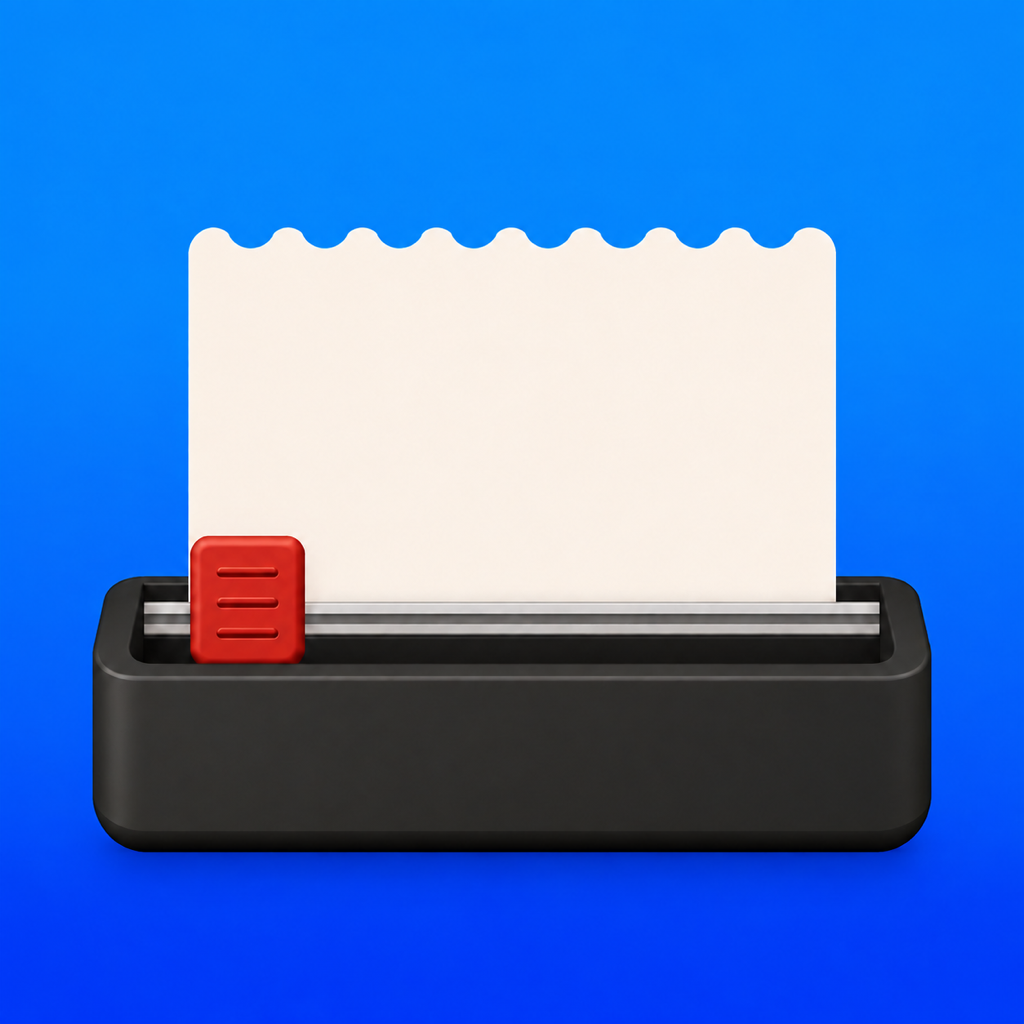
Chitroll: Paper To-Do List , also on the App Store , opens the developer's site in a new tab A little paper machine for your Mac, made for the pleasure of writing, cutting, and tearing.
Mac desktop paper-roll to-do with a menu bar entry. Type a task, slide the cutter, tear it off with sound, and archive it. Local-only, no account or cloud. Paid $1.99.
$1.99 - About Crowny

Crowny, opens the developer's site in a new tab
Crowny, the notch app for your MacBook: your whole day one glance up, and your AI agents the moment they need you. One-time licence, no subscription.
$5 - About Keep Mac Awake
Keep Mac Awake, opens the developer's site in a new tab Close the lid, not the work. Your MacBook keeps working with the lid closed, and you steer your agents from your phone.
Keep Mac Awake keeps a MacBook with Apple silicon awake with the lid closed, with no external display, for a session you start from the menu bar: no limit, 1 hour, 8 hours or a custom length. For long builds, downloads and AI coding agents that should keep working while the MacBook is closed. AC power by default, battery optional down to a floor you pick; a watchdog restores normal sleep if a service stops. Includes a JSON command for scripts and agents. macOS 26 or later.
$9 3-day trial - About AgentDuck

AgentDuck, opens the developer's site in a new tab A macOS menu bar app for Claude Code, Codex, Grok and Cursor: plan limits, tokens and estimated cost, and your Mac
AgentDuck puts every coding agent and your Mac in one menu bar panel. See plan limits, tokens and estimated cost for Claude Code, Codex, Grok and Cursor — today, 7 days and 28 days — plus exactly when each limit resets. Right next to them: your Mac's CPU, memory, battery, and every dev server holding a localhost port, which you can stop from the panel. The duck bobs faster as your Mac gets busier and the water flows while an agent is mid-turn. No account; your logs stay on your Mac.
$14.99 3-day trial - About Take Dictation
Take Dictation, opens the developer's site in a new tab Private, on-device Mac dictation that turns speech into clean writing.
You’ve finished saying the reply. You want to keep going. Take Dictation turns what you say into text where you’re already writing, in apps like Mail, Notes and Messages. Speech recognition and cleanup happen on your Mac. No upload. No cloud round trip. Your voice and transcript stay on your Mac. Fixed rules remove fillers and add punctuation, without a chatbot rewriting your sentences. No app account. No subscription. Try every feature for 14 days, then pay $39 once for your household. For Apple silicon Macs running macOS 26 or later. English dictation.
$39 14-day trial - About Timerfly
Timerfly, opens the developer's site in a new tab Download the Timerfly desktop app for Windows and Mac. Sign in with your Timerfly account and press Start work.
Timerfly is employee monitoring and attendance tracking for teams at computers, built for Indian companies. It is a visible app that employees install and know about, never hidden monitoring. On the Mac it runs from the menu bar. - Work day starts by itself on Windows and Mac - Late, left-early and absent marked against each shift, night shifts included - Live view: working, idle, on a break or off - App and website time, sorted into productive, neutral and unproductive - Alerts in Slack, Teams, Google Chat or Telegram No camera or microphone recording, no GPS and no stealth mode. Screenshots are off unless turned on, and can be blurred. Every employee sees their own day. From ₹159 per person a month, billed yearly, plus GST. 14-day free trial, no card. Requires macOS 11 Big Sur or later. Apple Silicon and Intel. Version 0.2.32.
$2.49 14-day trial - About Command Reopen

Command Reopen , also on the App Store , opens the developer's site in a new tab Bring minimized windows back automatically when you press Cmd+Tab.
Command Reopen makes Cmd+Tab restore minimized Mac windows. Zero permissions. Mac App Store.
$9.99 14-day trial - About QuickShot

QuickShot, opens the developer's site in a new tab
Screenshot and screen recording from the menu bar, with annotation, OCR, pins and scrolling capture. QuickShot handles area, window and full-screen capture from a shortcut, then lets you add arrows, text, blur and highlights, pin the shot on screen, or copy text out with OCR. It also records to video or GIF. One-time purchase ($16.99 for 1 Mac / $24.99 for 2 Macs, launch pricing), no subscription. Requires macOS 14+, Apple silicon.
Paid - About MacUno

MacUno, opens the developer's site in a new tab
Your desktop blurs, narrows in perspective, and dims as the lid closes — and restores as it opens. A menu bar app for Apple Silicon MacBooks.
Paid - About Roy

Roy, opens the developer's site in a new tab
Tiny and delightful color picker for designers that lives in your Mac menu bar.
Paid - About Final Call – Meeting Alarm
Final Call – Meeting Alarm , also on the App Store , opens the developer's site in a new tab Final Call is a macOS app that lives as an icon in the menu bar and makes sure you never miss a meeting again.
Final Call lives in your menu bar and shows a full-screen countdown before every meeting, with a Join button for Zoom, Google Meet, Teams and more. Your calendar data stays on your Mac. 14-day free trial.
$9.99 - About Notch Now

Notch Now , also on the App Store , opens the developer's site in a new tab Notch Now is a Mac notch app for saving files, links, images and text for later.
Notch Now is a Mac notch app for saving files, links, images and text for later. Drop something into your inbox, add a note or reminder when you need one, and carry on. Requires macOS 14 or later.
Paid - About Rayclip

Rayclip, opens the developer's site in a new tab
QR-pair Mac + Android—no account. Clipboard text and Android screenshots sync; share files over Wi‑Fi when you send them (not auto sync). E2E encrypted. $5 once on Google Play.
$5 - About Switchy
Switchy, opens the developer's site in a new tab A menu bar app for Mac with a 7-day free trial, then $4.99 once. Switches, deploys, 2FA codes and AI limits, one click from the clock.
Switchy is a native menu bar app for Apple silicon Macs on macOS 14 or later. Get quick access to Dark Mode, Keep Awake, mic mute, Do Not Disturb, DNS and other everyday controls, with customizable keyboard shortcuts. Monitor deployments from Vercel, Netlify, Cloudflare, Railway and more, and see local development servers by port. Copy 2FA codes from a Touch ID-protected panel, sync codes through iCloud Keychain, and check Claude and Codex usage limits and reset times. Try every feature free for 7 days with no account or card. Then pay $4.99 once for a license covering up to 3 of your Macs, including future updates.
$4.99 7-day trial - About NotchNook Pro
NotchNook Pro, opens the developer's site in a new tab
NotchNook Pro takes the original notch app for Mac to the next level with 37+ features in the space beneath your camera. Follow Claude Code and Codex sessions, approve commands and respond to requests from the notch. Find what you copied with searchable clipboard history, keep files close with Tray and Pocket, open an integrated terminal, and read scripts with a teleprompter that follows your voice. Music with lyrics, calendar, notes, tasks and timers come together in customizable workspaces. Rearrange widgets with drag and drop and choose the Glass or black appearance. Try Pro free for 48 hours, with no card required. Version 2.0.6 requires Apple silicon and macOS 14.6 or later. US$19 lifetime for two Macs, or US$3/month.
$19 2-day trial - About Multimeter
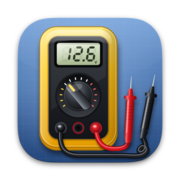
Multimeter, opens the developer's site in a new tab
A Mac menu bar app with live meters for battery, CPU, watts, network, timers and your own numbers. Pick a face or build your own. $19.99 once, no subscription.
$19.99 - About popCalendar

popCalendar , also on the App Store , opens the developer's site in a new tab Your full year, daily events and a live clock, from the Mac menu bar to a whole display.
A full-year calendar in your Mac's menu bar, with a live clock behind the dates. Drag to count days and workdays across years, keep events in a month sidebar, or fill a whole display. Includes 27 clock presets, personal backgrounds, countdowns, and fullscreen meeting reminders. Core features work offline.
$9.99 - About Dormouse
Dormouse, opens the developer's site in a new tab A dormouse asleep in a teapot tells you why your MacBook woke up last night and where the battery went.
Menu-bar Mac app that shows what's waking and draining the battery so you can fix surprise overnight drain. Local only, no account. $4.99 one-time, 14-day trial. macOS menu-bar utility.
Paid - About SaneClip
SaneClip , also on the App Store , opens the developer's site in a new tab SaneClip on iPhone and iPad is the free companion to the Mac app.
Clipboard history in your Mac menu bar that you can lock with Touch ID, with encryption at rest and password-manager copies skipped automatically.
$14.99 14-day trial - About Drum Pad
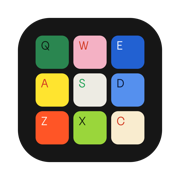
Drum Pad, opens the developer's site in a new tab A drum pad in your Mac menu bar. Play it on your keyboard or pad controller, drop in any sound, record, save audio, MIDI or video. $19 once.
Drum Pad is a 3×3 drum pad that drops down from the Mac menu bar. Play it with Q W E, A S D and Z X C or any MIDI pad controller, drop in your own sounds, record a take and save it as audio, MIDI or a vertical video. For macOS 14.4 or later.
$19 - About PalmGuardian

PalmGuardian, opens the developer's site in a new tab A small Mac utility that prevents accidental trackpad input while you type.
PalmGuardian is a macOS menu bar utility that pauses pointer input while you type, so accidental trackpad clicks stop interrupting you.
$1.99 - About Cost Doctor
Cost Doctor, opens the developer's site in a new tab See where your Claude Code and Codex tokens go, and when you will hit your plan limit. Free macOS command; nothing is uploaded.
A Mac menu bar app that shows which Claude Code or Codex session is using your tokens, and why.
$19 14-day trial - About HyperMonitor

HyperMonitor, opens the developer's site in a new tab
Shows every process and open port on your Mac, flags what looks out of place and explains it. The menu bar item shows live CPU and turns red with a count when a critical finding appears.
£29 14-day trial - About DockLatch
DockLatch, opens the developer's site in a new tab
DockLatch keeps the original macOS Dock on the display you choose and remembers its display, edge, size and auto-hide settings for each display setup. It runs from the menu bar on macOS 15 or later, on Apple silicon and Intel Macs. The midpoint of the chosen edge must be on a free outer boundary; it does not create a separate Dock on every screen. Test your actual arrangement with the 14-day trial before buying. Continued use costs US$9.90 once for up to three Macs, including future updates. The trial does not charge automatically.
$9.9 14-day trial - About Amply
Amply, opens the developer's site in a new tab
Holds your MacBook at 80% using the charge limit built into macOS, with no helper or admin password, and says in plain words why it is or isn't charging.
$9.5 14-day trial - About Hermes
Hermes, opens the developer's site in a new tab Hermes is a tiny menu bar app that lets you switch your Bluetooth headphones between Macs with a single click.
Hermes is a tiny menu bar app that lets you switch your Bluetooth headphones between Macs with a single click.
$3.99 - About PulseBar System Monitor for Mac
PulseBar System Monitor for Mac, opens the developer's site in a new tab
PulseBar puts live CPU, memory, network, disk, temperatures, and fan speed in your Mac’s menu bar, with history graphs. Native, signed and notarized. One-time $9, no subscription, no account, no telemetry.
Paid - About Rabbit Link
Rabbit Link, opens the developer's site in a new tab
Rabbit brings your Android phone to your Mac, so it can stay in your pocket. Reply to notifications, browse photos and send files, over Bluetooth or Wi-Fi.
$49 5-day trial - About Moov
Moov, opens the developer's site in a new tab
Moov is a movement-break reminder for Apple Silicon Macs running macOS 11 or later. Choose your break interval and follow six guided stretches across your connected displays. Movement checks run on-device, with a timed alternative when the camera is unavailable. Try two breaks without an account, then sign in for a 7-day trial with no card required. Plans are US$3.99/month, US$19.99/year or US$39.99 lifetime.
Paid 7-day trial - About Mac Ninja
Mac Ninja, opens the developer's site in a new tab
Mac Ninja is a menu bar utility that unloads idle browser tabs and lowers the CPU and disk priority of busy background apps. Sleeping tabs stay in the tab bar and reload when selected. The dashboard shows which tabs are asleep and what memory was returned. Seven days free without a card, then $9.99/year or $24.99 lifetime for up to three Macs.
$24.99 7-day trial - About Notch Revenue
Notch Revenue, opens the developer's site in a new tab
Native macOS menu-bar app that shows your Stripe today and month revenue in the MacBook notch, with a quiet confetti pop on new payments. Read-only Stripe keys stay in Keychain. Apple Silicon, macOS 14+. US$19.99 one-time.
Paid - About EdgeBar
EdgeBar, opens the developer's site in a new tab EdgeBar turns your MacBook trackpad edges into smooth volume and brightness controls.
EdgeBar turns your MacBook trackpad edges into smooth volume and brightness controls.
$9 - About Textly – Capture Text & Tables

Textly – Capture Text & Tables, opens the developer's site in a new tab Focused utility apps for Mac, including text capture, quick controls, Safari streaming enhancements, per-app brightness and per-app volume.
Capture text and tables from anywhere on your Mac screen, including images, videos, PDFs, and apps. Copy text instantly, turn tables into CSV or Markdown, and translate text without retyping anything.
$14.99 7-day trial - About Mac Window Manager for Tiling & Snapping

Mac Window Manager for Tiling & Snapping, opens the developer's site in a new tab
Tangrid is a native Mac window manager with automatic tiling, snapping, window tabs, search and Dock previews. Try it free for 7 days on macOS 14 or later.
$22.99 7-day trial - About Tucket
Tucket, opens the developer's site in a new tab
A macOS clipboard manager in the notch. Search your clipboard history, including text inside screenshots. One-time purchase, no subscription.
Paid - About PasteNotch
PasteNotch, opens the developer's site in a new tab Copy. Find. Carry on. Free for 14 days, right in your Mac’s notch.
PasteNotch keeps copied text, links, images and files in a searchable history that opens from your Mac’s notch, menu bar or ⇧⌘V. Pin favorites, organize projects with Pages, and paste back into the app you were using. Works with or without a hardware notch on macOS 14+. The clipboard library stays local by default and works offline; signing in does not upload it. Try it for 14 days with a free Google/email sign-in, then pay $4.99 once for unlimited history, search, pins and Pages. Optional PasteNotch Cloud costs $4.99/month, includes the app and 25 GB, and adds screenshots, area OCR, screen recording, Screenshot Studio, sharing, bookmarks and a web library. Sync of eligible clips and Pages is opt-in.
$4.99 14-day trial - About Kare

Kare, opens the developer's site in a new tab
Kare copies the text and tables of anything on your Mac's screen, ready to paste: one value per cell in Excel or Numbers. 100% on your Mac, no account.
€1 14-day trial - About SessionRescue
SessionRescue, opens the developer's site in a new tab Records your terminal windows, tabs and coding-agent sessions, and reopens them in one click. For macOS 13 and later. Fully local.
Records your terminal windows, tabs and coding-agent sessions, and reopens them in one click. For macOS 13 and later. Fully local.
Paid - About Pulso
Pulso, opens the developer's site in a new tab Memory, swap and free disk space in the menu bar. Music, Pomodoro and Claude in the notch.
Pulso is a Mac monitor for developers. Memory, swap and free disk in the menu bar; music, a Pomodoro timer and your Claude Code sessions in the notch; and a bottom bar that can replace the Dock. One-time payment, no account, under 1% CPU.
€19 - About Exhibit
Exhibit, opens the developer's site in a new tab
Exhibit exports iMessage, SMS, WhatsApp, Signal, Telegram and more on your Mac into one PDF, with the exact date and time on every message, photos where they were sent, and read receipts. The menu bar icon lists your recent conversations, with search and one-click Create Exhibit. Need it for court? It adds Bates numbers, redaction and a SHA-256 verification page. Everything stays on your Mac: no account, nothing uploaded. $19.99 once, no subscription, 7-day refund. Requires macOS 14 or later.
$19.99 - About JuTalk
JuTalk, opens the developer's site in a new tab
Hold Option to dictate clean text into any Mac app. Add Shift for a prompt. Select typed text and hold Control to polish it. 7-day trial, no card.
$3 7-day trial - About Shotorio

Shotorio , also on the App Store , opens the developer's site in a new tab Press one shortcut, drag, and your screenshot is already open in an editor with a spotlight, arrows and text.
Takes area or full-screen screenshots from the menu bar and lets you mark them up before you copy them, or grabs the text from any part of the screen as plain text. For people who explain things with screenshots, and anyone who needs words out of a video frame or an image.
$8.99 - About VoiceInk
VoiceInk, opens the developer's site in a new tab The best open-source alternative to Superwhisper & Wispr Flow. Voice-to-text app for macOS with no subscription
VoiceInk is an open-source Mac dictation app with a global shortcut, on-device speech recognition, and app-specific modes. Use Hide Dock Icon to run it from the menu bar.
$25 7-day trial - About Amnesia

Amnesia, opens the developer's site in a new tab
A local-first Mac menu-bar app that asks why you opened a distracting app, keeps your intent on screen, and gives a private daily report. $19 once.
Paid - About TiltCue

TiltCue, opens the developer's site in a new tab
TiltCue is a Mac menu bar app that gives a gentle reminder when your head stays tilted relative to a reference you set. Choose a subtle screen glow, system banner or optional sound. Motion processing and weekly summaries stay on your Mac. Requires an Apple silicon Mac, macOS 14 or later and compatible motion-enabled headphones. For awareness only; not a medical device.
Paid - About Clivra
Clivra, opens the developer's site in a new tab A private visual clipboard history for Mac. Save text, links and screenshots. Find and paste them back in seconds.
Visual clipboard history for your Mac menu bar. Local first, with OCR and Quick Paste. Clivra keeps text, links, screenshots and colors in a visual history on your Mac. Search, collections, on-device OCR, Quick Paste and sensitive-content controls. Local by default. One-time purchase of $15, no subscription. macOS Sonoma 14+, Apple silicon and Intel. By Approtic Solutions Private Limited.
$15 - About Calinsight
Calinsight , also on the App Store , opens the developer's site in a new tab Where does your time really go?
Calinsight is a menu bar calendar for macOS. One click shows your month, what’s coming up, and dashboards that add up the hours in your events by day, week, month and year. Create and edit events and reminders in place, search them by title, and open it from any app with a shortcut. Works with the calendars on your Mac, including iCloud and Google. One-time purchase, no account, no tracking.
$12.99 - About Tomette
Tomette, opens the developer's site in a new tab
Tomette puts a focus timer in your Mac's menu bar, right beside the clock. When a focus ends, the break starts by itself and suggests something to do away from the screen. In the middle of something? +5m keeps you going and makes the next break longer to match. Pin the one task you're on, with up to five steps. Pay €7 once. No account, no tracking.
€7 - About XicoClean

XicoClean, opens the developer's site in a new tab
See live CPU, memory, and network activity in your Mac’s menu bar. Click a meter for more detail. XicoClean runs on Apple silicon and Intel Macs with macOS 12 or later. It offers a 15-day full-feature trial and a one-time license.
$9.9 15-day trial