
FlareBar , also on the App Store
Cloudflare Dashboard in Your Mac Menu Bar
At a glance
- Development
- Freemium
About FlareBar
Access your Cloudflare® dashboard from the menu bar. Jump to any page instantly. Whether you need to check Worker metrics, update DNS records, or manage R2 buckets, everything is just a click away.
Pricing is described as “Freemium” in our catalogue and “Free” on the developer's page. Check their site for the current terms.
Screenshots

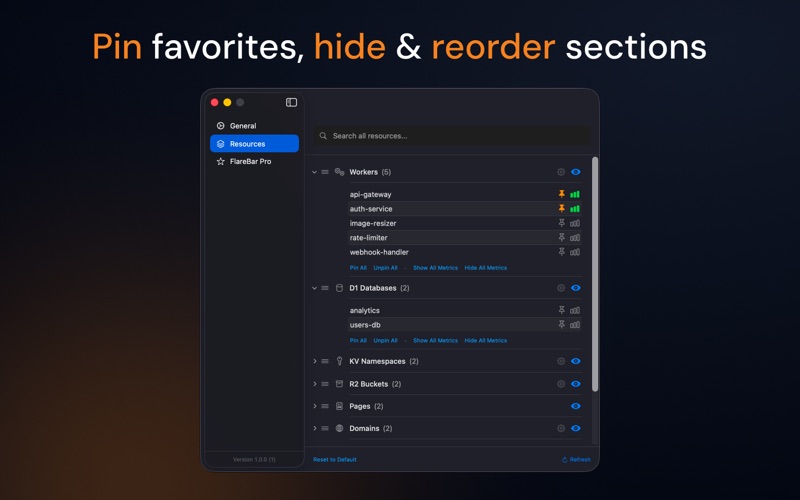


From the developer's own App Store listing.
Features
- 🚀 One-Click Navigation - Jump directly to any Cloudflare dashboard page from your menu bar
- 📂 Deep Subpage Access - Quick access to metrics, settings, deployments, and more for each resource
- 🔍 Spotlight-Style Search - Press Cmd+Shift+, to search across all resources and pages instantly
- 📡 Offline Caching - Fast access to your resources even when offline
- 🔐 Secure Storage - API tokens stored safely in macOS Keychain
- 📦 Smart Organization - Resources grouped by type with collapsible sections
- ⚙️ Page Customization - Show/hide and reorder pages within each resource type
- ☁️ Full Resource Support - Workers, Pages, Domains, D1, KV, R2, Queues, Workflows, Durable Objects
More development apps
See the category-
 Macsmith Your developer tools. One Mac app.
 -
 UsageBeacon Native macOS menu bar budget runway for Cursor, Claude, and extensible AI usage providers
 -
 QuotaTempo Local-first macOS menu bar app to track and pace Codex and Claude weekly AI usage.
 -
 TokenTracker Keep AI work in view.
 -
 SnipperApp 3 Stop digging through old projects, scattered Gists, and random text files.
 -
 Belay Keeps your Mac awake while AI coding agents work, then lets it sleep the moment they finish. Auto-detects Claude Code, Codex, Copilot CLI and Cline; free, no telemetry, 7 languages.