

Dropshare , also on the App Store
Upload to Your Own Storage, Share a Link
At a glance
- Utilities
- Free
- 36+ providers
About Dropshare
Dropshare uploads screenshots, files and folders straight to storage you control, your own server, or one of 36 or more supported providers, and hands you a link to share. The point is not that sharing is fast, though it is; it's that the file lands somewhere you chose rather than on somebody else's default.
Screenshots
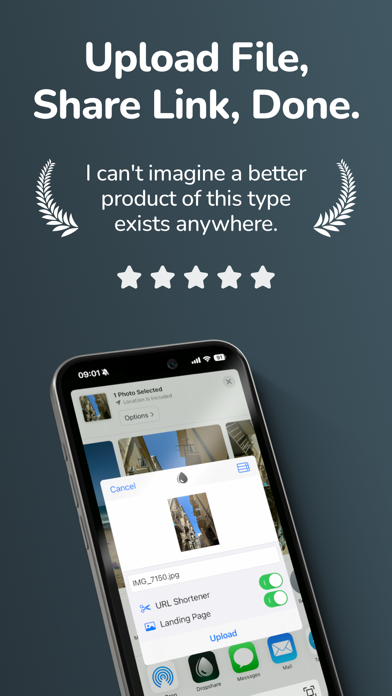
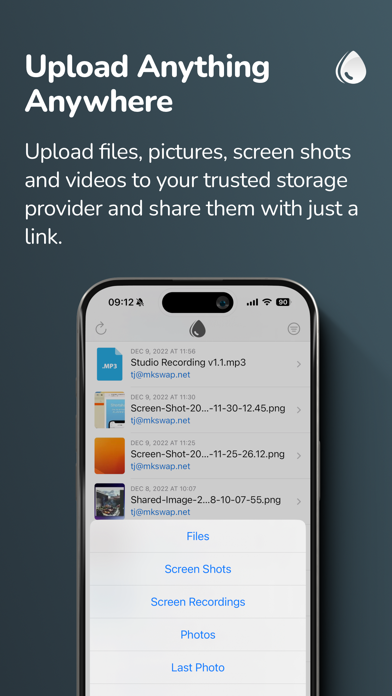
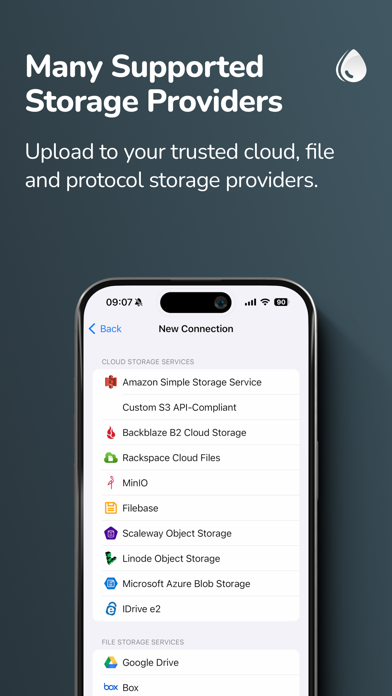
From the developer's own App Store listing.
Features
- Your Storage, Your Rules: Upload to your own server or pick from 36+ supported providers, rather than being handed one company's bucket.
- Screenshots Straight Out: Capture and upload in one motion, with the link ready to paste.
- Files and Folders: Not just images, send whole folders and share the result as a link.
- A Link, Immediately: The upload finishes and you have something to paste, without opening a web dashboard.
- Privacy-Friendly by Construction: Because the destination is yours, the question of who else can read the file is one you answer.
Why Dropshare?
Sharing a screenshot usually means handing it to whichever service is closest, a chat app, a drive, a paste site, and accepting that the file now lives wherever that company keeps it, under whatever retention policy they picked. Dropshare separates the convenience from the custody: the same one-motion upload, but to storage you own.
Point It at Your Storage
Your own server, or one of the 36+ providers Dropshare supports.
Drop In What You Want to Send
A screenshot as you take it, a file, or a whole folder.
Paste the Link
The upload finishes and the link is ready, no dashboard, no second step.
Questions
What is Dropshare?
A Mac app for uploading screenshots, files and folders to storage you control, and sharing the result as a link.
Where do my files go?
Wherever you point it: your own server, or one of the 36 or more supported storage providers.
Can it handle folders?
Yes, folders as well as individual files and screenshots.
What does it cost?
The developer submitted Dropshare to this directory as free. Check dropshare.app for the current terms and any paid tiers.
More utilities apps
See the category-
 SnapApp for Mac Native Mac screenshot app with menu-bar capture and a custom shortcut. Add arrows, text, shapes, solid redaction and on-device OCR. The canvas expands beyond the captured area. Copy or save PNG locally. Also uses Dock and editor windows. Current 0.3.8 is free, proprietary, macOS 14+, Apple silicon and Intel. No account required.
 -
 DuoBar DuoBar is a clean menu bar companion for macOS. Battery, Wi-Fi, network activity, CPU, memory and disk — all in one compact dropdown.
 -
 WattMate Watts per app, not a nameless score. Then a receipt: promised 24 min, got 28 min.
 -
 App Archiver for macOS I like keeping useful apps around.
 -
 App Trust Preview App Trust Preview helps you understand Mac software before opening or installing it.
 -
 DynamicHorizon Reimagine your macOS notch with Dynamic Horizon. Responsive animations meet powerful features for the ultimate Mac experience.