

Pointer Cue , also on the App Store
Visual Pointer Cue for Presentations and Demos
At a glance
- macOS
- Utilities
- One-Time Purchase
About Pointer Cue
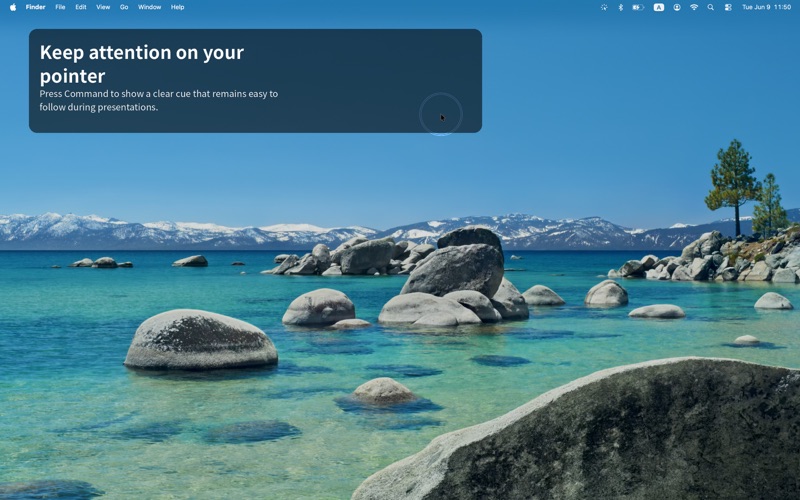
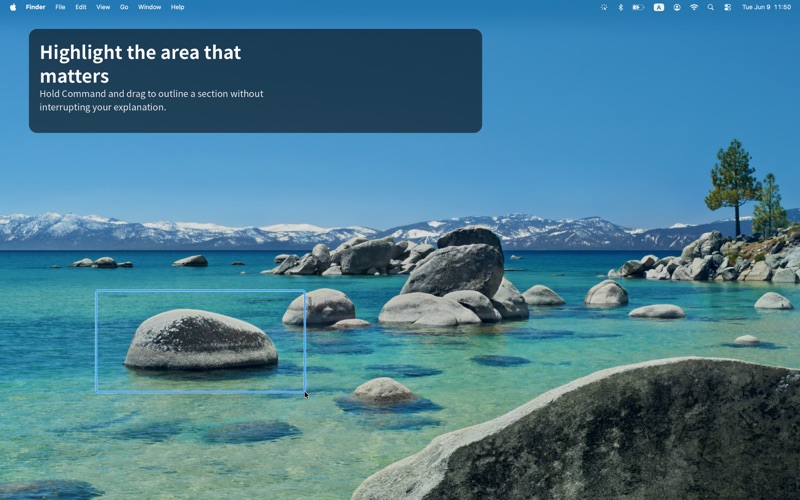
Pointer Cue is a lightweight macOS menu bar utility that helps audiences follow on-screen actions during presentations, software demos, training sessions, tutorials, and screen sharing. Press and release the Command key to display a clear shrinking ring around the pointer, or hold Command and left-drag to draw a temporary frame around an important area without interacting with the app underneath. Customize the cue color and keep Pointer Cue ready in your menu bar, all processing runs locally on your Mac.
Screenshots


From the developer's own App Store listing.
Features
- Command Key Ring: Press and release Command to show a shrinking ring around your pointer, making cursor movements easy to follow.
- Temporary Frame Draw: Hold Command and left-drag to draw a temporary frame around any area without clicking through to the app below.
- Custom Cue Color: Personalize the ring color to match your brand, slides, or personal preference.
- Menu Bar Ready: Lives quietly in the Mac menu bar and is instantly accessible whenever you need it.
- Local Processing: All cue rendering and tracking runs on your Mac, no cloud, no data collection.
- Built for Presenters: Perfect for presentations, software demos, training sessions, tutorials, and screen sharing.
- Lightweight & Native: Minimal resource use and a native macOS feel that stays out of the way until you need it.
- One-Time Purchase: Pay once and use it forever, no subscriptions or ads.
How Pointer Cue Works
Three simple gestures that make your cursor impossible to miss, without disrupting your workflow.
Press & Release Command
A clear shrinking ring appears around your pointer so viewers can easily follow your actions.
Hold Command & Drag
Draw a temporary frame around any area on screen without interacting with the app underneath.
Customize & Present
Pick your cue color, keep Pointer Cue in the menu bar, and present with confidence.
Demo
More utilities apps
See the category-
 SnapApp for Mac Native Mac screenshot app with menu-bar capture and a custom shortcut. Add arrows, text, shapes, solid redaction and on-device OCR. The canvas expands beyond the captured area. Copy or save PNG locally. Also uses Dock and editor windows. Current 0.3.8 is free, proprietary, macOS 14+, Apple silicon and Intel. No account required.
 -
 DuoBar DuoBar is a clean menu bar companion for macOS. Battery, Wi-Fi, network activity, CPU, memory and disk — all in one compact dropdown.
 -
 WattMate Watts per app, not a nameless score. Then a receipt: promised 24 min, got 28 min.
 -
 App Archiver for macOS I like keeping useful apps around.
 -
 App Trust Preview App Trust Preview helps you understand Mac software before opening or installing it.
 -
 DynamicHorizon Reimagine your macOS notch with Dynamic Horizon. Responsive animations meet powerful features for the ultimate Mac experience.