

DisplayLatch
Screenshots
From the project's README on GitHub.
About DisplayLatch
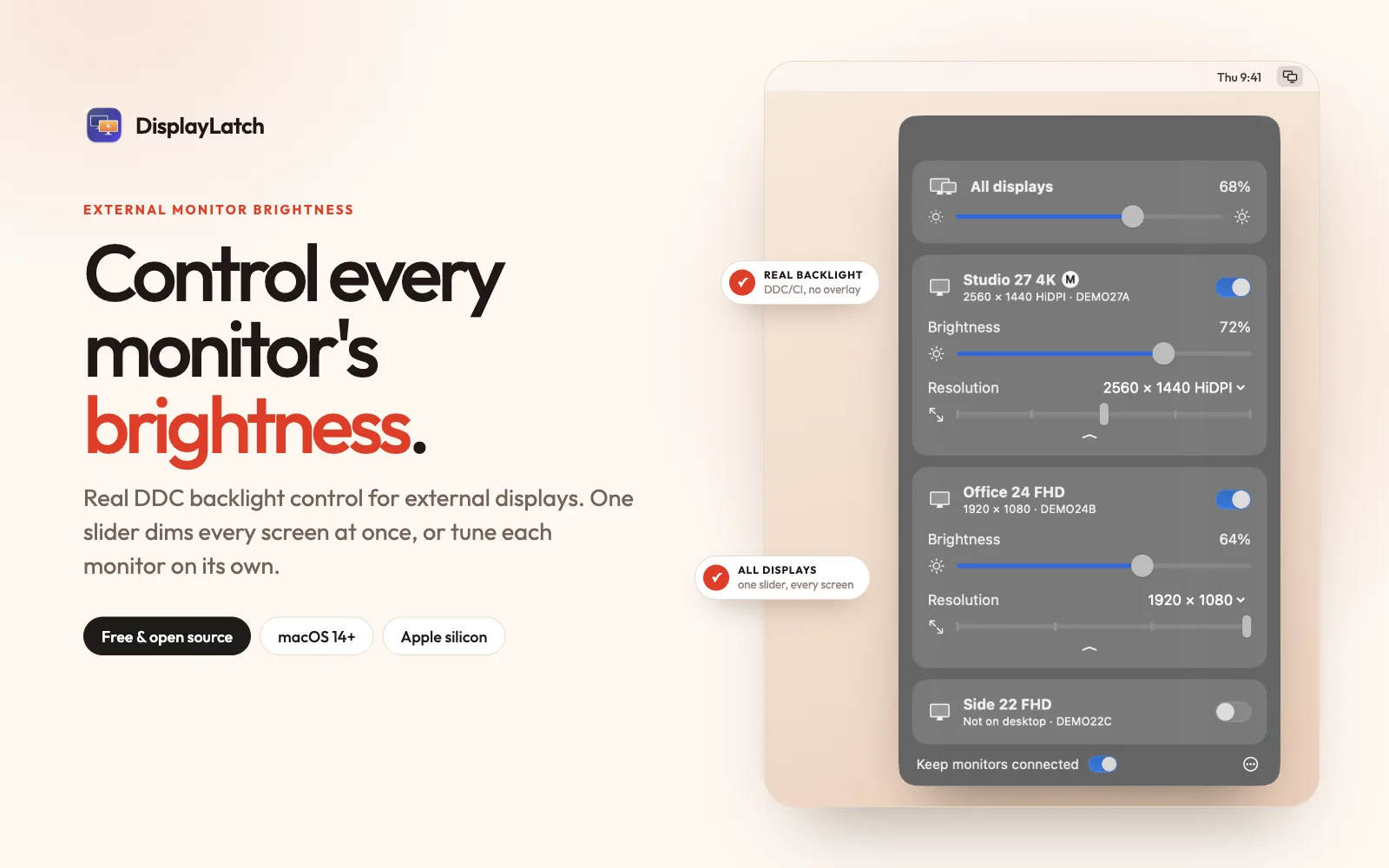
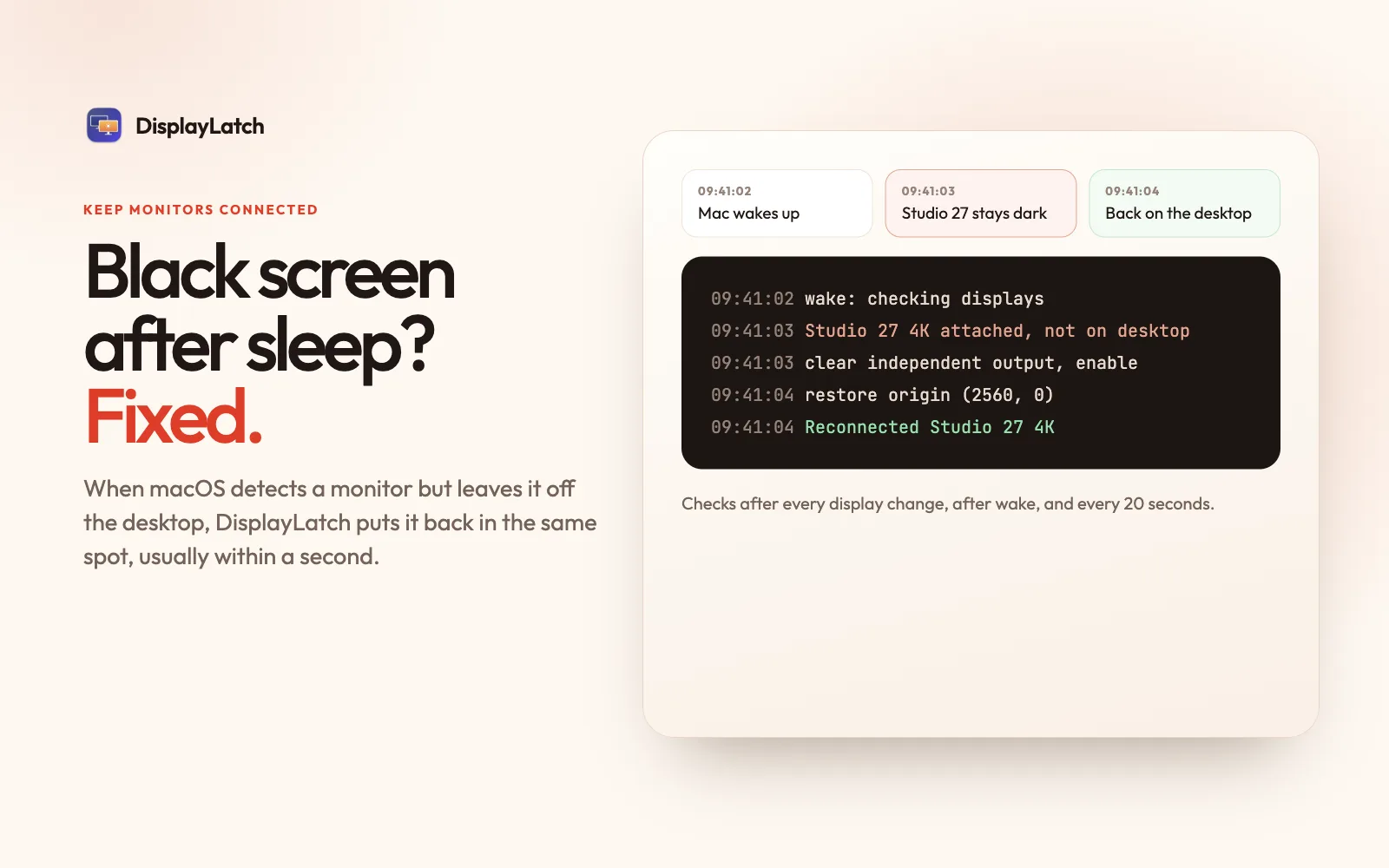
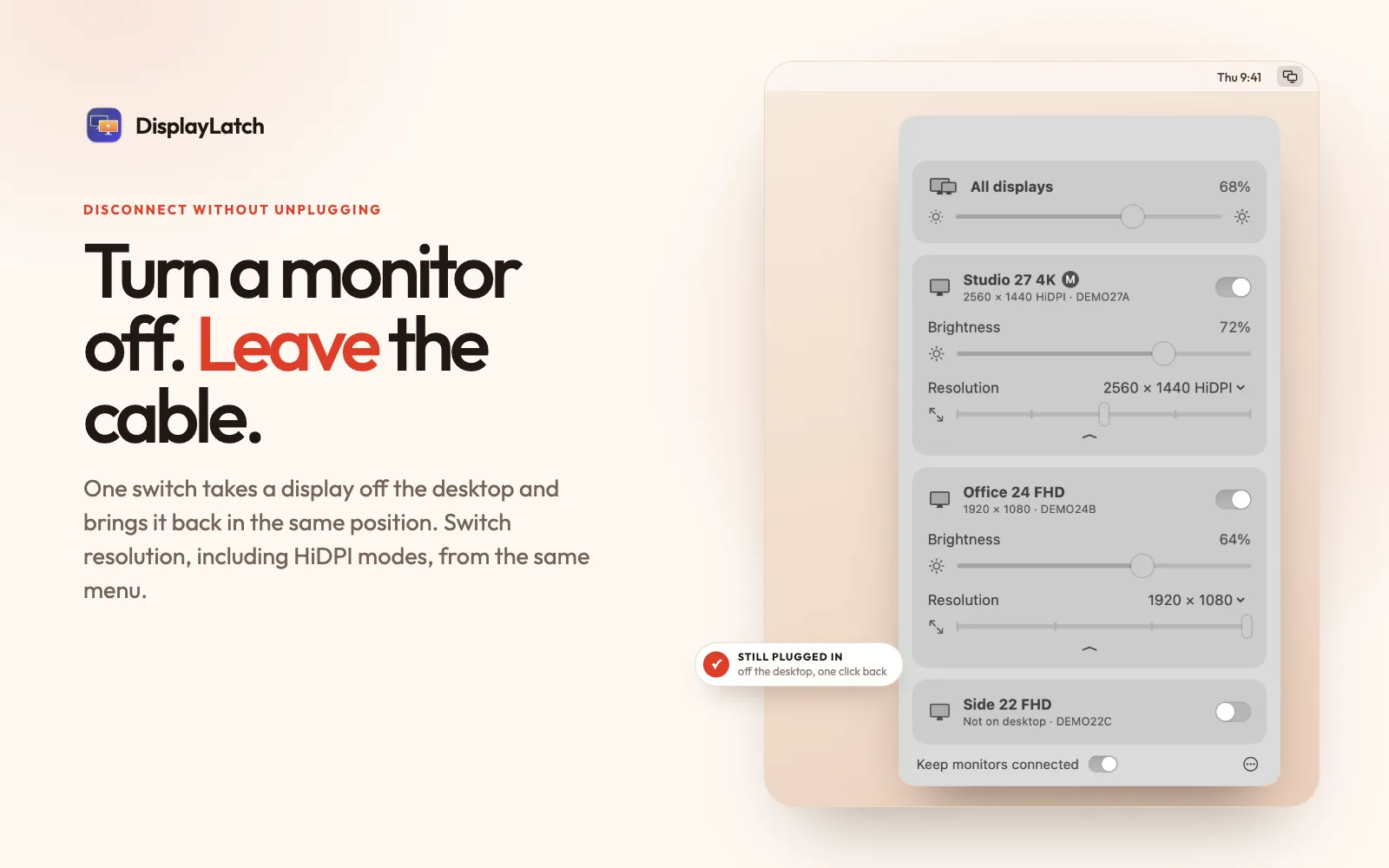
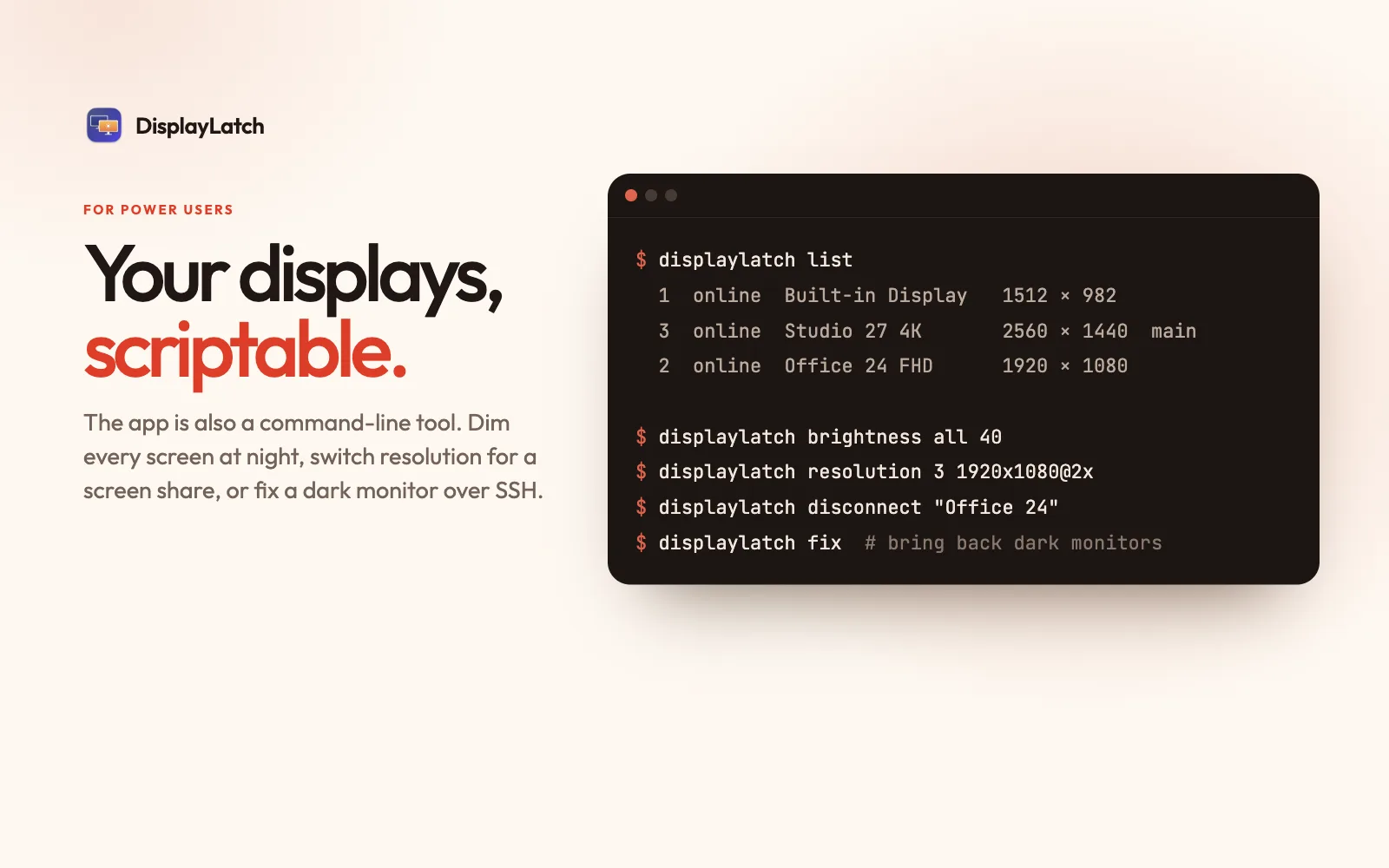
DisplayLatch is a free, open-source menu-bar app for Macs with external monitors. It changes each monitor's real backlight brightness over DDC/CI, with one slider that dims every screen at once. It also brings back monitors that macOS leaves black or off the desktop after sleep, in the same position. You can disconnect a display without unplugging it, switch resolution including HiDPI modes, and script it all from the command line. Native Swift, about 1.5 MB, no account or tracking.
macOS only dims Apple displays. DisplayLatch talks to your other monitors over DDC/CI, the same channel their own buttons use, so the backlight really changes. No grey overlay, no washed-out blacks, less power at night.
Features
- Keep monitors connected.
- Disconnect a display without unplugging it.
- External monitor brightness (DDC/CI).
- One slider for every display.
- Built-in display brightness
- Resolution switcher.
- Command-line tool.
- Native and tiny.
- Free and open source
Questions
Is DisplayLatch free?
Yes. DisplayLatch is free to download and use.
Who makes DisplayLatch?
DisplayLatch is made by DisplayLatch Team.
Are there alternatives to DisplayLatch?
Yes. This directory lists 8 other display apps for the Mac menu bar, and its alternatives page compares them with DisplayLatch.
Views, day by day
Busiest day: Sat 21 Nov, 45 views.
Counted here, on this site: people who opened this page, and how many of them went on to the developer.
More display apps
-
 Musou Everything you
-
 DockLatch DockLatch keeps the original macOS Dock on the display you choose and remembers its display, edge, size and auto-hide settings for each display setup. It runs from the menu bar on macOS 15 or later, on Apple silicon and Intel Macs. The midpoint of the chosen edge must be on a free outer boundary; it does not create a separate Dock on every screen. Test your actual arrangement with the 14-day trial before buying. Continued use costs US$9.90 once for up to three Macs, including future updates. The trial does not charge automatically.
-
 Arras Free native macOS photo widgets and editable desktop collages, with slideshows, layers and saved setups.
-
 MacUno Your desktop blurs, narrows in perspective, and dims as the lid closes — and restores as it opens. A menu bar app for Apple Silicon MacBooks.
-
 Petit Fire Petit Fire puts a small candle light in the corner of your screen while you work.
-
 Candela Protect OLED displays from burn-in, check panels for defects and wear, and give every Mac display better controls.