
PokeTokenBar
Raise Pokémon With Your AI Token Usage
At a glance
- macOS
- Development
- Free
- Open Source
Screenshots
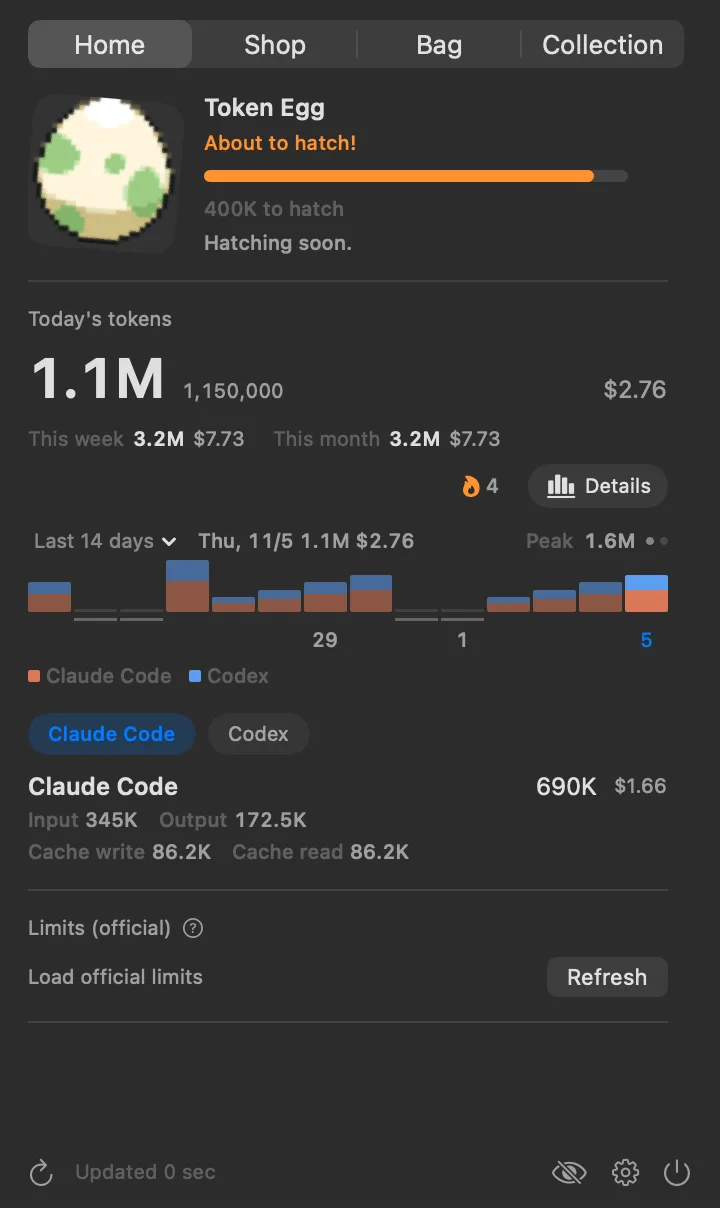
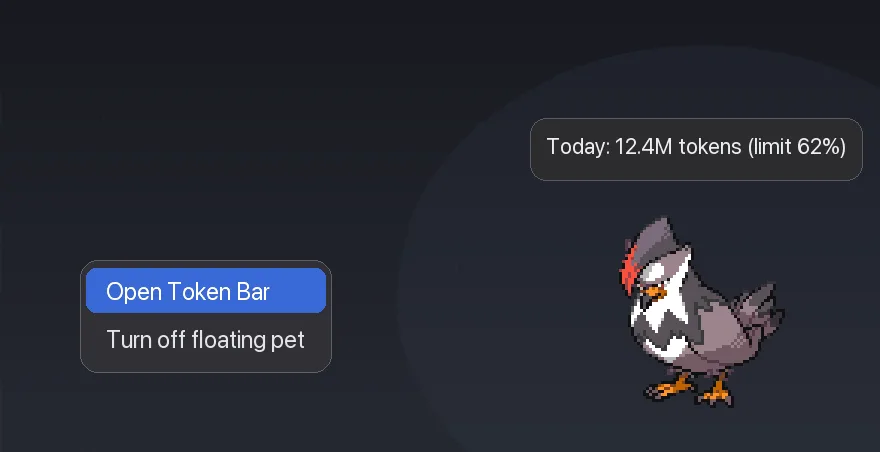
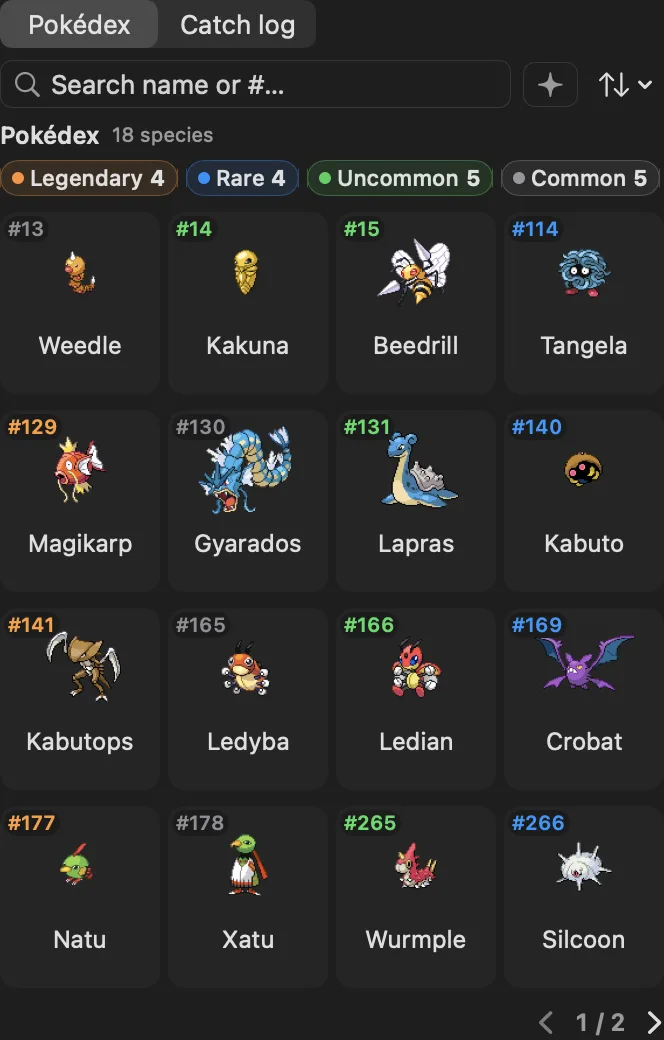
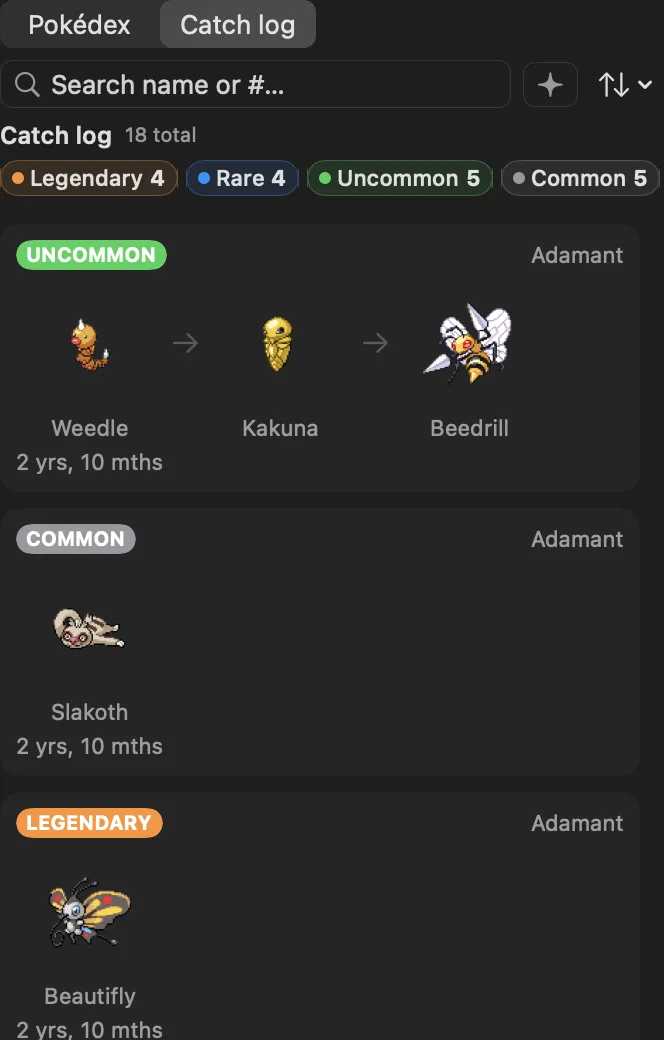
From the project's README on GitHub.
About PokeTokenBar
PokeTokenBar is a playful macOS menu bar app that turns your AI coding tool usage into a Pokémon-raising game. Start with an egg, hatch a random Pokémon as you use more tokens, evolve it through its evolution line, and collect final evolutions in your Pokédex, with a rare chance of shinies. It also reads your local Claude Code, Codex, and Gemini CLI logs to show today's token usage, current 5-hour and weekly limits, and an estimate of when you'll reach them. Everything runs locally, no data ever leaves your Mac.
PokeTokenBar turns the AI coding tokens you're already burning — Claude Code, Codex, Gemini CLI, Antigravity, OpenCode, Hermes Agent, Cursor, Grok CLI, Copilot CLI, Kiro CLI, Pi Agent, omp, omo, Aside, Kimi Code & Devin CLI — into a growing Pokémon companion in your macOS menu bar. Spend tokens, hatch an egg, evolve it through its real evolution line, graduate it into your Pokédex, and start again. Underneath the companion it's a precise usage tracker — today's spend, cost, and official 5-hour / weekly limits, read straight from your local logs.
Features
- Raise a Pokémon: Start with an egg that hatches into a random Pokémon based on your AI token usage.
- Evolve Through the Line: Keep using AI tools and watch your Pokémon evolve through its full evolution line.
- Pokédex Collection: Final evolutions are automatically added to your personal Pokédex.
- Shiny Chance: A small chance every hatch will reward you with a rare shiny.
- AI CLI Stats: Reads local Claude Code, Codex, and Gemini CLI logs to show today's token usage at a glance.
- Usage Limits: See your current 5-hour and weekly limits with an estimate of when you'll reach them.
- 100% Local & Private: Only reads log files already on your machine, nothing is ever sent to the cloud.
- Free & Open Source: Free to install via Homebrew, with source available on GitHub.
How PokeTokenBar Works
Turn every AI coding session into progress for your Pokémon team.
-
Start With an Egg
Install PokeTokenBar from Homebrew and start your journey with a mysterious egg in your menu bar.
-
Use AI Tools
Every token you spend in Claude Code, Codex, or Gemini CLI helps your egg hatch and your Pokémon evolve.
-
Fill Your Pokédex
Reach the final evolution to add the Pokémon to your Pokédex, and hope for a rare shiny along the way.
Questions
What is PokeTokenBar?
A macOS menu bar app that gamifies your AI coding tool usage by letting you raise Pokémon from AI tokens, while also showing live CLI stats.
Which AI CLIs are supported?
PokeTokenBar reads local logs from Claude Code, Codex, and Gemini CLI to track your token usage and limits.
Is my data safe?
Yes. Everything runs locally on your Mac. It only reads log files already on your machine and never sends any data anywhere.
How do I install it?
Run: brew install --cask chattymin/tap/poke-token-bar in Terminal. You can also view the source on GitHub.
How much does it cost?
PokeTokenBar is completely free and open source.
Can I get shinies?
Yes, every hatch has a small chance of being a shiny Pokémon.
Views, day by day
Busiest day: Sat 21 Nov, 61 views.
Counted here, on this site: people who opened this page, and how many of them went on to the developer.
More development apps
-
 L2Cache L2cache is the Developer Memory Layer for macOS — your coding day, with a flight recorder.
-
 SessionRescue Records your terminal windows, tabs and coding-agent sessions, and reopens them in one click. For macOS 13 and later. Fully local.
-
 Blame For developers running AI coding agents: Blame names what is eating your memory and ends only what is safe. Free; Pro $29 once.
-
 Cost Doctor See where your Claude Code and Codex tokens go, and when you will hit your plan limit. Free macOS command; nothing is uploaded.
-
 AgentDuck A macOS menu bar app for Claude Code, Codex, Grok and Cursor: plan limits, tokens and estimated cost, and your Mac
-
 Oh My Android Free, open-source (MIT) native macOS control panel for the Android Emulator and adb devices: one-click dark mode, font scale, RTL, TalkBack, network and GPS, plus a Layout Inspector in dp and an MCP server for AI coding agents. Lives in the menu bar and a floating panel.