

Mini Stopwatch , also on the App Store
Ultra-Minimalist macOS Menu Bar Stopwatch
Mac
At a glance
- macOS
- Utilities
- Free
Screenshots


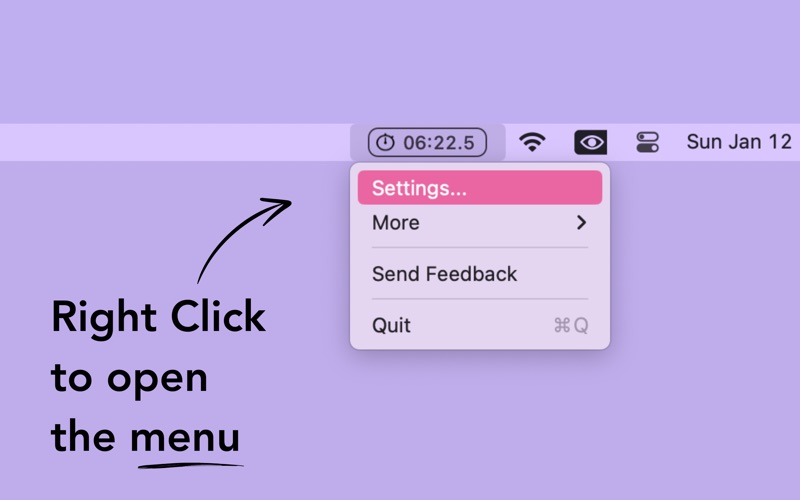
From the developer's own App Store listing.
About Mini Stopwatch
The most minimalist Stopwatch. One click to start, one click to stop, double click to reset. That's it!
Features
- Ultra-Minimalist Design - Clean, distraction-free interface focused on what matters - timing your activities with zero clutter.
- One-Click Start/Stop - Start timing with a single click, stop with another. No complicated menus or settings to navigate.
- Double-Click Reset - Reset your stopwatch instantly with a simple double-click gesture. Quick and intuitive.
- Menu Bar Integration - Lives in your menu bar for instant access without taking up precious desktop space.
- Precision Timing - Accurate timing down to milliseconds for when precision matters most.
- Lightweight Performance - Minimal system resources usage - won't slow down your Mac while running in the background.
Questions
Is Mini Stopwatch free?
Yes. Mini Stopwatch is free to download and use.
Is Mini Stopwatch on the Mac App Store?
Yes, Mini Stopwatch is on the Mac App Store, so it is reviewed and signed by Apple and installs and updates through the App Store.
Who makes Mini Stopwatch?
Mini Stopwatch is made by ClemStation.
Are there alternatives to Mini Stopwatch?
Yes. This directory lists 65 other utilities apps for the Mac menu bar, and its alternatives page compares them with Mini Stopwatch.
Demo
Views, day by day
Busiest day: Fri 6 Nov, 27 views.
Counted here, on this site: people who opened this page, and how many of them went on to the developer.
More utilities apps
-
 Mouse Jiggler Keep your Mac awake while you read, watch a dashboard, or wait for a long task. Mouse Jiggler lives in the menu bar and offers automatic cursor movement, an idle delay, weekday schedules, and stop controls. Free to download, with optional PRO features.
-
 Disk Housekeeper Disk Housekeeper is a native macOS 26 disk cleaner: menu bar free space, Smart Clean for developer caches, Auto-Sort, Autopilot, and a preview before removal.
-
 Mac Window Manager for Tiling & Snapping Tangrid is a native Mac window manager with automatic tiling, snapping, window tabs, search and Dock previews. Try it free for 7 days on macOS 14 or later.
- Sentinely Sentinely warns you minutes before your Mac runs out of memory, frees what idle AI sessions and stuck editors hold in one click, and measures it.
-
 SmoothWheel SmoothWheel is a free, MIT-licensed macOS menu-bar utility that smooths standard mouse-wheel scrolling. Tune speed and smoothing, choose three presets, and exclude individual apps. Continuous trackpad input passes through unchanged. Apple Silicon; requires Accessibility permission.
-
 EchoKeys EchoKeys is a macOS utility designed for screen recording, livestreaming, tutorials, game capture, and product demos.