
App Store
Menu bar apps on the App Store
Mac menu bar apps published on the App Store: reviewed by Apple, sandboxed, updated and refunded through it. 53 listed: 9 free, 15 free with a paid upgrade and 29 paid. Of those, 14 with a free trial.
53 apps
- About MenuToDo
MenuToDo , also on the App Store , opens the developer's site in a new tab Kanban Task Manager for Mac, iPhone, iPad, Apple Watch & Vision Pro
The simple kanban task manager that lives in your Mac menu bar and syncs with iPhone, iPad, Apple Watch and Apple Vision Pro. One click access to your tasks across all Apple devices.
$4.99 - About Fonti: Font Finder AI

Fonti: Font Finder AI , also on the App Store , opens the developer's site in a new tab AI-Powered Font Identifier for Mac Menu Bar
Font Identifier for Mac menu bar, quickly detect fonts from images or screenshots, explore alternatives, and streamline typography design.
Free - About NameQuick

NameQuick , also on the App Store , opens the developer's site in a new tab Rename Files From What's Inside Them
Reads PDFs, invoices, scans and images and renames them to your naming convention, from the menu bar on a Finder selection, or automatically as files land in a watched folder. Every proposed name is previewed before anything changes. macOS 15.4+.
$69 - About Caplio
Caplio , also on the App Store , opens the developer's site in a new tab Search the Text Inside Your Screenshots
Turns your screenshot folders into a searchable library. On-device text recognition reads the words inside each image, so you can search for what you saw, browse a timeline, and drag any result straight into another app.
Paid - About Horizon
Horizon , also on the App Store , opens the developer's site in a new tab Adaptive Wallpapers for Mac Menu Bar
A native macOS menu bar wallpaper app that changes your desktop by time, weather, Focus Mode, and mood. Free to download with a one-time $7.99 Premium unlock.
Freemium - About Perch

Perch , also on the App Store , opens the developer's site in a new tab Apple Reminders, One Hotkey Away
A menu bar panel for Apple Reminders that drops in on a hotkey and reads the date, time, priority and list straight out of a plain sentence. Not a second list, it writes to the reminders you already keep, with no account and no network access.
€2.99 - About Pointer Cue
Pointer Cue , also on the App Store , opens the developer's site in a new tab Visual Pointer Cue for Presentations and Demos
Pointer Cue is a lightweight macOS menu bar utility that helps audiences follow on-screen actions during presentations, software demos, training sessions, tutorials, and screen sharing.
$3.99 - About TokenTracker

TokenTracker , also on the App Store , opens the developer's site in a new tab Keep AI work in view.
A native Mac menu bar app for Claude Code, Codex and other AI coding tools. View agent activity, receive alerts from supported hooks, and filter local token usage by tool, model and project with CSV export. macOS 14+. Seven-day trial, then a CNY 9.9 one-time license for up to 3 Macs.
Paid 7-day trial - About Sidebar Calendar

Sidebar Calendar , also on the App Store , opens the developer's site in a new tab Always-Visible Calendar for macOS Menu Bar
View your calendar from the menu bar! Sidebar Calendar brings your schedule to your screen's edge and menu bar, so you always know what's next.
$2.99 - About MenuCopy

MenuCopy , also on the App Store , opens the developer's site in a new tab Powerful Clipboard Manager for macOS
A powerful and intuitive clipboard manager that seamlessly integrates with your workflow on macOS.
$4.99 - About Antinote
Antinote , also on the App Store , opens the developer's site in a new tab A Beautiful Productivity Scratchpad for macOS
A beautiful, fast, and lightweight note-taking macOS app that lets you quickly jot down temporary notes and perform calculations seamlessly.
$5 - About Wallset

Wallset , also on the App Store , opens the developer's site in a new tab Keyboard-First Wallpaper Switcher for Mac
Wallset is a native, keyboard-first wallpaper switcher for macOS inspired by Rofi-style workflows. It lives entirely in the menu bar: press a global hotkey, browse your wallpaper collections in a visual grid or list, and apply a new wallpaper instantly with smooth transitions.
Freemium - About Posturio

Posturio , also on the App Store , opens the developer's site in a new tab Smart Desk Wellness for macOS Menu Bar
A native macOS menu bar app that helps desk workers build healthier work habits with active-time reminders for posture, eye breaks, eye exercises, movement, hydration, and guided stretching.
Freemium - About TacticBar

TacticBar , also on the App Store , opens the developer's site in a new tab TacticBar puts chess puzzles one click away in your Mac menu bar.
Open a chess puzzle from your Mac menu bar, solve it, and carry on.
£4.99 - About Dropshare

Dropshare , also on the App Store , opens the developer's site in a new tab Upload to Your Own Storage, Share a Link
Uploads screenshots, files and folders to your own server or one of 36+ supported providers and hands you a link to share, so the file lands somewhere you chose.
Free - About Mini Stopwatch
Mini Stopwatch , also on the App Store , opens the developer's site in a new tab Ultra-Minimalist macOS Menu Bar Stopwatch
The most minimalist Stopwatch. One click to start, one click to stop, double click to reset. That's it!
Free - About Remind

Remind , also on the App Store , opens the developer's site in a new tab Remind provides full-screen meeting reminders with AI briefing and quick virtual meeting join links.
Stay focused until your next meeting starts. Remind provides full-screen reminders, AI briefings, and one-click joining from your Mac menu bar. Connect Google or Microsoft calendars, with optional email, Slack, and Notion context. $19.99/year with a 7-day free trial.
Paid 7-day trial - About Nori Clipboard

Nori Clipboard , also on the App Store , opens the developer's site in a new tab Clipboard History and Replayable Flows for Mac
A native Mac clipboard manager with recent clips, capture controls, and Quick Paste in the menu bar, plus Flow Replay for saving an ordered set of clips as a workflow you can run again. Local-first, 14-day trial, one-time purchase.
$9.99 14-day trial - About NanoClip
NanoClip , also on the App Store , opens the developer's site in a new tab Mac Clipboard Manager with AI Flows
A native Mac clipboard manager, snippet library, and automation tool built around Flows. Save everything you copy, organize reusable snippets, and run AI-powered workflows from your menu bar.
Freemium - About Usage Battery for Claude Code

Usage Battery for Claude Code , also on the App Store , opens the developer's site in a new tab Live Claude Code Usage Tracker for Mac Menu Bar
A lightweight macOS menu bar app that tracks Claude Code usage limits in real time with live battery-style indicators for sessions, usage, and model limits.
$0.99 - About SnipperApp 3
SnipperApp 3 , also on the App Store , opens the developer's site in a new tab Stop digging through old projects, scattered Gists, and random text files.
The AI-ready code snippet manager for macOS. Built with Swift 6 and SwiftUI, featuring MCP integration for Claude and Cursor, plus a Raycast extension.
$29.99 7-day trial - About FlareBar
FlareBar , also on the App Store , opens the developer's site in a new tab Cloudflare Dashboard in Your Mac Menu Bar
Access your Cloudflare dashboard from the menu bar. Jump to any page instantly.
Freemium - About WattMate

WattMate , also on the App Store , opens the developer's site in a new tab Watts per app, not a nameless score. Then a receipt: promised 24 min, got 28 min.
Power by app in real watts, the minutes you would get back by quitting one, and a measured receipt two minutes later. Apple silicon, macOS 14 or later.
$29 - About Scroll the Mic
Scroll the Mic , also on the App Store , opens the developer's site in a new tab Effortless Microphone Volume Control
Adjust your microphone volume effortlessly with a smooth scroll gesture. Perfect for meetings, podcasts, and streaming. Beautifully designed for intuitive control, it helps maintain professional audio levels without distractions, enhancing your workflow instantly.
$3.99 - About DuoBar

DuoBar , also on the App Store , opens the developer's site in a new tab DuoBar is a clean menu bar companion for macOS. Battery, Wi-Fi, network activity, CPU, memory and disk — all in one compact dropdown.
DuoBar is an iPhone Duo like clean menu bar companion for macOS. Battery, Wi-Fi, memory and more — all in one compact dropdown.
$2.99 - About Clavio
Clavio , also on the App Store , opens the developer's site in a new tab Turn speech into text that's ready to send.
AI dictation for Mac. Hold a key or say ‘Hey Clavio’ — speak in any app and polished text drops in. Per-app styles, 28 languages, free to start.
£12 - About The Surf Hero

The Surf Hero , also on the App Store , opens the developer's site in a new tab Change Your Default Browser from the Mac Menu Bar
A small macOS status bar application that allows you to change your default browser in a few clicks.
$2.99 - About App Trust Preview

App Trust Preview , also on the App Store , opens the developer's site in a new tab App Trust Preview helps you understand Mac software before opening or installing it.
Understand Mac software before you open it. App Trust Preview inspects .app bundles, .pkg installers, .dmg disk images, binary executables, and executable scripts locally, then turns macOS security metadata, potential network connections found through static analysis, executable hashes, and VirusTotal report links into a readable trust report.
$2.99 - About DockLock

DockLock , also on the App Store , opens the developer's site in a new tab DockLock Lite is designed specifically to prevent unwanted Dock movement across multiple screens.
DockLock is a macOS utility for controlling where the Dock appears across multiple displays. Choose DockLock Lite, DockLock Plus, or DockLock Pro for the features your setup needs.
Paid - About Mappa Mini

Mappa Mini , also on the App Store , opens the developer's site in a new tab Quick Location Search from macOS Menu Bar
Quickly search for locations directly from your Mac's menu bar and open them in your preferred map service.
Free - About Petit Fire

Petit Fire , also on the App Store , opens the developer's site in a new tab Petit Fire puts a small candle light in the corner of your screen while you work.
Petit Fire puts a small candle light in the corner of your Mac screen while you work. Click the menu bar icon to light it and click again to put it out; it stays lit until you do. The menu holds five settings: brightness, size, place, volume and sound. Free on the Mac App Store. macOS 14 or later, Apple silicon and Intel.
Free - About Parall

Parall , also on the App Store , opens the developer's site in a new tab Parall - Multi-Instance App Launcher for macOS Run multiple instances of Mac apps natively and cleanly.
Parall lets you run multiple instances of supported macOS apps and turn websites into Web App Shortcuts with unique Dock icons, custom data paths, HOME overrides, environment variables, Dock effects, file/folder shortcuts, and command-line launchers.
$9.99 - About Slap Alert

Slap Alert , also on the App Store , opens the developer's site in a new tab A tiny Mac app for founders. Connect Stripe, Paddle, Shopify or RevenueCat. One-time purchase, no subscription.
A Mac menu-bar monkey that slaps a sticky note on your screen for every Stripe, Paddle, RevenueCat or Shopify sale. US$19 once, 7-day free trial.
$19 7-day trial - About App Archiver for macOS

App Archiver for macOS , also on the App Store , opens the developer's site in a new tab I like keeping useful apps around.
Save lasting disk space with lossless compression that keeps app code, resources, signatures, and integrity intact.
$9.99 - About Peekabop

Peekabop , also on the App Store , opens the developer's site in a new tab Every song. Every word. Right under your camera. Karaoke lyrics for your Mac.
Karaoke lyrics for your Mac: whatever you play in Spotify, Apple Music or the browser lights up word by word in the notch, a floating pill, subtitles or full screen. No account, no analytics, microphone never used.
€9.99 7-day trial - About DiskPress

DiskPress , also on the App Store , opens the developer's site in a new tab DiskPress brings the power of two storage techniques together on your Mac.
Save space without deleting files. DiskPress combines native file compression and APFS file deduplication on your Mac, with background monitoring and a CLI.
$9.99 - About MacMetra

MacMetra , also on the App Store , opens the developer's site in a new tab MacMetra is a system monitor that lives in the menu bar of your Mac.
A system monitor that lives entirely in the macOS menu bar — no Dock icon, no main window. One compact item shows CPU load, thermal state and memory; you choose which appear and in what order. Clicking it opens a panel with cards for CPU, memory, storage, thermal state and power. It stays inside the App Sandbox, so it shows the four-step thermal state macOS publishes rather than named sensors in degrees, and no fan speeds. No helper tool, no network access, no accounts, no analytics, no history kept. Swift and SwiftUI, universal, macOS 14 or later.
$2.99 - About Smolpad

Smolpad , also on the App Store , opens the developer's site in a new tab Smolpad is a smol Markdown editor with respect for your files.
A tiny Markdown editor for Mac, iPhone, and iPad. Every note is a plain .md file, synced through iCloud.
$14.99 - About RadioStation
RadioStation , also on the App Store , opens the developer's site in a new tab Listen to live radio stations from your own country and around the world, and pause or rewind up to 30 minutes.
Live radio from every country, played from a full player in your menu bar or a small player you park in a corner. Pause a station and go back up to 30 minutes. Version 2.2 adds 50 genres, and your own country now comes first. Free, with no account.
Free - About Murmure

Murmure , also on the App Store , opens the developer's site in a new tab
Murmure — voice dictation for macOS that never leaves your Mac. Hold a shortcut, talk, text lands in the active app. whisper.cpp, free, MIT.
Free - About Final Call – Meeting Alarm

Final Call – Meeting Alarm , also on the App Store , opens the developer's site in a new tab Final Call is a macOS app that lives as an icon in the menu bar and makes sure you never miss a meeting again.
Final Call lives in your menu bar and shows a full-screen countdown before every meeting, with a Join button for Zoom, Google Meet, Teams and more. Your calendar data stays on your Mac. 14-day free trial.
$9.99 - About Platter: Desktop CD Player
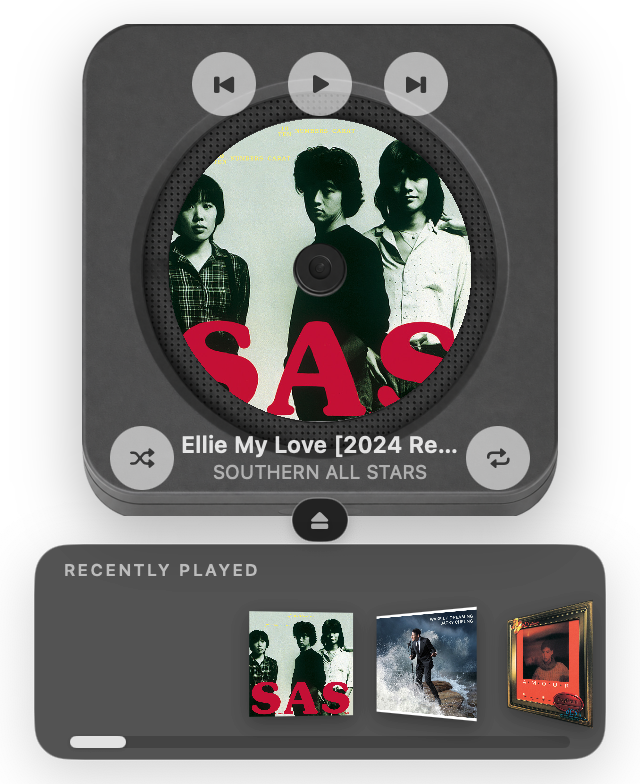
Platter: Desktop CD Player , also on the App Store , opens the developer's site in a new tab Platter is a little CD player for your Mac.
Mac desktop CD player for Apple Music and Spotify, with a menu-bar mini player. Drag covers, spin the disc. Not physical CDs.
$3.99 - About Chitroll: Paper To-Do List
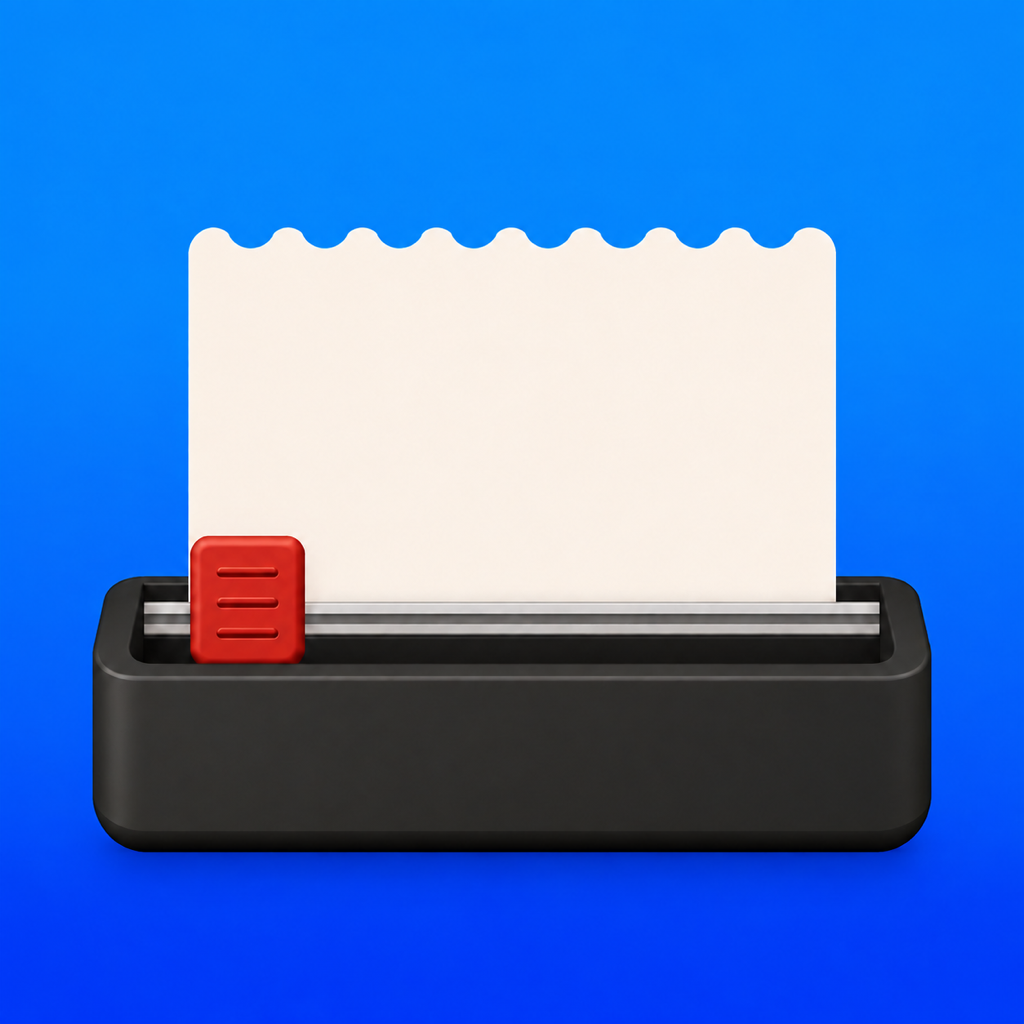
Chitroll: Paper To-Do List , also on the App Store , opens the developer's site in a new tab A little paper machine for your Mac, made for the pleasure of writing, cutting, and tearing.
Mac desktop paper-roll to-do with a menu bar entry. Type a task, slide the cutter, tear it off with sound, and archive it. Local-only, no account or cloud. Paid $1.99.
$1.99 - About Command Reopen

Command Reopen , also on the App Store , opens the developer's site in a new tab Bring minimized windows back automatically when you press Cmd+Tab.
Command Reopen makes Cmd+Tab restore minimized Mac windows. Zero permissions. Mac App Store.
$9.99 14-day trial - About Notch Now

Notch Now , also on the App Store , opens the developer's site in a new tab Notch Now is a Mac notch app for saving files, links, images and text for later.
Notch Now is a Mac notch app for saving files, links, images and text for later. Drop something into your inbox, add a note or reminder when you need one, and carry on. Requires macOS 14 or later.
Paid - About Willow Voice

Willow Voice , also on the App Store , opens the developer's site in a new tab Willow is an AI dictation keyboard built for people who live in email, chat and documents all day.
Willow is an AI voice dictation tool that turns natural speech into polished text in any app. It helps your team move faster through emails, messages, documents, and AI prompts without spending all day typing. Works on Mac, Windows, and iPhone.
Freemium - About Arras

Arras , also on the App Store , opens the developer's site in a new tab Free native macOS photo widgets and editable desktop collages, with slideshows, layers and saved setups.
Arrange photos, slideshows and editable collages on your Mac desktop. Keep natural proportions, choose layers, add captions and save setups. Free and open source.
Free - About SaneClip
SaneClip , also on the App Store , opens the developer's site in a new tab SaneClip on iPhone and iPad is the free companion to the Mac app.
Clipboard history in your Mac menu bar that you can lock with Touch ID, with encryption at rest and password-manager copies skipped automatically.
$14.99 14-day trial - About Conjuly

Conjuly , also on the App Store , opens the developer's site in a new tab
Conjuly lets you draw a capture region anywhere on any monitor and mirrors it into a clean window you can share in Zoom, Teams or Meet. Combine several regions into one grid, record just that area, blur sensitive content live, and send it all into a call as a virtual camera. Built for ultrawide and multi-monitor setups.
Free - About AirCalendar

AirCalendar , also on the App Store , opens the developer's site in a new tab Check the date, see what’s coming up and keep your tasks close at hand.
Mac menu bar calendar: see dates, to-dos, lunar dates, solar terms, Chinese holidays and adjusted working days.
Freemium - About popCalendar

popCalendar , also on the App Store , opens the developer's site in a new tab Your full year, daily events and a live clock, from the Mac menu bar to a whole display.
A full-year calendar in your Mac's menu bar, with a live clock behind the dates. Drag to count days and workdays across years, keep events in a month sidebar, or fill a whole display. Includes 27 clock presets, personal backgrounds, countdowns, and fullscreen meeting reminders. Core features work offline.
$9.99 - About AfterLid
AfterLid , also on the App Store , opens the developer's site in a new tab AfterLid is the iPhone companion for long-running work on your Mac.
Keep your Mac awake for long builds, downloads and local AI tasks, then check its mode, battery and connection from your iPhone or Android phone. The Mac app works without an account. Free includes phone status; Pro adds remote mode changes and more character customisation. macOS 14 or later.
Freemium - About Deadline Bar
Deadline Bar , also on the App Store , opens the developer's site in a new tab Deadline Bar keeps every deadline, bill and renewal in your menu bar, and helps you finish them, not just see them coming.
Your next deadline counts down in the menu bar, green to yellow to red. A click shows the rest by urgency, with Quick Add, reminders and Focus.
Freemium
What the App Store adds
Every app on this page is published through Apple, which means three things a directory can state plainly. Apple reviewed it before it appeared. It arrives signed, and updates through the same place as the rest of your software. And it runs in a sandbox, so the parts of the Mac it can reach are the ones it declared and the ones you allowed.
None of that is a recommendation, and review is not endorsement. It is a floor rather than a verdict: it says somebody checked, not that this is the app you want. The listings say what each one does and link to what the developer published, which is the part worth reading.
53 listed: 9 free, 15 free with a paid upgrade and 29 paid. Of those, 14 with a free trial.
What it does not tell you
- Whether it can do the job. A sandboxed app cannot reach everything, and some menu bar tools want exactly what the sandbox withholds. Several of the best ones here are outside the store for that reason rather than despite it.
- What it does with your data. Review checks a great deal and reads nobody's privacy policy for you. The listings link to each developer's own.
- Whether it is still being worked on. An app can sit in the store for years untouched. The date it was last updated is on its App Store page.
Questions
- What does it mean that a menu bar app is on the App Store?
- Apple reviewed it before it was published, signs it, and delivers every update through the same place. It runs in a sandbox, so what it can reach on your Mac is limited to what it declared and what you allow. Refunds go through Apple rather than through the developer.
- Is an app outside the App Store unsafe?
- No. Most Mac software is distributed directly and much of it is notarised, which means Apple has scanned it for malware without reviewing what it does. The difference is who you are trusting and what you can undo: the store adds review, sandboxing and a refund path, and direct distribution lets an app do things the sandbox does not permit, which some of these apps genuinely need.
- Do App Store apps update themselves?
- They update through the App Store along with everything else, and can do it automatically if you have that switched on in System Settings. An app installed directly updates however its developer chose, which is usually a check the app runs itself.
- Are these apps free?
- Some are. 53 listed: 9 free, 15 free with a paid upgrade and 29 paid. Of those, 14 with a free trial. What each one costs is on its own listing, as the developer states it.